97
Routing Tone to Path Outputs
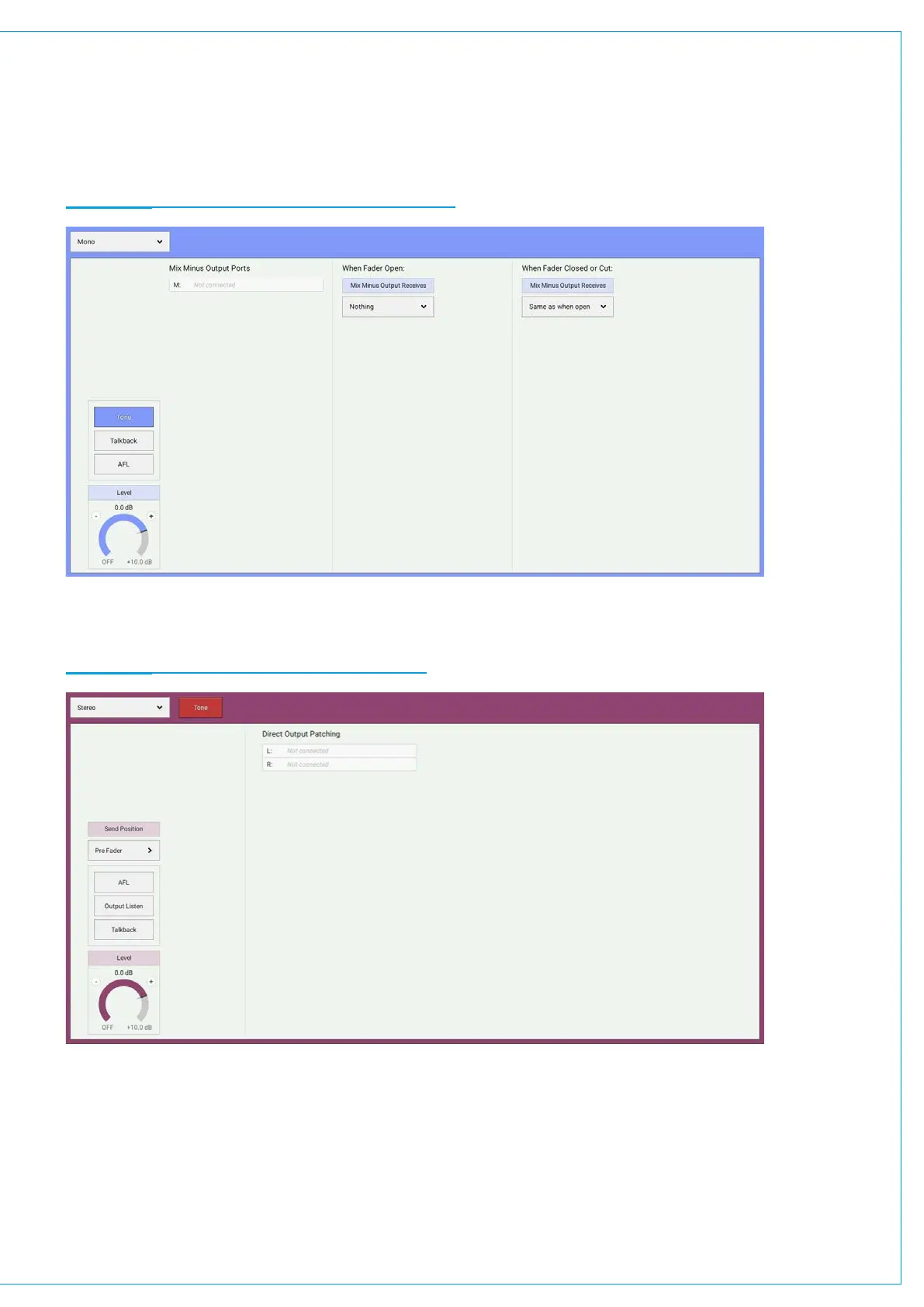
1. Select either the mix minus or direct output routing tab.
2. Tap TONE in the control screen for mix minus outputs or in the control screen header for direct outputs.
FIGURE 3 - ROUTING TONE TO A MIX MINUS OUTPUT
FIGURE 4 - ROUTING TONE TO A DIRECT OUTPUT
Note: buttons that route tone to audio paths are disabled whilst the console is in On-Air mode, and entering on-Air mode
will also clear any tone routing that is active.


 To Next Page