EasyManua.ls Logo

CAME FROG series - User Manual

CAME FROG series
16 pages
Print Icon
To Next Page IconTo Next Page
Loading...
Documentazione
Tecnica
S45
rev. 2.2
07/2002
©
CAME
CANCELLI
AUTOMATICI
FROG A
CANCELLI AUTOMATICI
SCHEDA COMANDO
CONTROL BOARD
CARTE DE COMMANDE
STEUERPLATINE
TARJETA DE MANDO
ITALIANO/ ENGLISH/ ESPAÑOL
119AS45-1
SERIE FROG |
FROG SERIES
|
SERIE FROG
8
6
5
2
4
7
10
9
3
1
9
1
10
3
4x1,5
3x1,5
230V
4x1
2x1,5
RG58
3x1
5x1
2x1
4x1
RX
TX
RX
TX
4x1,5
2x1
11
10
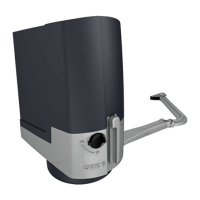
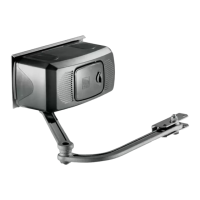
1 - Gruppo FROG
2 - Quadro comando incorporato
3 - Fotocellule di sicurezza
4 - Ricevitore radio
5 - Selettore a chiave
6 - Antenna di ricezione
7 - Pulsantiera interna
8 - Lampeggiatore di movimento
9 - Colonnina per fotocellula
10 - Scatola di derivazione per cavo
motoriduttore (é consigliabile fare le
connessioni del cavo
motoriduttore in scatole di deriva-
zione)
11 - Trasmettitore radio
Impianto tipo Instalación tipo
1 - Conjunto FROG
2 - Cuadro de mando incorporado
3 - Fotocélulas de seguridad
4 - Radiorreceptor
5 - Selector mediante llave
6 - Antena receptora
7 - Pulsadores de interior
8 - Lámpara intermitente de movimento
9 - Columna para fotocélula
10 - Caja de paso para el cable del
motorreductor (se aconseja hacer las
conexiones del cable del
motorreductor en cajas de paso)
11 - Transmisor
Standard installation
1 - FROG unit
2 - Control panel (incorporated)
3 - Safety photocells
4 - Radio receveir
5 - Key-operated selector switch
6 - Antenna
7 - Internally located pushbutton arry
8 - Flashing light
9 - Photocell column
10 - Connector block for gearmotor cable (it is
advisable to make gearmotor cable
connections within connector blocks).
11 - Radio transmitter
Automazione per cancelli a battente (montaggio interrato)
Automatic opening system for wing gates (underground installation)
Automatizacion para puertas batientes (montaje en el terreno)
Cables de alimentación motores:
2 x 1.5 mm
2
hasta 20 m
2 x 2.5 " " 30 m
Cables de conexión microinterruptores:
3 x 1mm
2
Power wires to motor:
2 x 1.5 mm
2
up to 20 m
2 x 2.5 mm
2
up to 30 m
Wiring for microswitches:
3 x 1 mm
2
Cavi di alimentazione motori:
2 x 1.5 mm
2
fino a 20 m
2 x 2.5 mm
2
fino a 30 m
Cavi di collegamento microinterruttori:
3 x 1 mm
2
FROG A24


Other manuals for CAME FROG series

Questions and Answers

  • T
    Troy JacksonJul 26, 2025
    How to troubleshoot CAME FROG that will not respond when given a command?
    • B
      Benjamin MitchellJul 26, 2025
      If your CAME Gate Opener isn't responding to commands, try the following: 1. Check the power supply to the control panel. 2. Check the control panel fuses. 3. Verify the hard wire link is fitted between terminals 1 & 2. 4. Ensure that capacitors are fitted and wired correctly.
  • D
    Dawn FernandezJul 30, 2025
    Why my CAME FROG won't respond to remote control command?
    • K
      Katie SteeleJul 30, 2025
      There are several reasons why your CAME Gate Opener might not be responding to the remote control: * The AF frequency card might not be fitted to the control panel. * The remote control may not have been programmed into the control panel. * The remote control could have the wrong code setting. * 'Operator Present' might not have been selected, deactivating radio remote controls (DIP switch 1). * The wrong frequency card may be fitted for the remote control.
  • G
    Gregory LloydAug 4, 2025
    What to do if my CAME FROG is open but will not close and the green LED is flashing?
    • T
      Timothy RichardsonAug 4, 2025
      If your CAME Gate Opener is stuck open and the green LED is flashing, here's what you can check: 1. Ensure the safety beams are wired correctly. If you have multiple sets, they must be wired in series. 2. Confirm that the safety beams are receiving power. Restore power if needed. 3. If safety beams aren't installed, make sure a hard wire connects terminals 2 & C1. 4. Remove safety beam wires 2 & C1 from the control panel and check for a normally closed circuit coming from the beams.
  • S
    Sarah HarveyAug 8, 2025
    Why CAME FROG automatically opens but does not automatically close after commissioning?
    • J
      James McdonaldAug 8, 2025
      If your CAME Gate Opener opens automatically during commissioning but doesn't automatically close, consider the following: 1. The motor wires might be incorrectly connected. Verify the motor direction by briefly pulsing terminals 2 & 3; the gate should open. 2. Turn off automatic closing (DIP switch 2) until the motor direction has been verified.
  • A
    aaronthompsonAug 12, 2025
    Why does my CAME Gate Opener open but not close?
    • W
      wyoungAug 12, 2025
      If your CAME Gate Opener opens but does not close, the photocells might be engaged. Check that the photocells are clean and in good working order. If this is not the cause, it is recommended to call assistance.
  • M
    Michael HintonAug 16, 2025
    What to do if CAME FROG Gate Opener will not open or close?
    • S
      Sarah JacobsAug 17, 2025
      If your CAME Gate Opener isn't opening or closing, here's what might be happening: * **No Power:** Ensure the power supply is active. * **Remote Batteries:** Replace the remote control batteries if they're depleted. For other potential issues like a released gearmotor, broken transmitter, stuck or broken stop button, or stuck opening/closing button/key selector, it's recommended to call assistance.
  • N
    Nicole MedinaAug 21, 2025
    What to do if my CAME FROG Gate Opener won't open or close?
    • E
      eddie35Aug 21, 2025
      If your CAME Gate Opener is not opening or closing, there could be several reasons: * **No power:** Ensure that the power supply is active. * **Remote control batteries:** Replace the batteries in your remote control. * **Emergency Stop Button:** If you are not using an EMERGENCY stop button, jump between contacts 2-1. * **Photocells:** If you are not using PHOTOCELLS, jump N/C contacts. For other potential issues like a released gearmotor, a broken transmitter, a stuck or broken stop button, or stuck opening/closing button/key selector, it is recommended to call assistance.

Summary

General Specifications

Product Description

Overview of the swing gate automation system for underground installation.

Operational Limits

Details on maximum gate wing dimensions and opening angles.

Available Versions

Information on different motor types and power ratings.

Release Mechanisms

Details on manual release devices for emergency use.

Optional Accessories

List of additional components for enhanced functionality.

Technical Features

Motor Specifications

Detailed technical data including power, current, and weight for each motor model.

Dimensions

Overall external dimensions of the FROG-B / FROG-BI system.

Installation and Assembly

Installation Steps

Step-by-step guide for mounting the gate automation system.

Foundation Preparation

Instructions for preparing the ground and installing the foundation box.

Cable Routing

Guidance on routing electrical power and control cables.

Gate Leaf Connection

Procedure for connecting the gate leaf to the mechanism.

Motor and Arm Installation

Motor Mounting

Attaching the motor to the foundation casing.

Transmission Arm Adjustment

Adjusting the transmission arm for proper gate closure.

Special Opening Accessories

Details on transmission lever and 180° opening device.

Release and Adjustment Procedures

Manual Release

Description of release devices for power outages and their usage.

Microswitch Adjustment

Procedure for adjusting microswitches for gate deceleration.

Electrical Connections and Maintenance

Wiring Diagrams

Schematics for connecting motors and microswitches.

Periodic Lubrication

Instructions for regular lubrication of key components.

CAME FROG series Specifications

General IconGeneral
Motor Voltage24 V DC
Max Gate Weight800 kg
Duty Cycle30%
Limit SwitchYes
Power Supply230 V AC
Safety FeaturesObstacle detection
TypeElectromechanical underground gate opener

Related product manuals