EasyManua.ls Logo

CAME FROG-A - User Manual

CAME FROG-A
16 pages
Print Icon
To Next Page IconTo Next Page
Loading...
119AS45EN
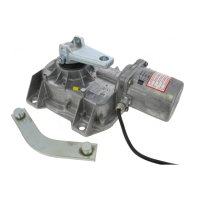
UNDERGROUND OPERATOR
FOR SWING GATES
Installation manual
FROG-A / FROG-AV / FROG-AE
En
g
lish
E
N

Questions and Answers

  • N
    newmandonaldJul 27, 2025
    What to do if my CAME FROG-A does not open or close?
    • C
      Charles BoothJul 27, 2025
      If your CAME Gate Opener isn't opening or closing, there could be several reasons. First, check the power supply to ensure it's properly connected. Next, verify that the gearmotor is locked. Also, the transmitter battery might be flat, so try replacing it. If these steps don't resolve the issue, it could be due to a broken transmitter, a stuck or broken stop button, or stuck opening/closing buttons or key selector switch, in which case you should contact service.
  • G
    greenjessicaAug 4, 2025
    Why does my CAME Gate Opener open but not close?
    • R
      Ricky JohnsonAug 4, 2025
      If your CAME Gate Opener opens but doesn't close, the photocells may be engaged. Ensure that the photocells are clean and functioning correctly. If the issue persists, contact service.
  • V
    Vincent MillsAug 10, 2025
    Why my CAME FROG-A does not open or close?
    • W
      William GlennAug 10, 2025
      If your CAME Gate Opener isn't opening or closing, first check if it's receiving power from the mains. Then, make sure the gearmotor is locked. Also, verify that the transmitter battery isn't flat by replacing the batteries. If these steps don't resolve the issue, the transmitter, stop button, opening/closing button, or key selector switch may be broken, requiring service assistance.
  • D
    daniel86Aug 18, 2025
    What to do if my CAME Gate Opener opens but does not close?
    • Z
      Zachary SchultzAug 18, 2025
      If your CAME Gate Opener opens but doesn't close, it might be due to engaged photocells. Ensure that the photocells are clean and functioning correctly. If the issue persists, further assistance is needed.

Summary

Safety and Warnings

Premise and General Safety

General safety precautions and conditions for product use.

Installation Safety

Critical safety checks and requirements during installation.

User Safety Recommendations

Advice for safe operation and maintenance for end-users.

Product Information

Description, Intended Use and Limits

Overview of product components, intended use, operational limits.

Technical Data

Detailed technical specifications of the gearmotors.

Installation Guide

Preliminary Checks and Tools

Essential pre-installation checks, tools, materials, and cable specifications.

Foundation Box Installation

Steps for laying pipes, chambers, and installing the foundation box.

Gearmotor Mounting and Adjustments

Procedures for fastening the gearmotor and setting end run points.

Electrical and Final Connections

Wiring for control panels, encoders, and securing the cover.

Manual Release and Variations

Manual release procedure and specific steps for outward-opening installations.

Maintenance and Troubleshooting

Periodic Maintenance

Schedule and log for regular user maintenance tasks.

Extraordinary Maintenance and Troubleshooting

Procedures for specialist repairs and common fault resolution.

Compliance and Disposal

Product Disposal and Conformity

Guidelines for product disposal and declaration of CE conformity.

CAME FROG-A Specifications

General IconGeneral
Max Gate Weight800 kg
Max Gate Length3.5 m
Power Supply230 V AC
Motor Voltage230 V AC
Duty Cycle30%
Operating Temperature-20°C to +55°C
Protection RatingIP67
Control TypeRemote Control

Related product manuals