18
1
2
3
4
5
Introduction
Contents at
a Glance
Basic
Operation
Advanced
Operation
Advanced
Image Editing
and Printing
Editing JPEG
Images
Index
Processing
Large Numbers
of Images
Reference
Sort item Description
Check mark1 -
Check mark3
Images with check marks take priority and are
sorted in number order.
Shooting Date/Time Images are sorted by shooting date and time
from the earliest.
File name Images are sorted by file name in alphanumeric
order (0 to 9 A to Z).
RAW priority Images are sorted in the following order: RAW
images JPEG images TIFF images
When you have attached check marks 1 to 3, the images are sorted as
follows: If you select 1, the order is 123; if you select 2, the order is
213; if you select 3, the order is 321.
Check mark order
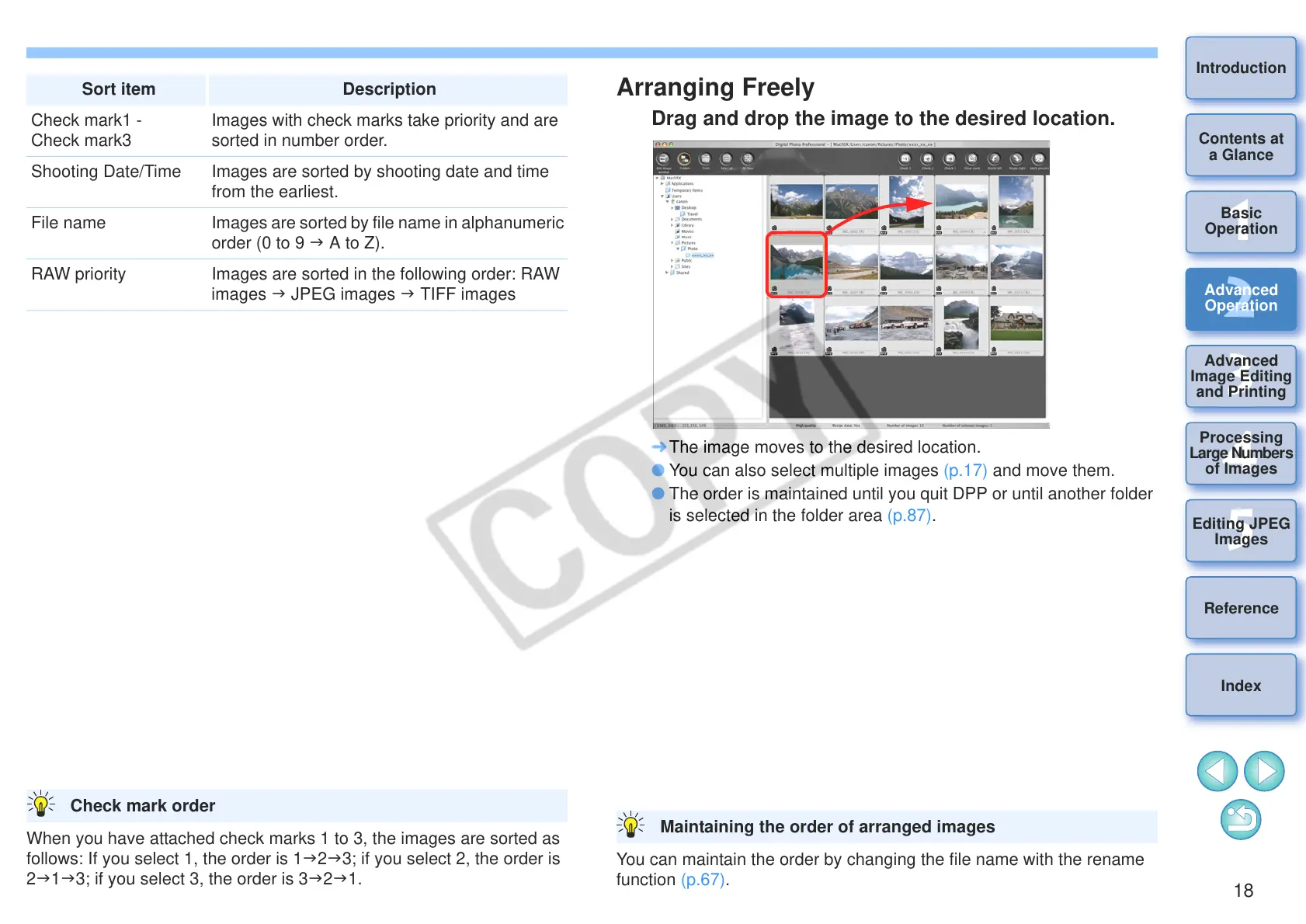
Arranging Freely
Drag and drop the image to the desired location.
¿ The image moves to the desired location.
O You can also select multiple images (p.17) and move them.
O The order is maintained until you quit DPP or until another folder
is selected in the folder area (p.87).
You can maintain the order by changing the file name with the rename
function (p.67).
Maintaining the order of arranged images










 To Next Page