48
1
2
3
4
5
Introduction
Contents at
a Glance
Basic
Operation
Advanced
Operation
Advanced
Image Editing
and Printing
Editing JPEG
Images
Index
Processing
Large Numbers
of Images
Reference
You can reduce noise that arises in RAW images that have been shot at
night or with a high ISO speed.
[NR] is an abbreviation for “noise reduction”.
1
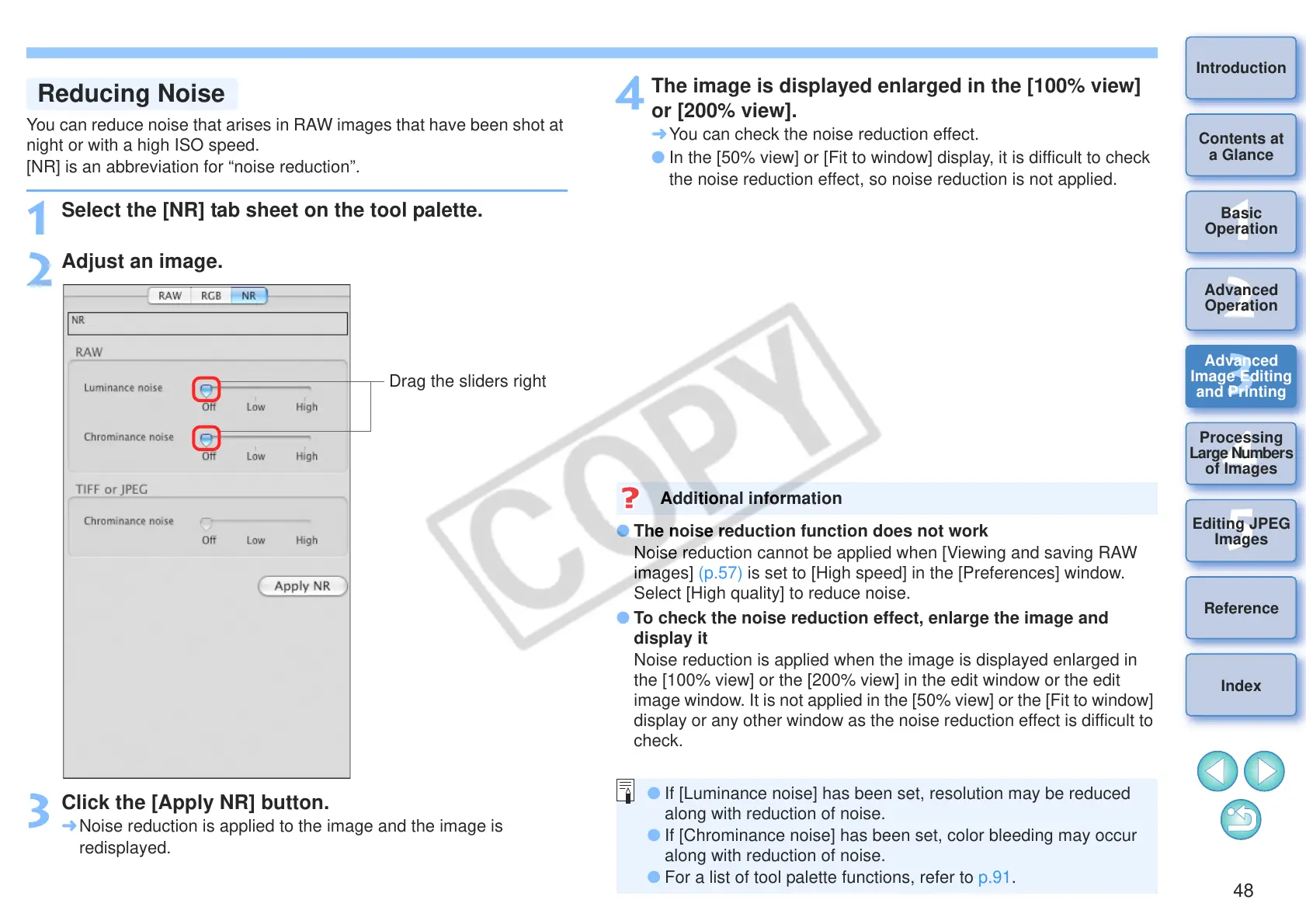
Select the [NR] tab sheet on the tool palette.
2
Adjust an image.
3
Click the [Apply NR] button.
¿ Noise reduction is applied to the image and the image is
redisplayed.
4
The image is displayed enlarged in the [100% view]
or [200% view].
¿ You can check the noise reduction effect.
O In the [50% view] or [Fit to window] display, it is difficult to check
the noise reduction effect, so noise reduction is not applied.
O The noise reduction function does not work
Noise reduction cannot be applied when [Viewing and saving RAW
images] (p.57) is set to [High speed] in the [Preferences] window.
Select [High quality] to reduce noise.
O To check the noise reduction effect, enlarge the image and
display it
Noise reduction is applied when the image is displayed enlarged in
the [100% view] or the [200% view] in the edit window or the edit
image window. It is not applied in the [50% view] or the [Fit to window]
display or any other window as the noise reduction effect is difficult to
check.
Additional information
O If [Luminance noise] has been set, resolution may be reduced
along with reduction of noise.
O If [Chrominance noise] has been set, color bleeding may occur
along with reduction of noise.
O For a list of tool palette functions, refer to p.91.










 To Next Page