*
1
If an image is displayed enlarged, the enlargement display position
can be moved by dragging. The enlargement display position appears
when [Docking display] (p.58) has been set and the edit image
window (p.93) has been enlarged.
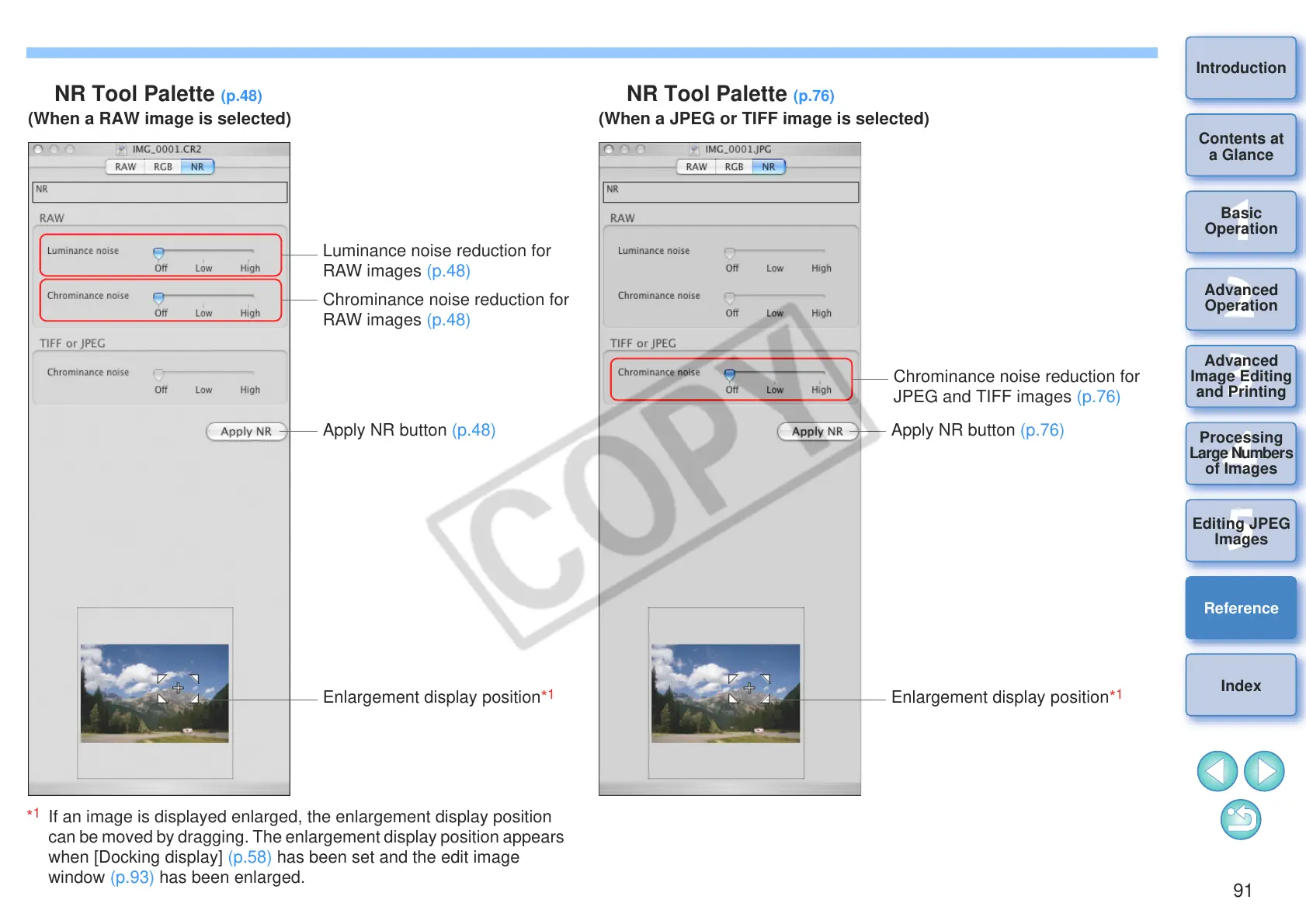
NR Tool Palette (p.48)
Luminance noise reduction for
RAW images (p.48)
Chrominance noise reduction for
RAW images (p.48)
Apply NR button (p.48)
Enlargement display position*
1
Chrominance noise reduction for
JPEG and TIFF images (p.76)
NR Tool Palette (p.76)
Apply NR button (p.76)
Enlargement display position*
1
(When a RAW image is selected) (When a JPEG or TIFF image is selected)










 To Next Page