64
1
2
3
4
5
Introduction
Contents at
a Glance
Basic
Operation
Advanced
Operation
Advanced
Image Editing
and Printing
Editing JPEG
Images
Index
Processing
Large Numbers
of Images
Reference
Batch Apply White Balance to Images (Personal White Balance)
The white balance adjustments made to a RAW image shot in a specific
shooting environment can be registered as personal white balance. You
can then perform efficient white balance adjustment by applying this
personal white balance to a large number of RAW images shot in the
same shooting environment.
1
Adjust the white balance (p.23, p.24, p.44).
2
In the [RAW] tool palette, click the [Register] button.
¿ The [Register personal white balance] dialog box appears.
3
Select the button number to be registered from the
list and click the [OK] button.
Registering Personal White Balance
1
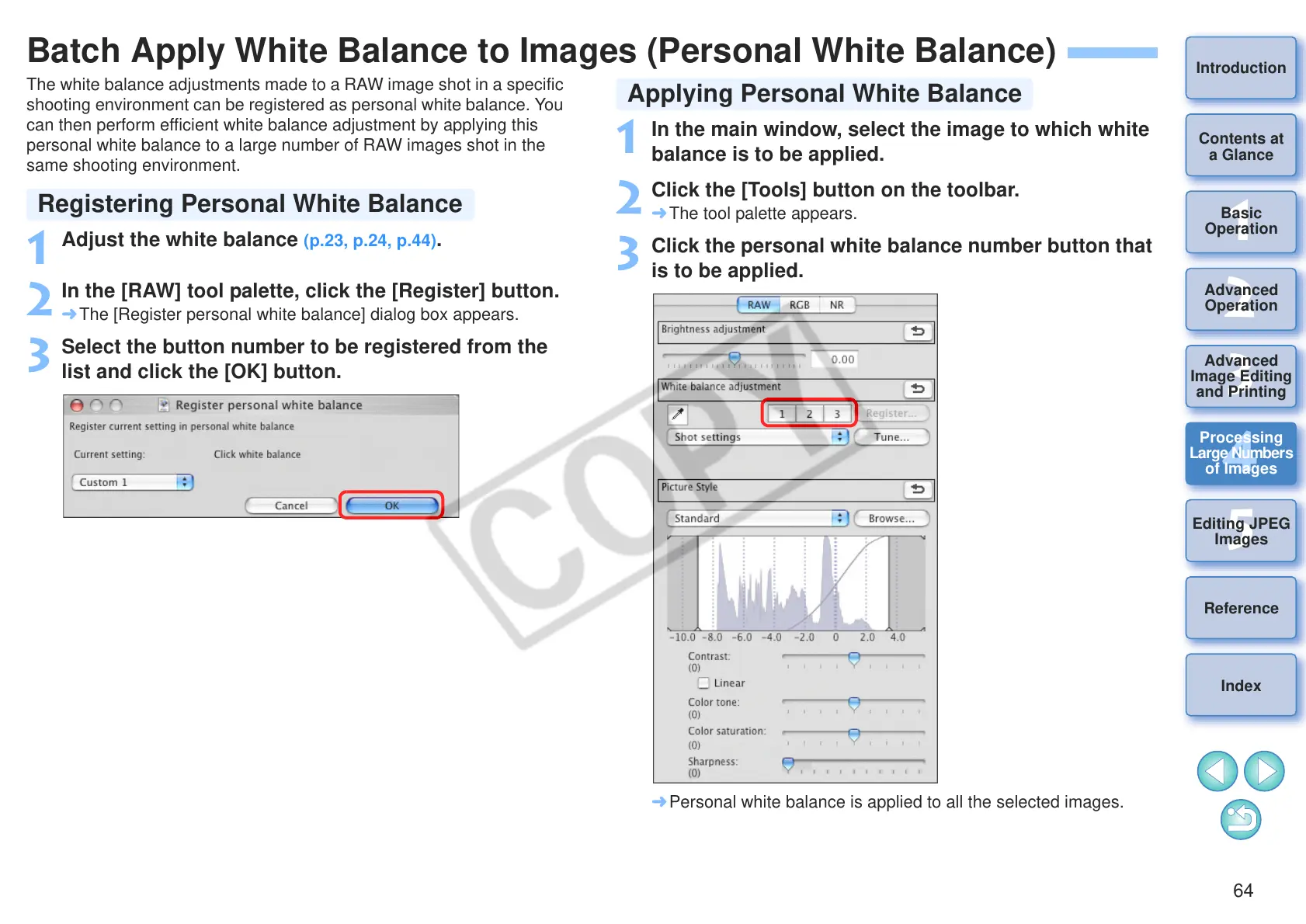
In the main window, select the image to which white
balance is to be applied.
2
Click the [Tools] button on the toolbar.
¿ The tool palette appears.
3
Click the personal white balance number button that
is to be applied.
¿ Personal white balance is applied to all the selected images.
Applying Personal White Balance










 To Next Page