54
1
2
3
4
5
Introduction
Contents at
a Glance
Basic
Operation
Advanced
Operation
Advanced
Image Editing
and Printing
Editing JPEG
Images
Index
Processing
Large Numbers
of Images
Reference
Printing a Thumbnail List (Contact Sheet Printing)
You can print rows of multiple images on one sheet of paper.
1
Select images to be printed in a thumbnail list.
2
Select the [File] menu [Contact Sheet Prints].
3
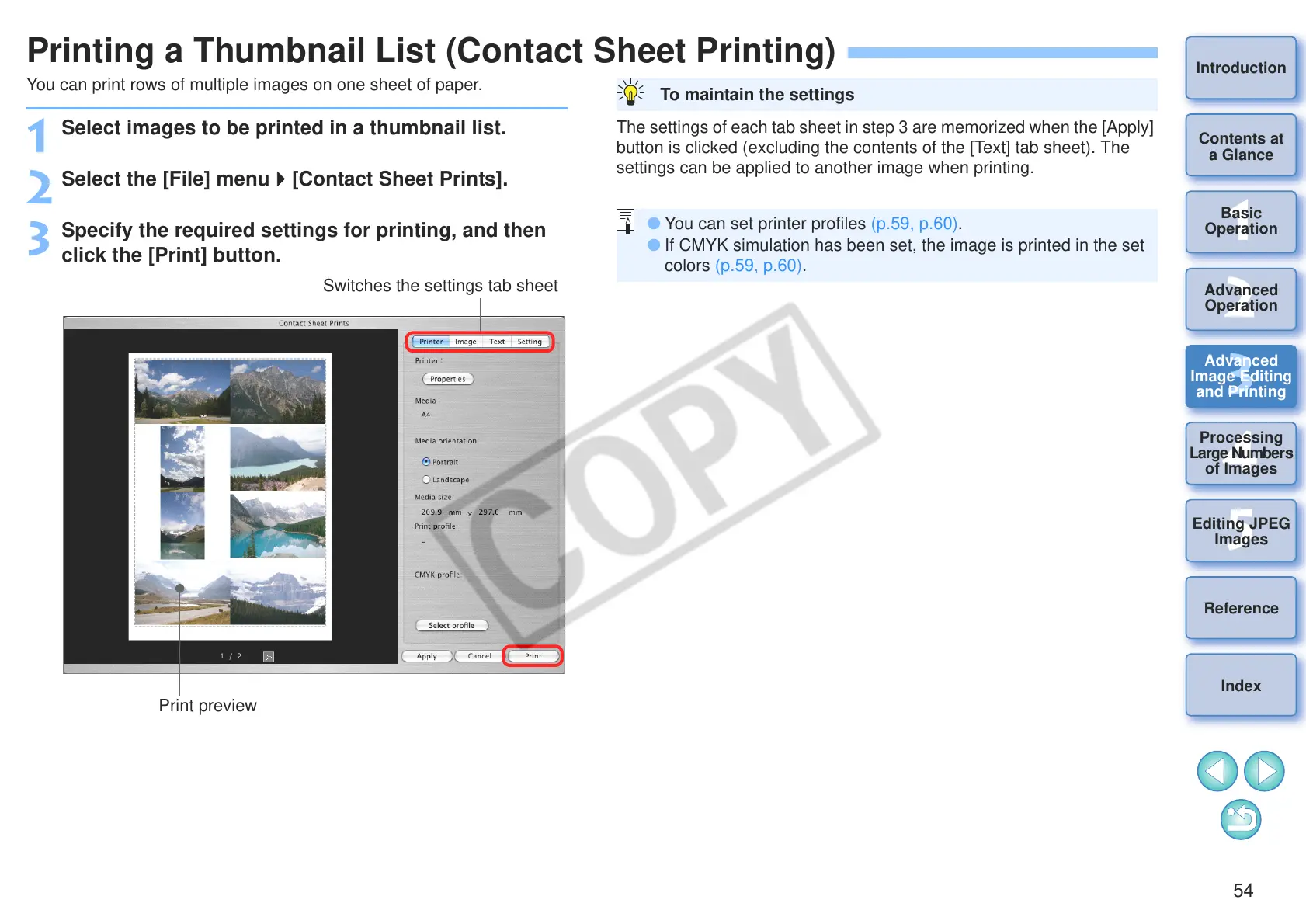
Specify the required settings for printing, and then
click the [Print] button.
Print preview
Switches the settings tab sheet
The settings of each tab sheet in step 3 are memorized when the [Apply]
button is clicked (excluding the contents of the [Text] tab sheet). The
settings can be applied to another image when printing.
To maintain the settings
O You can set printer profiles (p.59, p.60).
O If CMYK simulation has been set, the image is printed in the set
colors (p.59, p.60).










 To Next Page