7
1
2
3
4
5
Introduction
Contents at
a Glance
Basic
Operation
Advanced
Operation
Advanced
Image Editing
and Printing
Editing JPEG
Images
Index
Processing
Large Numbers
of Images
Reference
3
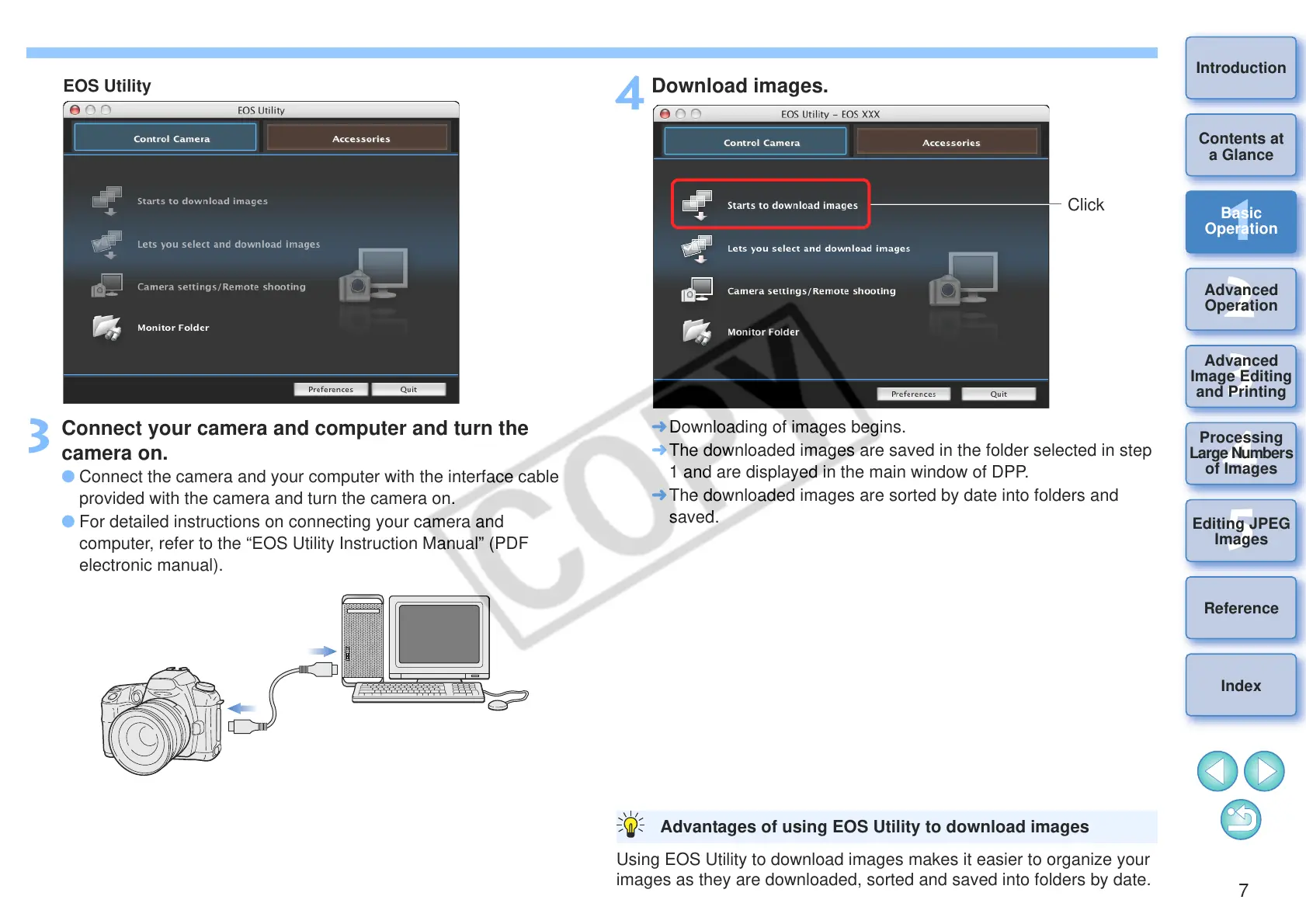
Connect your camera and computer and turn the
camera on.
O Connect the camera and your computer with the interface cable
provided with the camera and turn the camera on.
O For detailed instructions on connecting your camera and
computer, refer to the “EOS Utility Instruction Manual” (PDF
electronic manual).
4
Download images.
¿ Downloading of images begins.
¿ The downloaded images are saved in the folder selected in step
1 and are displayed in the main window of DPP.
¿ The downloaded images are sorted by date into folders and
saved.
Using EOS Utility to download images makes it easier to organize your
images as they are downloaded, sorted and saved into folders by date.
Advantages of using EOS Utility to download images










 To Next Page