EasyManua.ls Logo

Canon 4K500ST - User Manual

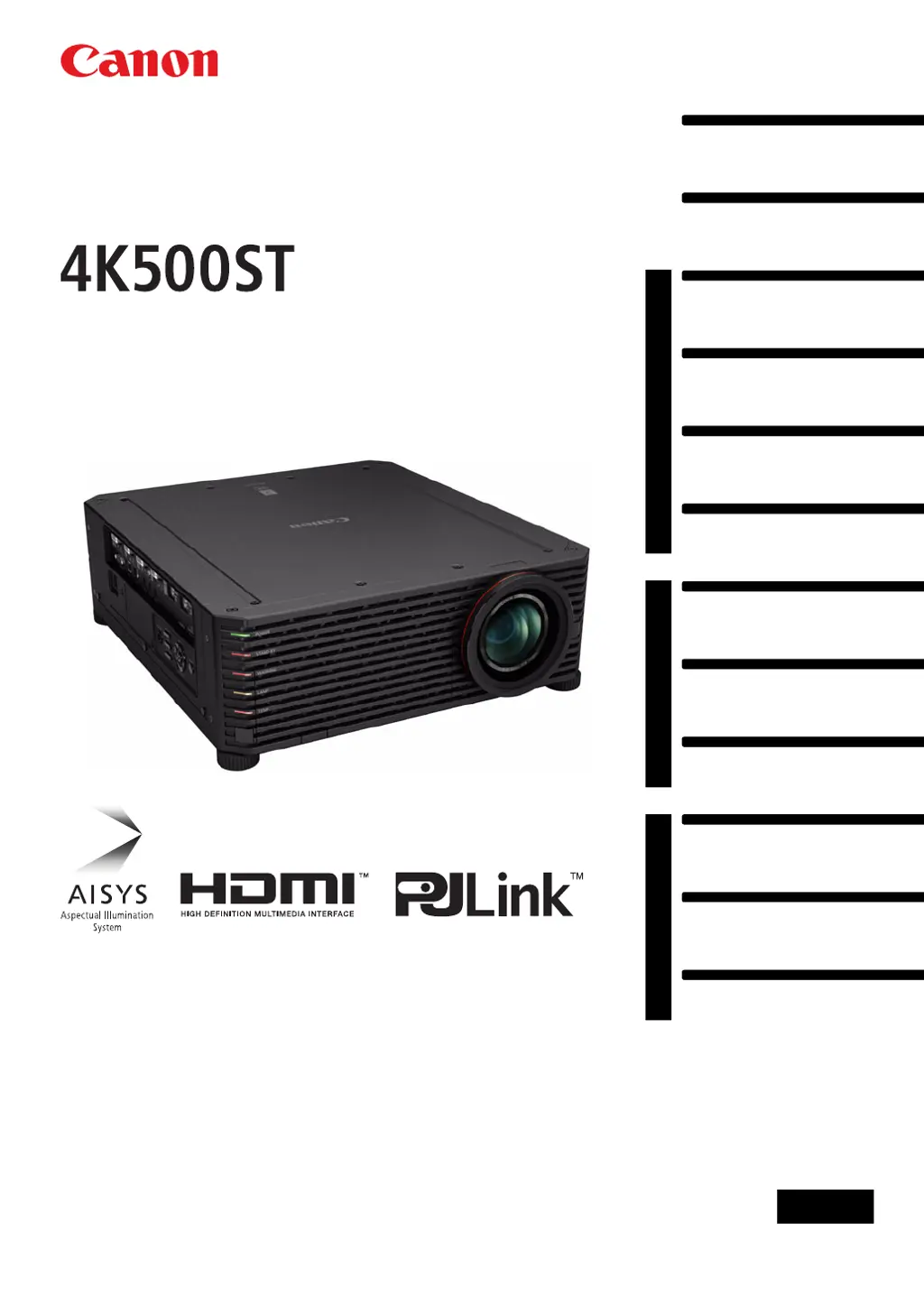
Canon 4K500ST
189 pages
Print Icon
To Next Page IconTo Next Page
Loading...
Safety Instructions
Before Use
Basic Guide
Installation Procedure
Connection Procedure
Projection Procedure
Convenient Features
Advanced Guide
Using Menus
Menu Settings
Advanced Projection
Other Information
Maintenance
Product Specifications
Troubleshooting
ENG
MULTIMEDIA PROJECTOR
Users Manual

Table of Contents

Questions and Answers

Summary

How to Use This Manual

Manual Overview and Symbols

Explains the manual's structure, button operation symbols, and manual symbols guide.

Projector Highlights

Safety Instructions

General Safety Precautions

Covers warnings, grounding, rain exposure, lens staring, ventilation, and usage conditions.

Electrical and Cord Safety

Details AC power cord requirements, grounding, socket outlet safety, and FCC notice.

Before Use

Package Contents and Part Identification

Lists included accessories and identifies projector parts and controls.

Remote Control and Operation

Explains remote control operation, range, wired connection, and battery installation.

Basic Guide

Installation Procedure

Guides through projector setup, mounting, assembly, and angle adjustments.

Connection Procedure

Details connecting computers and AV equipment, including multi-input 4K.

Projection Procedure

Covers turning on, selecting input, adjusting image, and turning off the projector.

Convenient Features

Describes image blanking, freezing, test patterns, and power-saving settings.

Advanced Guide

Using Menus and Basic Operations

Introduces the menu structure and how to navigate and select options.

Menu Settings Configuration

Details input, image, install, system, and network settings.

Advanced Projection Techniques

Covers edge blending and image registration for multi-projector setups.

Other Information

Maintenance and Cleaning

Guides on cleaning, filter maintenance, and lamp replacement.

Product Specifications

Lists test patterns, signal types, and detailed technical specifications.

Troubleshooting Common Issues

Provides solutions for LED errors, no power, no image, no sound, and remote control problems.

Summary

How to Use This Manual

Manual Overview and Symbols

Explains the manual's structure, button operation symbols, and manual symbols guide.

Projector Highlights

Safety Instructions

General Safety Precautions

Covers warnings, grounding, rain exposure, lens staring, ventilation, and usage conditions.

Electrical and Cord Safety

Details AC power cord requirements, grounding, socket outlet safety, and FCC notice.

Before Use

Package Contents and Part Identification

Lists included accessories and identifies projector parts and controls.

Remote Control and Operation

Explains remote control operation, range, wired connection, and battery installation.

Basic Guide

Installation Procedure

Guides through projector setup, mounting, assembly, and angle adjustments.

Connection Procedure

Details connecting computers and AV equipment, including multi-input 4K.

Projection Procedure

Covers turning on, selecting input, adjusting image, and turning off the projector.

Convenient Features

Describes image blanking, freezing, test patterns, and power-saving settings.

Advanced Guide

Using Menus and Basic Operations

Introduces the menu structure and how to navigate and select options.

Menu Settings Configuration

Details input, image, install, system, and network settings.

Advanced Projection Techniques

Covers edge blending and image registration for multi-projector setups.

Other Information

Maintenance and Cleaning

Guides on cleaning, filter maintenance, and lamp replacement.

Product Specifications

Lists test patterns, signal types, and detailed technical specifications.

Troubleshooting Common Issues

Provides solutions for LED errors, no power, no image, no sound, and remote control problems.

Canon 4K500ST Specifications

General IconGeneral
Resolution4096 x 2400
Brightness5000 lumens
Throw Ratio1.0 - 1.3:1
Lamp Life20, 000 hours
Projection SystemLCOS
Light SourceLaser
Lens TypeMotorized zoom and focus
ConnectivityHDMI, HDBaseT, USB, LAN
Input TerminalsHDMI, HDBaseT, USB, LAN

Related product manuals