54
Wireless Settings
Scanning the Master Unit Transmission Channels to Set
You can scan the radio reception status and set the master unit’s
transmission channel automatically or manually. When the channel is
set to “AUTO”, the channel with the best reception signal is
automatically set. When setting the channel manually, you can set the
transmission channel again while referring to the scan results.
Scanning while “AUTO” is set
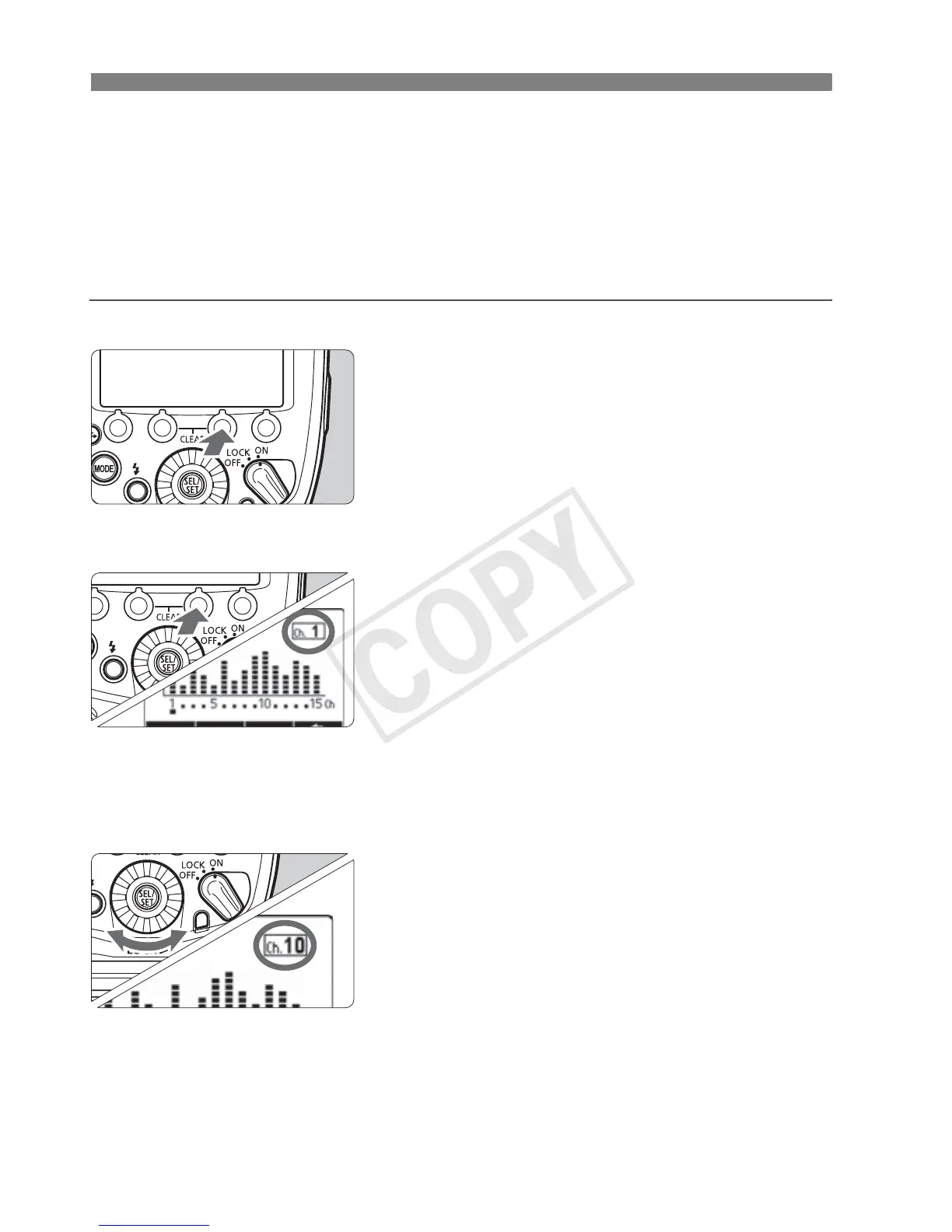
Run the scan.
Press function button 4 to display
<O>.
Press function button 3 <W>.
X
The channel is reset to one with a good
reception signal.
Scanning while Ch. 1 to 15 is set
1
Run the scan.
Press function button 4 to display
<O>.
Press function button 3 <W>.
X The radio reception status is
displayed in a graph.
The higher the peak of the channel in
the graph, the better the radio
reception signal.
2
Set a channel.
Turn <9> to select a channel from
Ch. 1 to 15.
Press the <8> button to set the
channel and return to the shooting-
ready state.














 To Next Page