40
6. AE Lock
The EOS-1 N's evaluative metering system is coupled to the five focusing
points. It controls the exposure according to the subject's position, based
on the focusing point in use.
If you want to determine the exposure independently from the focusing
operation, use AE lock. Use it when you also want to change the compo-
sition of the picture after determining the exposure. AE lock is effective for
backlit subjects and other situations where there is extremely strong con-
trast between the subject and background.
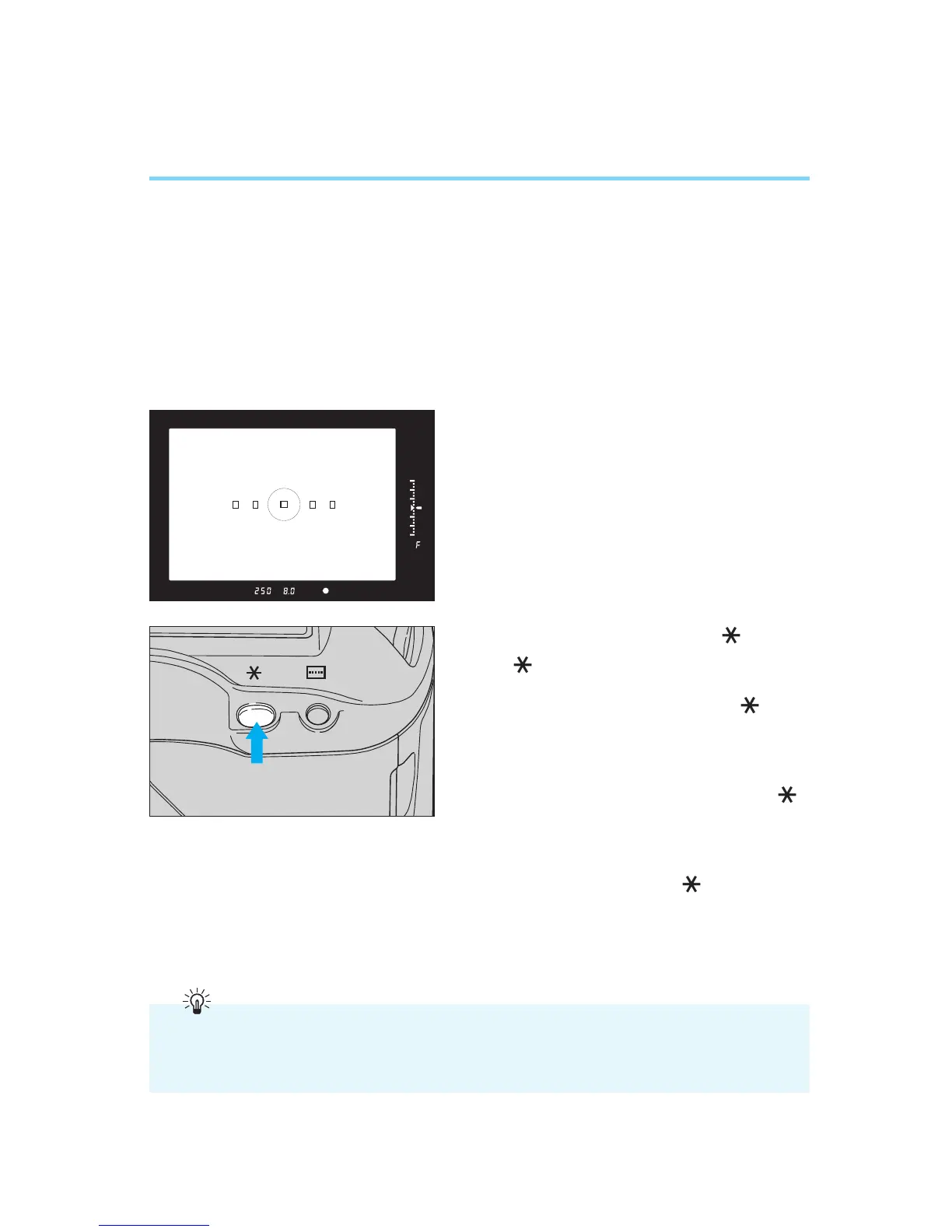
1
Focus the subject that you want to
measure with the camera’s metering
system.
• The exposure values are displayed in
the viewfinder and LCD panel.
2
Press the AE lock button ( ).
•“ ” lights in the viewfinder to indi-
cate that the AE lock is set. When you
release the AE lock button ( ), the
metering timer is activated and the
exposure remains locked for six sec-
onds.
• Pressing the AE lock button ( )
again renews the locked exposure set-
ting.
• AE lock is canceled six seconds after
the AE lock indicator ( ) lights in the
view finder display, or whenever you
press the AF mode selector, metering
mode selector, shooting mode selector
or focusing point selector.
To accurately meter a specific subject area with the AE lock function, we recommend
using partial metering or fine spot metering. Place the subject in the center of the viewfind-
er when activating AE lock.
00. Part.2 RS (E) (P.28~47) 27-01-2003 11:56 Page 40


 To Next Page