9-9
Troubleshooting
Clearing Jams
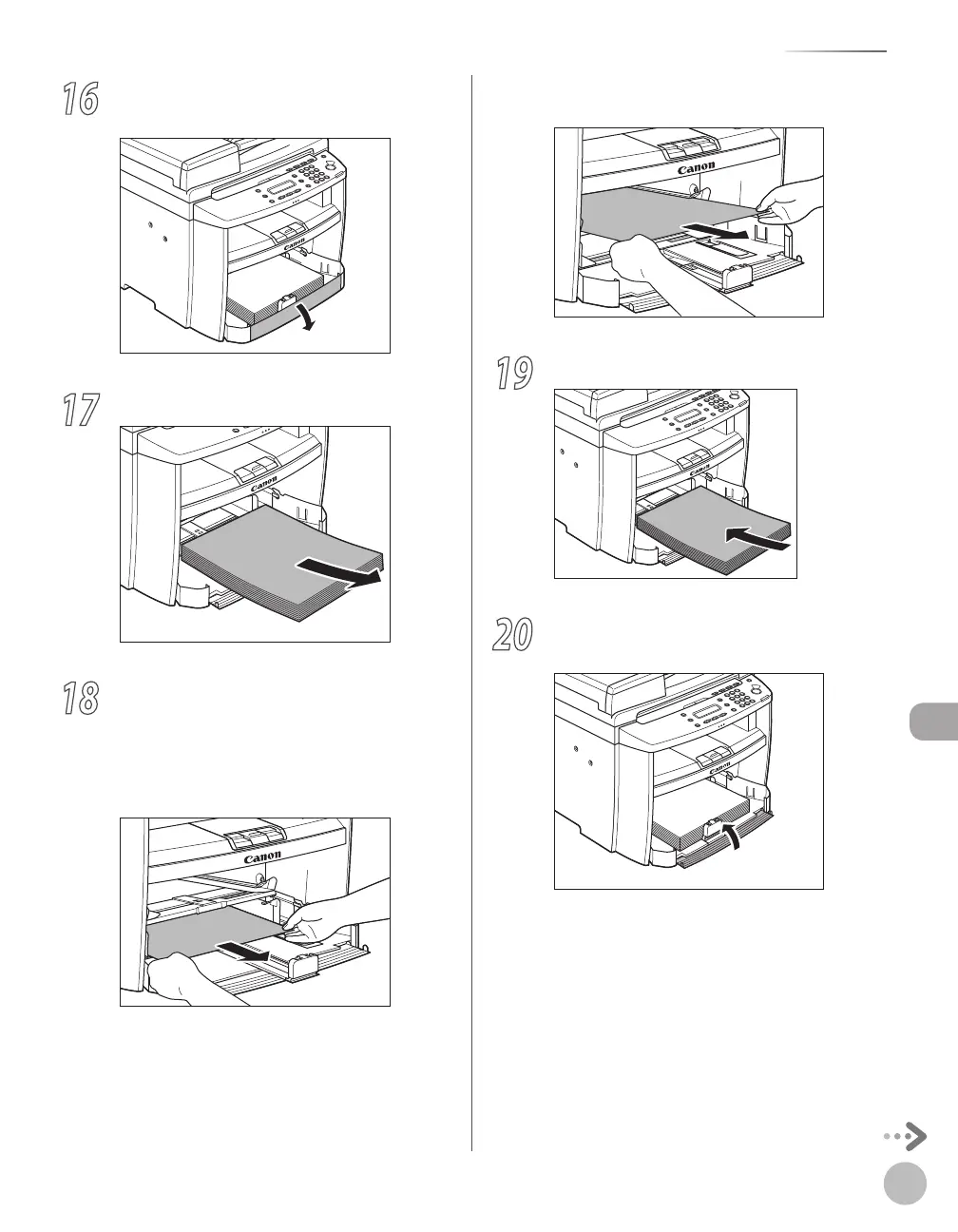
16
Open the front panel of the paper
cassette.
17
Remove the paper in the paper cassette.
18
Hold both sides of the jammed paper and
slowly pull it out in the direction of the
arrow.
■When feeding paper from the paper
cassette:
■When feeding paper from the multi-
purpose tray:
19
Load the paper into the paper cassette.
20
Close the front panel of the paper
cassette.














 To Next Page