9-11
Troubleshooting
Clearing Jams
For D440/D420
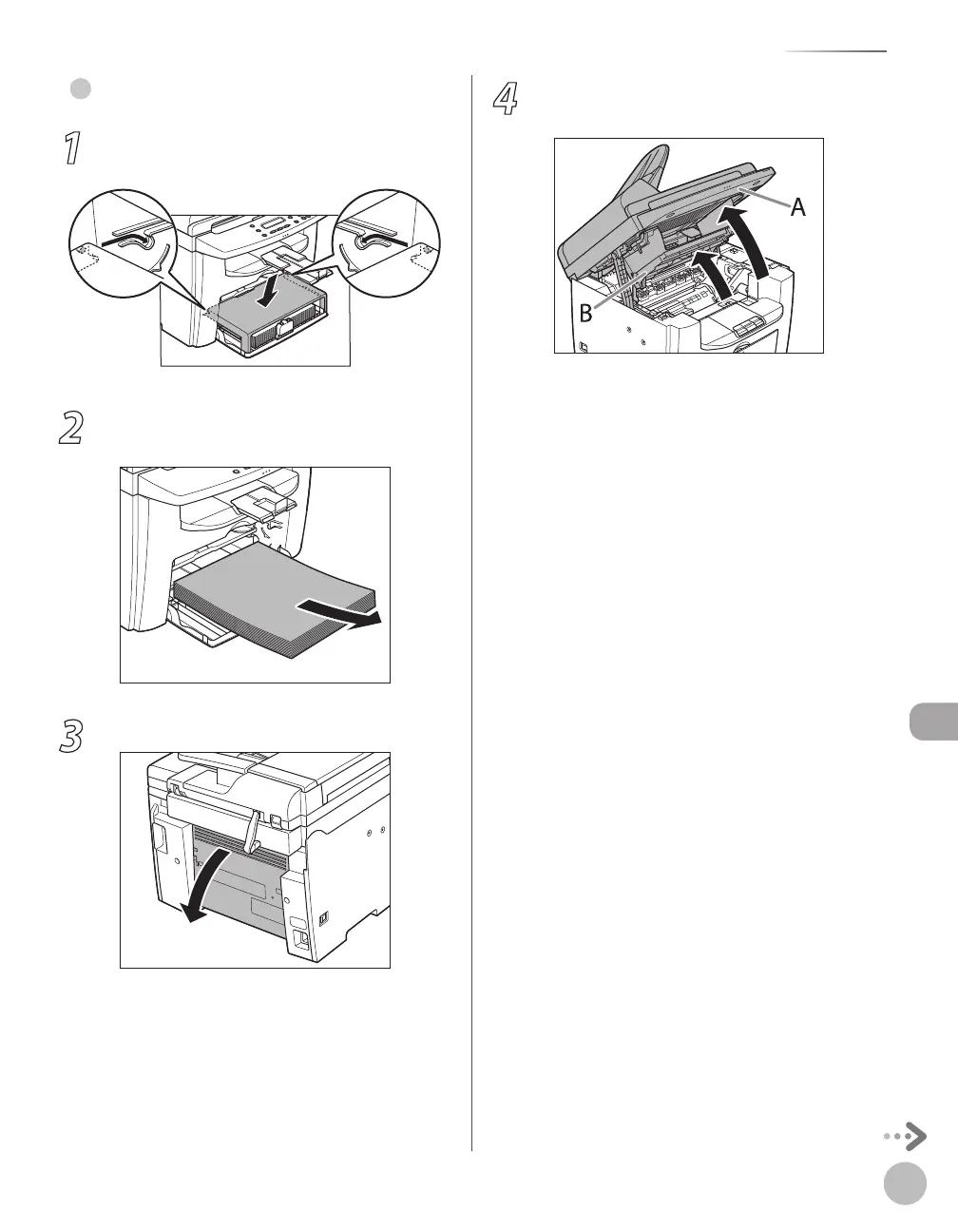
1
Remove the dust cover from the paper
feeding tray.
2
Remove the paper in the paper feeding
tray.
3
Open the rear cover.
This operation is required only when <PAPER
JAM/OPEN REAR COVER> appears on the
display.
●
4
Lift the scanning platform until it is
locked (A), and open the printer cover (B).














 To Next Page