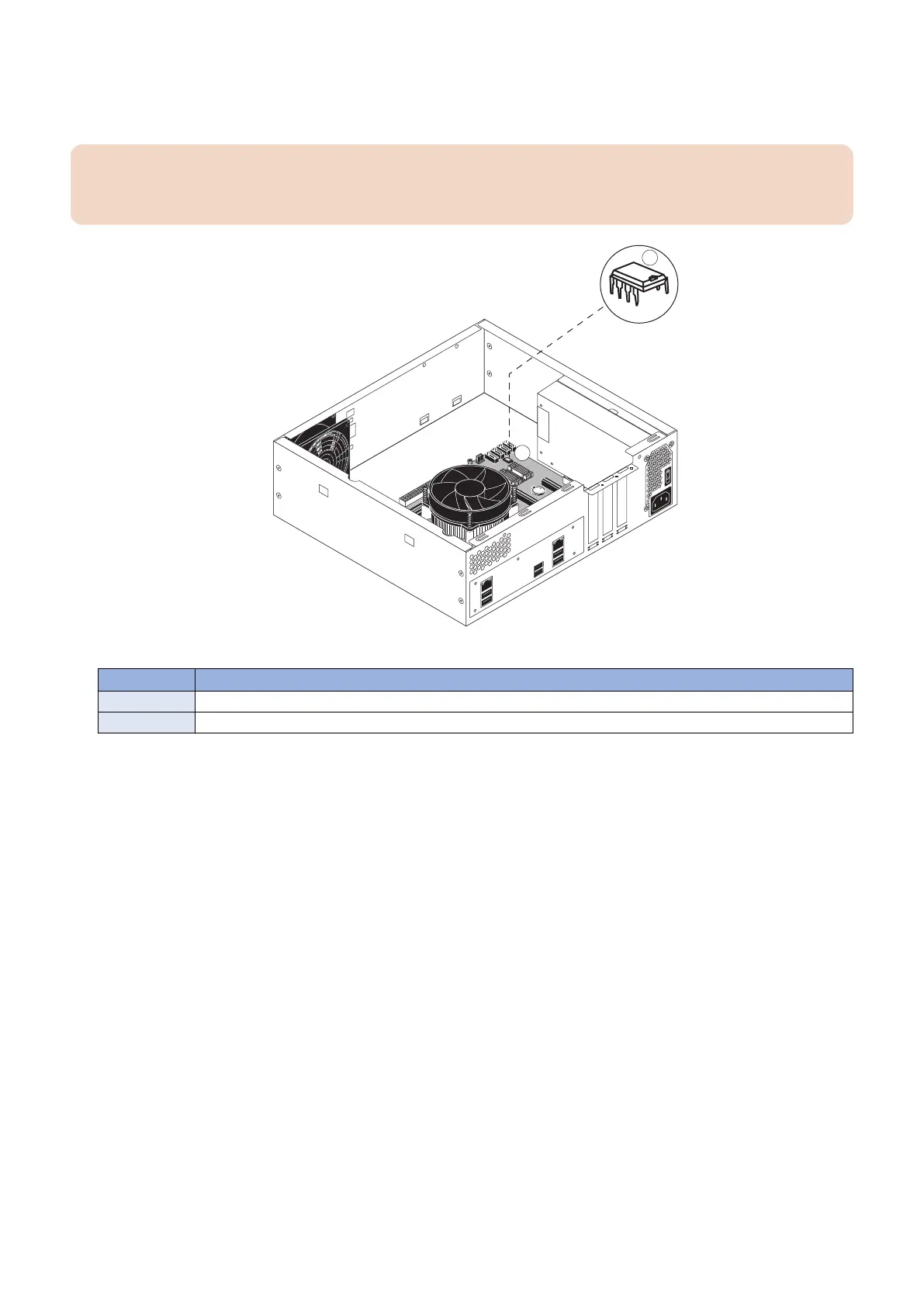
2. Remove the security chip from socket J23 on the old motherboard (see “Motherboard jumpers” on page 25).
Carefully position the extraction tool around the edges of the security chip, and pull the chip straight out of the socket. Make
sure not to put stress on surrounding components.
IMPORTANT:
Do not rock the chip from side to side when removing it from the socket. Doing so may result in permanent damage to the
security chip.
Figure 15: Removing the security chip from the motherboard
No. Name
1 Security chip
2 Motherboard
3. Inspect the security chip and carefully straighten any bent pins with needlenose pliers.
3. REPLACING PARTS
29



 To Next Page