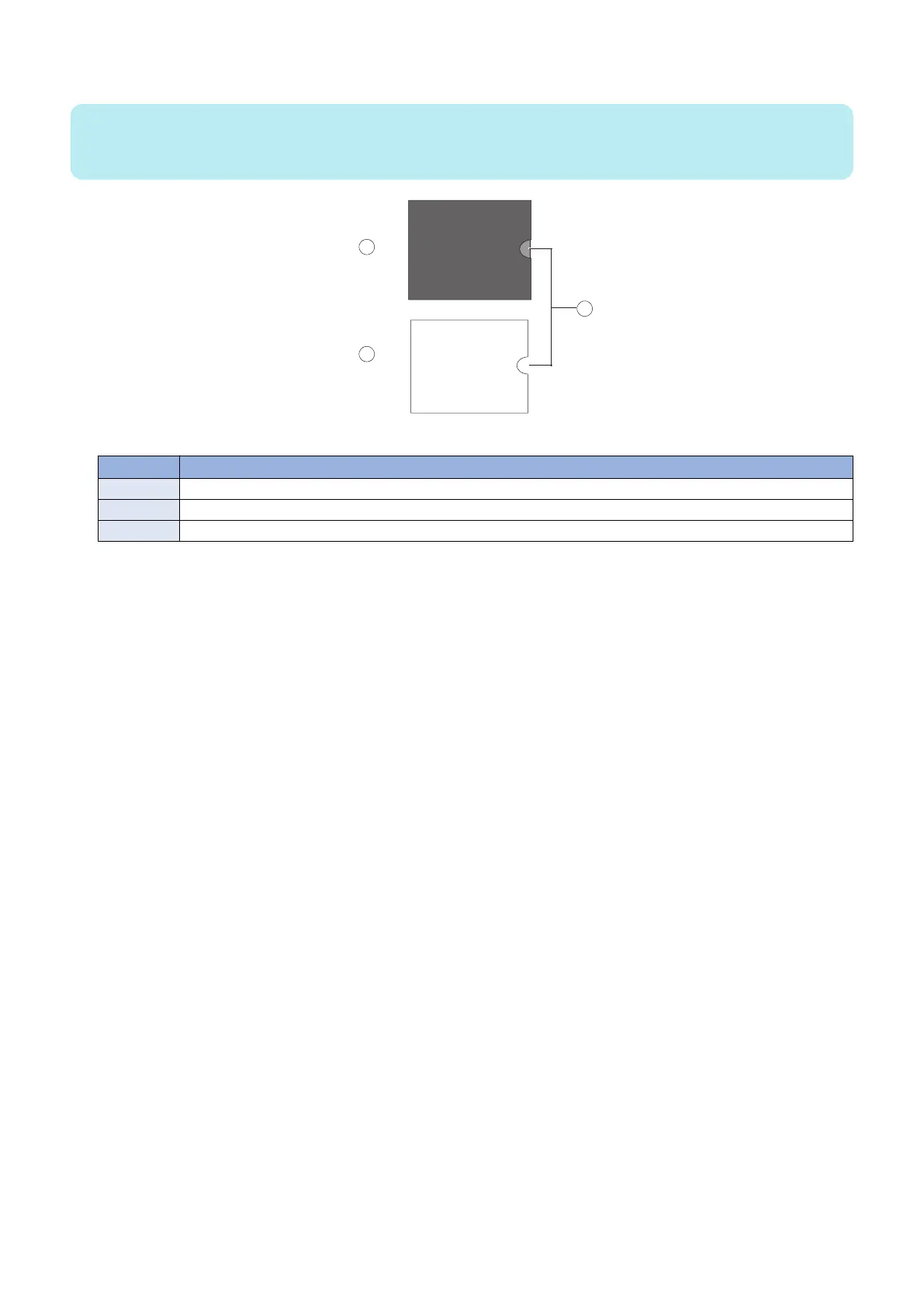
4. Install the security chip in socket J23 on the new motherboard.
NOTE:
Be sure to align the small notch in the security chip with the notch in the outline that appears inside socket J23.
If you install the security chip incorrectly, you may corrupt the security chip and/or the motherboard.
Figure 16: Aligning the security chip
No. Name
1 J23
2 Security chip
3 Align notches
■ Replacing the motherboard
Use the following procedure to install the motherboard in the imagePRESS Server chassis.
● To replace the motherboard
1. If you are installing a new motherboard, do the following:
• Remove the security chip from the old motherboard and install it onto the new motherboard (see “Transferring the
security chip” on page 28).
• Install the DIMM(s) from the old motherboard onto the new motherboard (see “DIMM” on page 22).
• Install the CPU from the old motherboard onto the new motherboard (see “CPU and CPU cooling assembly” on page
32).
When installing these components, make sure that the motherboard is placed on an antistatic surface with some padding.
Do not transfer the BIOS chip from the old motherboard onto the new motherboard. Doing so can cause the system to shut
down due to incompatibility issues.
3. REPLACING PARTS
30



 To Next Page