2. Angle the motherboard so that the connectors on the motherboard fit into the cutouts in the connector panel of the
chassis, and gently slide the motherboard into the chassis (see “To remove the motherboard” on page 27).
NOTE:
As you slide the motherboard into position, lift the connector edge to ensure that the underside of jumper area PCIEX8 clears the
nearby screw standoff.
IMPORTANT:
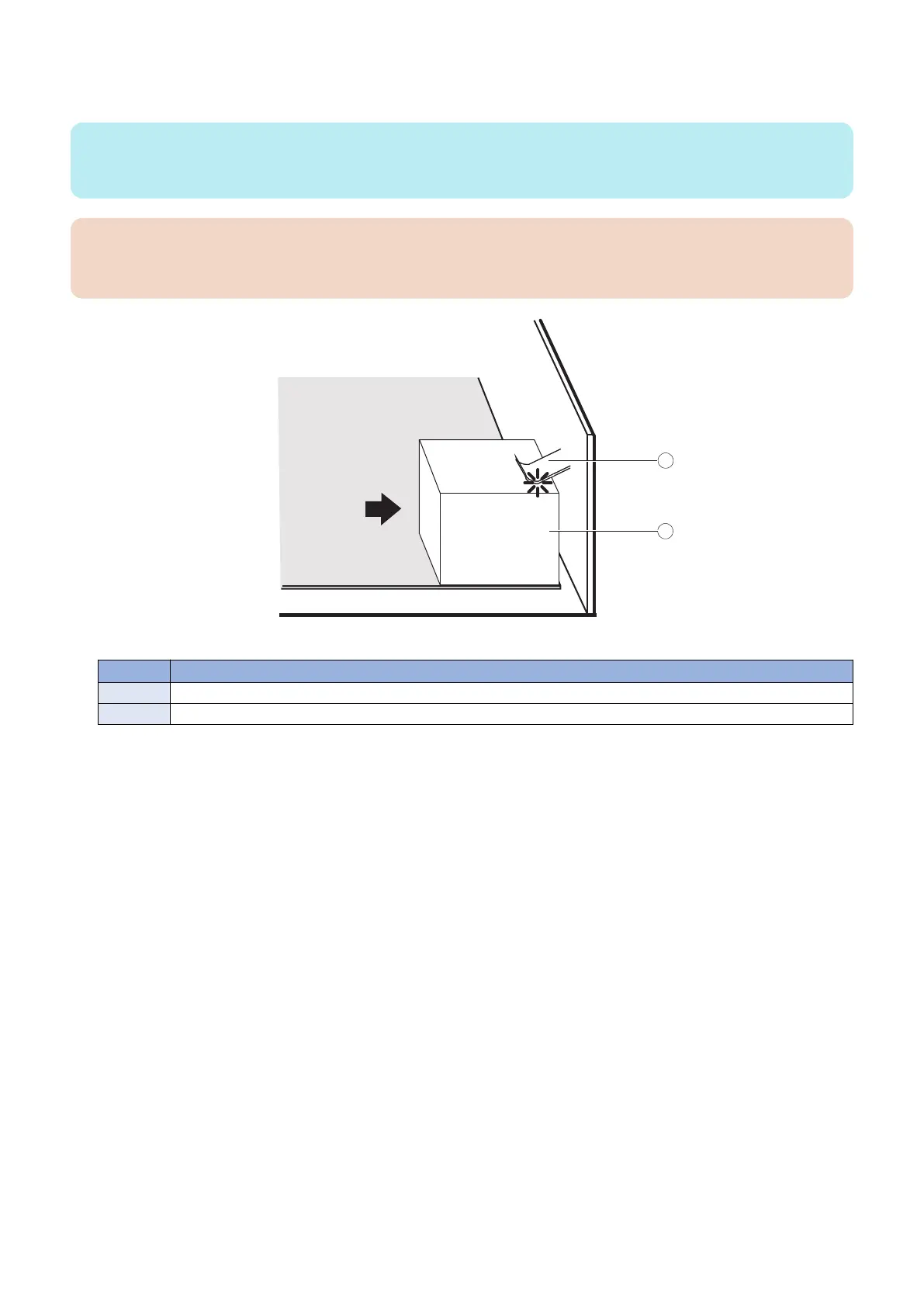
Be sure to fit the motherboard Ethernet connectors under the metal grounding tabs in the cutouts. Failure to position the
grounding tabs correctly may result in permanent damage to the motherboard and power supply.
Figure 17: Fitting the connectors under the metal grounding tab
No. Name
1 Metal grounding tab
2 Motherboard connector
3. Align the mounting holes on the motherboard with the screw holes located in the base of the chassis (see
“Motherboard jumpers” on page 25).
4. Insert the six mounting screws that attach the motherboard to the chassis.
Partially tighten each screw before completely tightening any one screw. Do not overtighten the screws; doing so could
damage traces on the motherboard.
Now you are ready to replace the remaining motherboard components to complete the motherboard installation.
● To replace motherboard components
1. Replace the following cables to the motherboard (see “To check cable connections” on page 19):
• 10-pin power button cable
Connect one end of the 10-pin power button cable to J351 connector on the printer interface board. Connect the other
end to the J11 connector on the motherboard. The cable connector is keyed to fit only one way.
• Service board cable
• 24-pin power cable. The cable connector is keyed to fit only one way.
• 4-pin power cable. The cable connector is keyed to fit only one way.
• HDD data cable
• Chassis fan cable
2. Replace the printer interface board (see “To replace the printer interface board” on page 22).
3. Reassemble the imagePRESS Server (see “To reinstall and verify the imagePRESS Server” on page 43).
3. REPLACING PARTS
31



 To Next Page