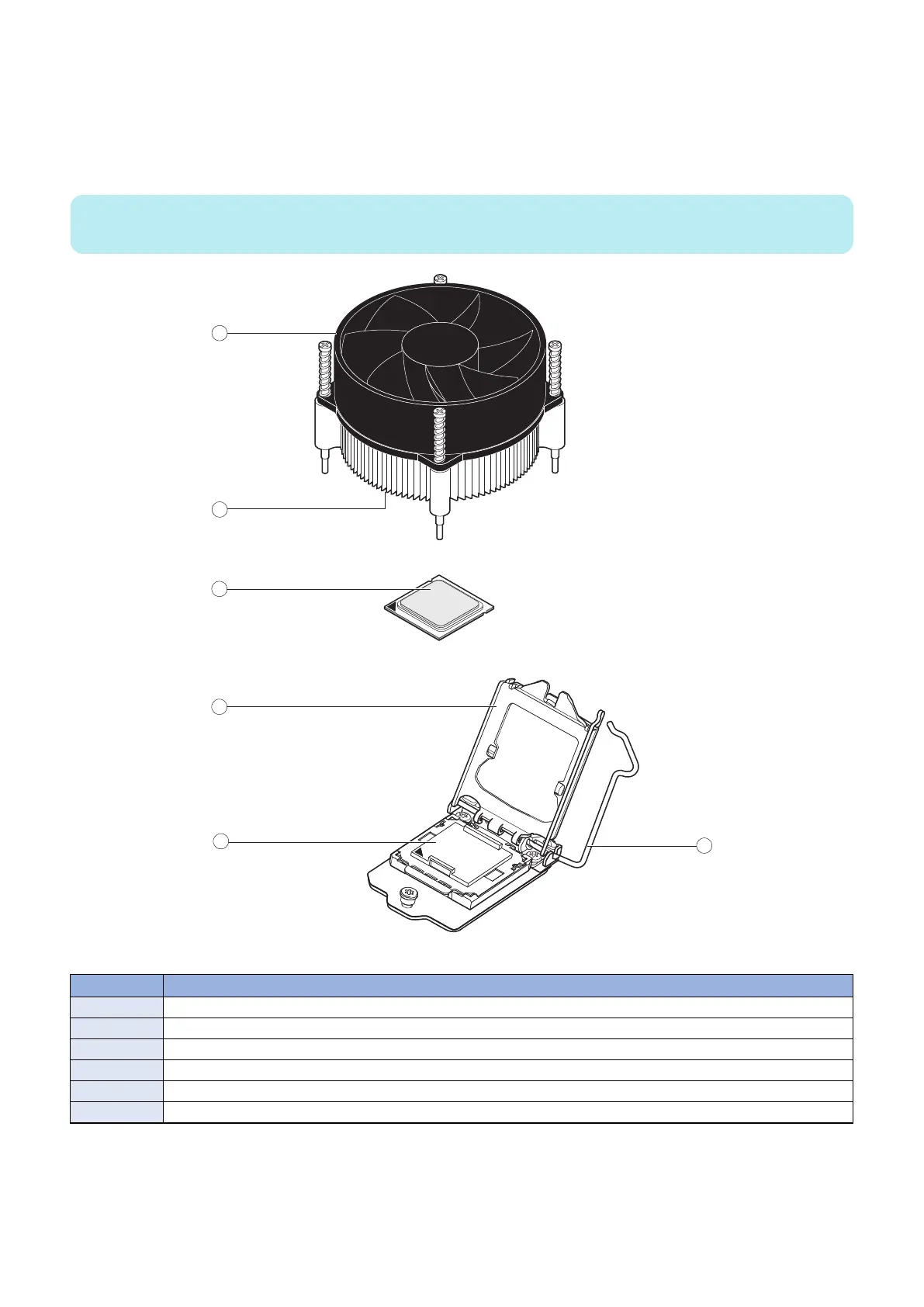
■ CPU and CPU cooling assembly
The CPU is installed in a socket on the motherboard. Before removing the CPU from its socket, remove the motherboard from
the chassis (see “Removing the motherboard” on page 26), disconnect the CPU fan cable from the motherboard, and remove
the cooling assembly from the CPU socket (see “To remove a CPU” on page 32). The CPU cooling assembly consists of a fan
and a heatsink.
NOTE:
Do not remove the CPU fan from the heatsink.
Figure 18: CPU cooling assembly
No. Name
1 CPU fan
2 Heatsink
3 CPU
4 Load plate
5 CPU socket on motherboard
6 Socket lever
● To remove a CPU
1. Access and open the imagePRESS Server, as described on “Accessing the imagePRESS Server” on page 18.
3. REPLACING PARTS
32



 To Next Page