2. Remove the motherboard components (see “To remove motherboard components from the motherboard” on page
27).
3. Remove the motherboard from the chassis (see “To remove the motherboard” on page 27).
Place the motherboard on a flat, antistatic surface.
4. Remove the CPU fan cable from motherboard connector CPU FAN.
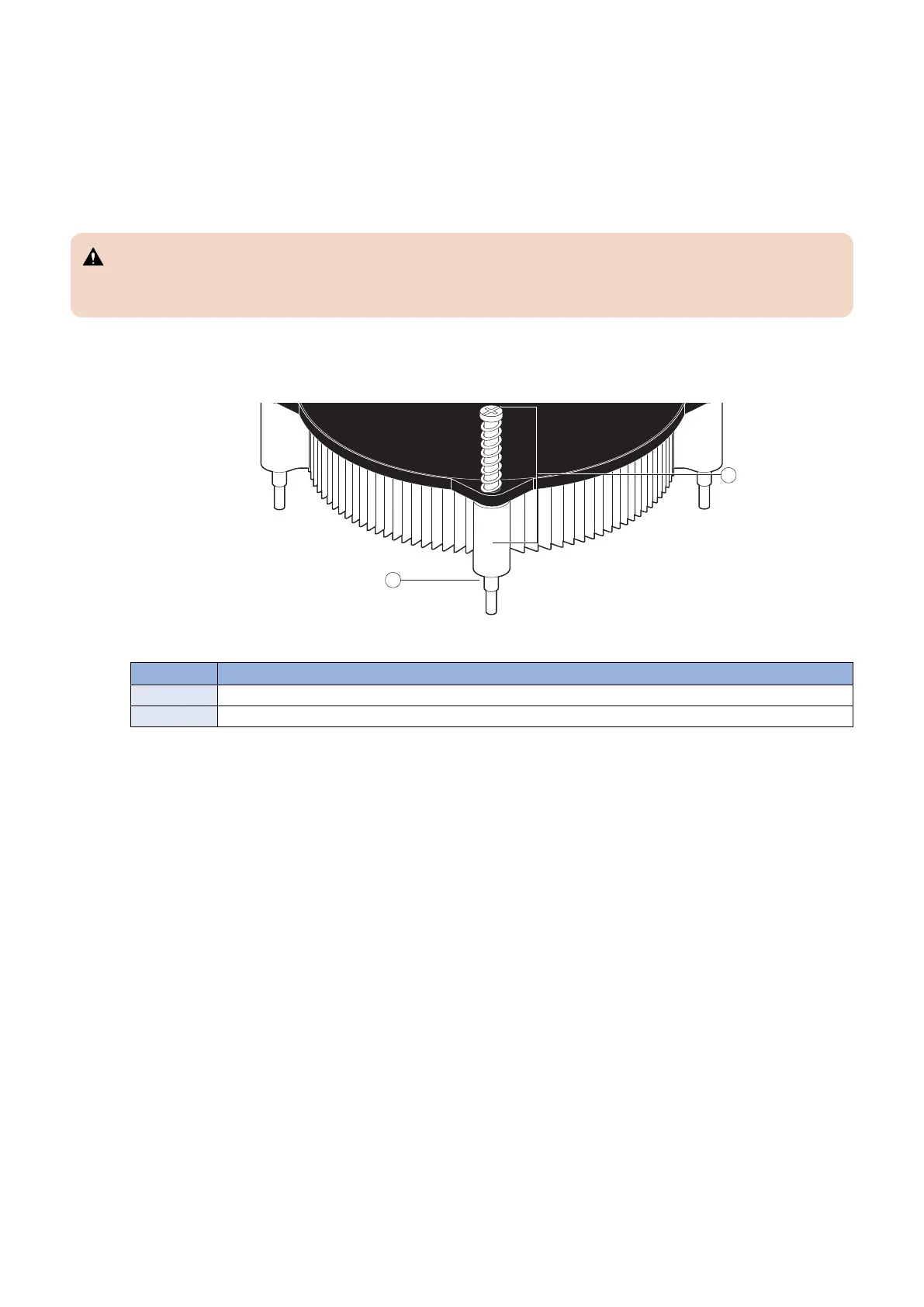
5. Remove the CPU cooling assembly:
CAUTION:
Be aware that both the cooling assembly and the CPU may be very hot. You may need to allow the components to cool
before you attempt to remove them.
• Loosen the four screws that secure the cooling assembly to the motherboard. Partially loosen all the screws before
loosening any one screw all the way.
• Lift the cooling assembly off the CPU socket and set it aside.
Figure 19: Removing the CPU cooling assembly
No. Name
1 Screw (1 of 4)
2 Loosen each screw to this position.
6. Unlock the CPU socket lever and raise it into the open position (flex the lever away from the retention post, and then
raise it).
3. REPLACING PARTS
33



 To Next Page