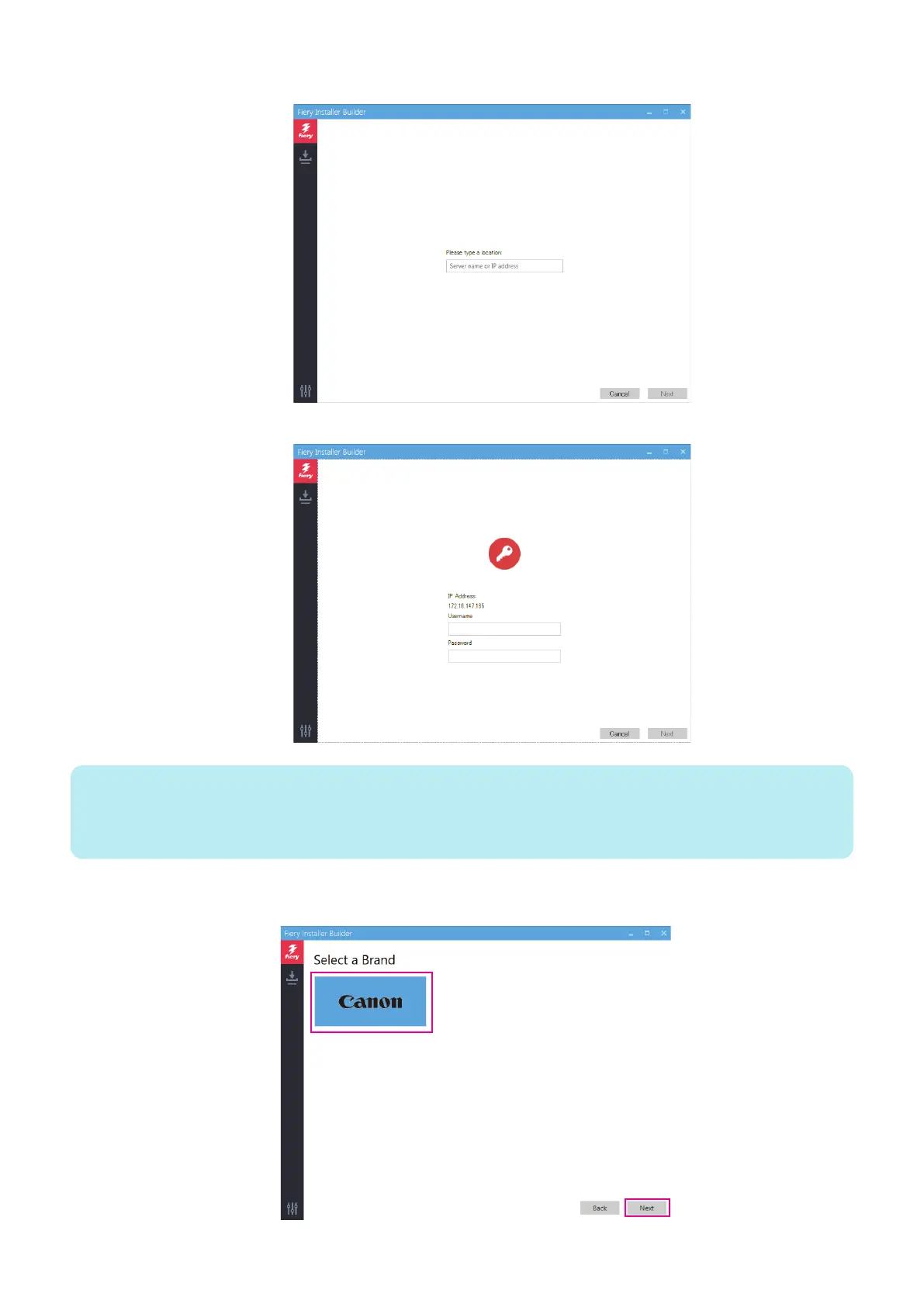
1. At the Please type a location prompt, enter the name or IP address of the imagePRESS Server, and click Next.
2. Enter Username and Password of the administrator, and click Next.
NOTE:
Default User name and Password
User name: Admin
Password : Fiery password (See “How to obtain the Fiery password” on page 8)
Contact the site administrator for the administrator’s account information.
6. At the Select a Brand window, select Canon and click Next.
4. INSTALLING SYSTEM SOFTWARE
55



 To Next Page