Chapter 4
4-7
j) Operation panel
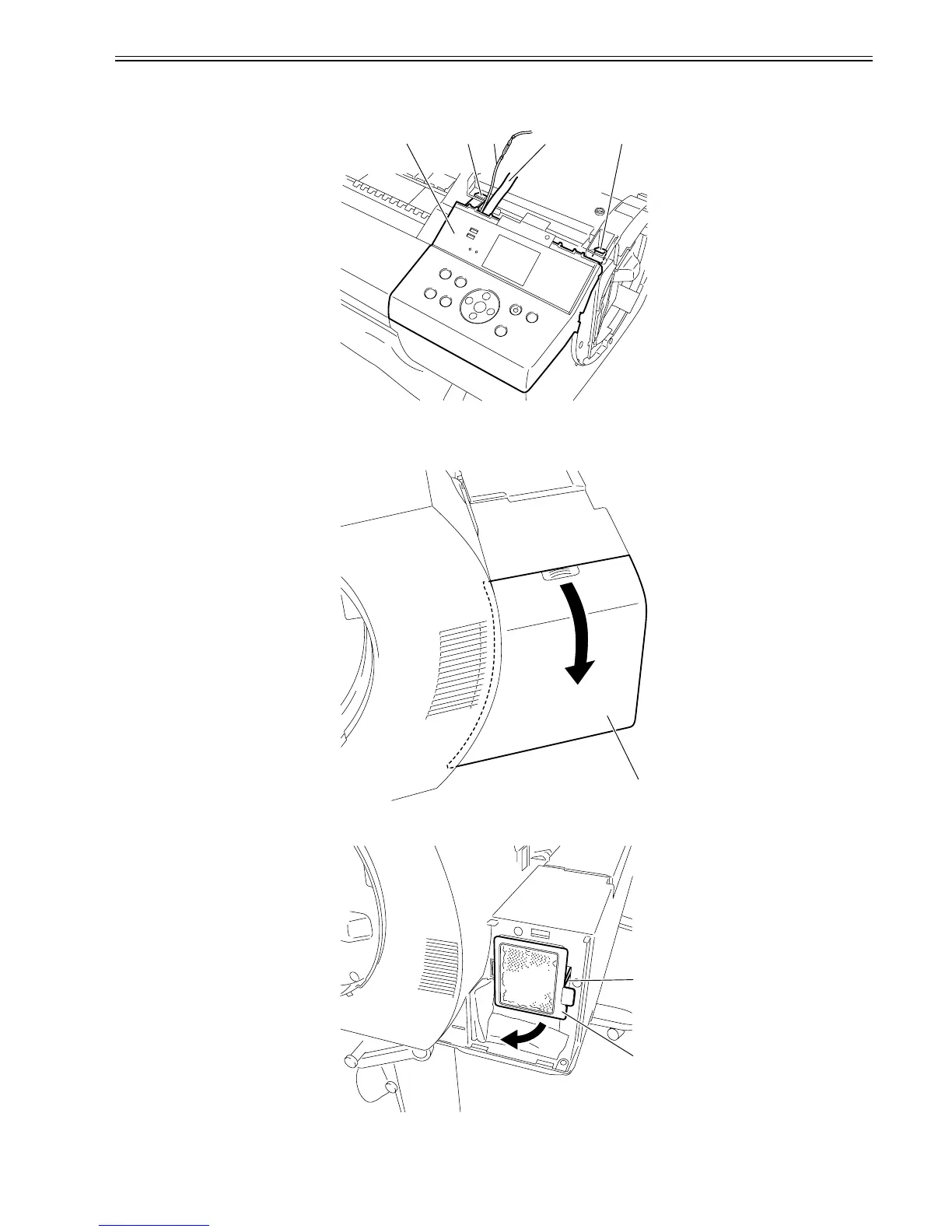
Removing the operation panel
1) When removing the operation panel[4], open the top cover, and then remove the right circle cover and right upper cover.
2) Remove the two hooks[1] and flexible cable[2] and earth cable[3], and then remove the operation panel[4].
F-4-15
k) Exhaust Filter
Removing the exhaust filter
1) When removing the filter cover[1], push it in the direction of the arrow while pressing on the handhold.
F-4-16
2) Remove the exhaust filter[2] while pushing the hook[1].
F-4-17
[1] [3] [2] [1][4]
[1]
[1]
[2]















 To Next Page