Chapter 4
4-6
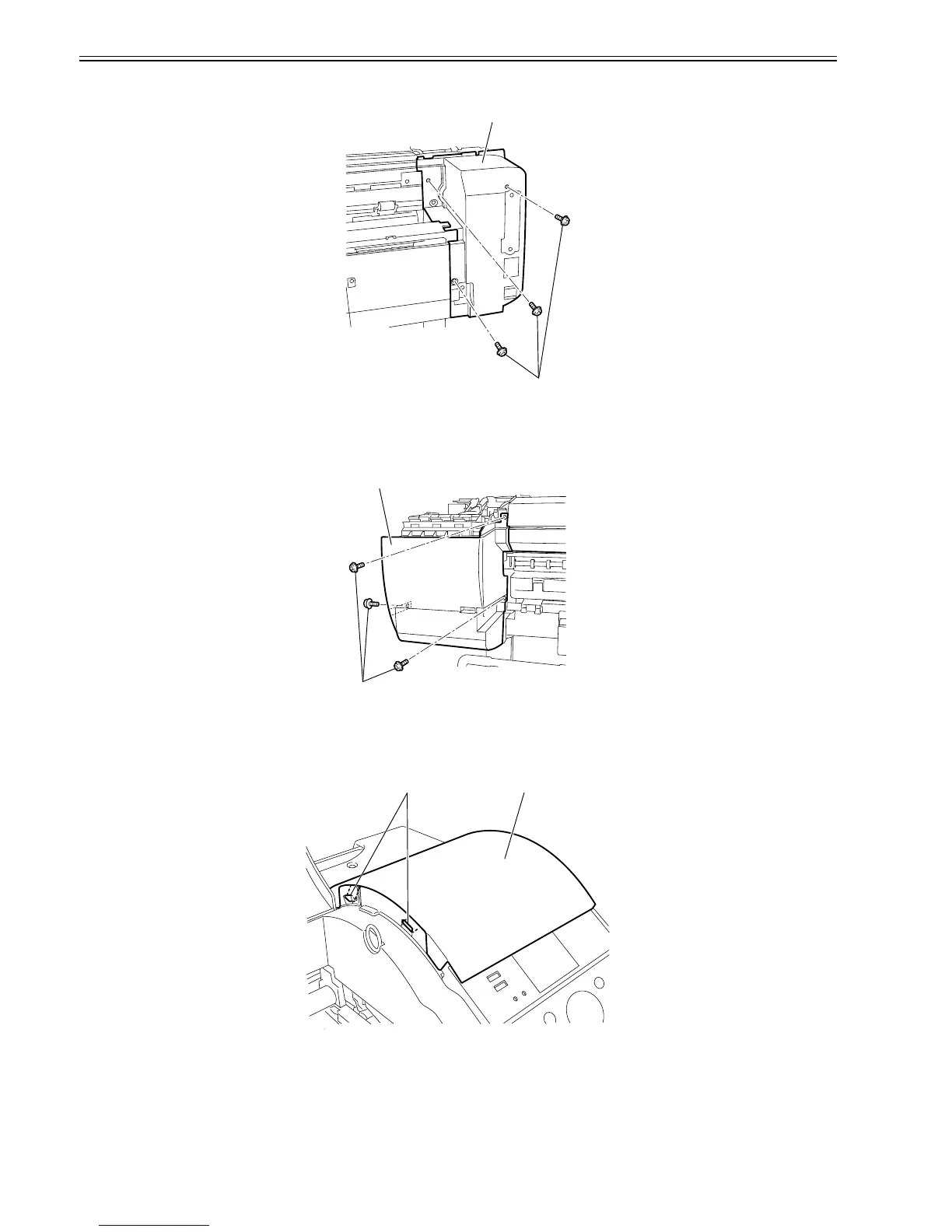
1) When removing the left rear cover[2],open the top cover, and then remove the left circle cover, tank cover, and left rear cover.
2) Remove the three screwa[1], and then remove the left rear cover[2].
F-4-12
h) Left front cover
Removing the left front cover
1) When removing the left front cover[2], open the top cover, and then remove the left circle cover, tank cover, cassette, and output tray unit.
2) Rmove the three screws[1], and then remove the left front cover[2]
F-4-13
i) Right upper cover
Removing the right upper cover
1) When removing the right upper cover[2], open the top cover, and then remove the right circle cover.
2) Release the two hooks[1], and then remove the right upper cover[2].
F-4-14
[2]
[1]
[2]
[1]
[1] [2]















 To Next Page