Chapter 4
4-5
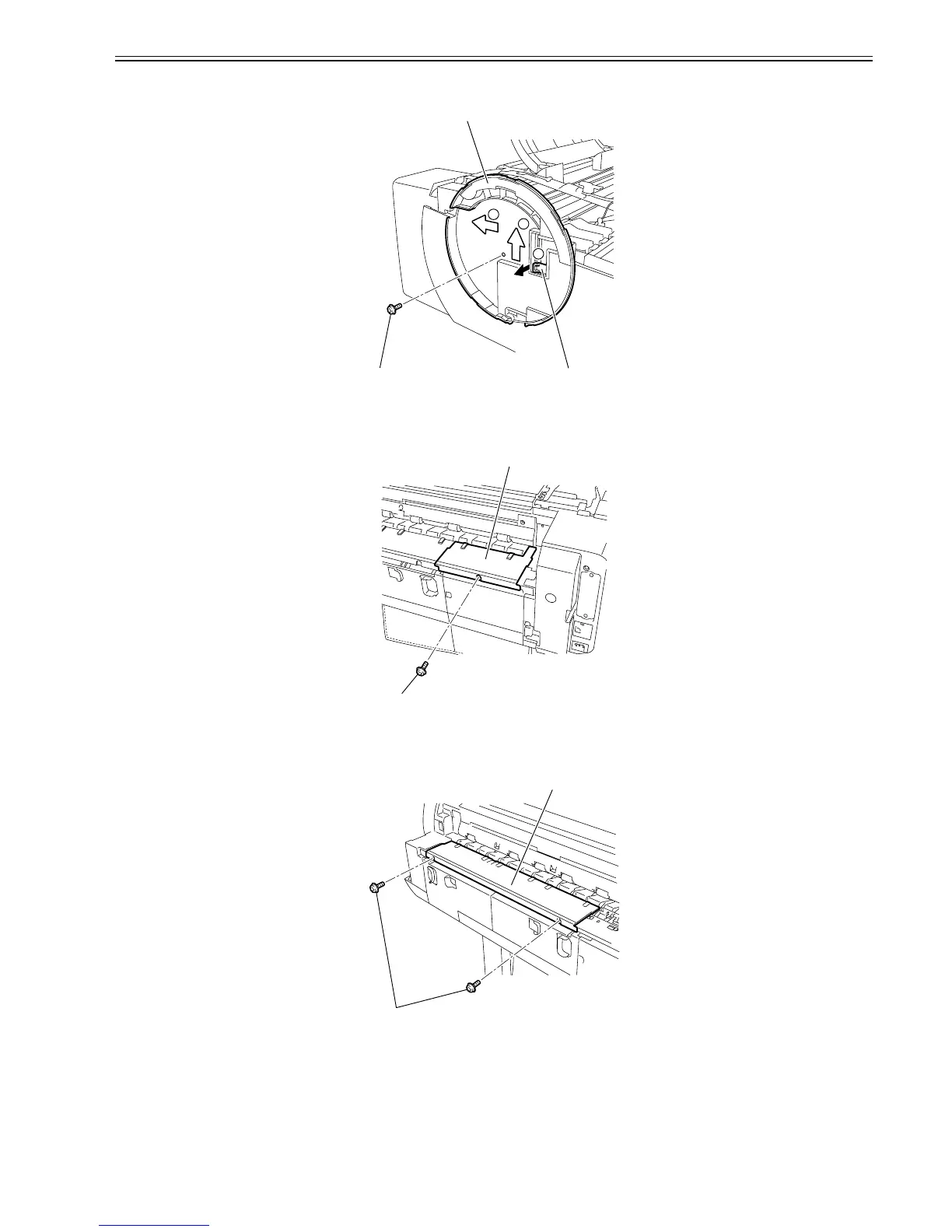
1) When removing the left cover[3], remove the left circle cover, open the top cover, and then remove the tank cover.
2) Remove the screw[1], remove the hook[2], and slide the tank cover in the direction of arrow 2, and then slide it in the direction of arrow 3.
F-4-9
e) Lower rear left cover
Removing the lower rear left cover
1) When removing the lower rear left cover[2], remove the screw[1] and then remove it.
F-4-10
f) Lower rear cover
Removing the lower rear cover
1) When removing the lower rear cover[2], remove the two screws[1] and then remove it.
F-4-11
g) Left rear cover
Removing the left rear cover
[3]
[1] [2]
1
2
3
[2]
[1]
[2]
[1]















 To Next Page