9
Make your selection in the F Print Quality list.
10
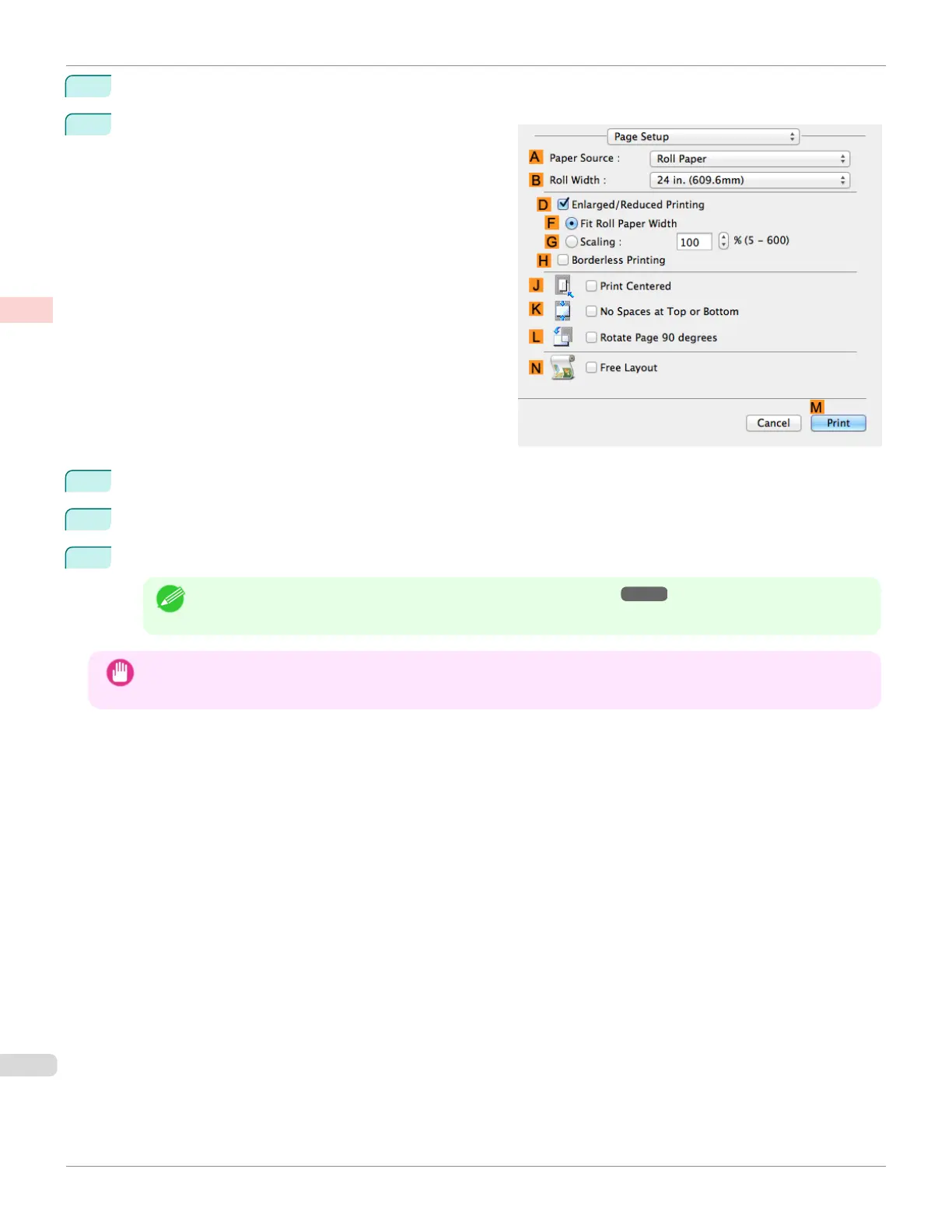
Access the Page Setup pane.
11
Click Manual in the A Paper Source list.
12
Select the J Print Centered check box.
13
Confirm the print settings, and then click M Print to start printing.
Note
• For tips on confirming print settings, see "Confirming Print Settings ." ➔ P.281
Important
• If you have selected Manual as the paper source, follow the instructions on the printer control panel to enter the pa-
per size.
Printing Originals Centered on Sheets (Mac OS)
iPF685
User's Guide
Enhanced Printing Options Centering originals
134













 To Next Page