Confirming Print Settings
Confirming Print Settings
The ways to confirm what printing conditions have been specified are as follows.
Checking a print preview
You can check an image of the original just as it will be printed.
Confirming the image of print jobs beforehand helps prevent printing errors.
For details on print previews, see "Checking the Layout in a Preview Before Printing." ➔ P.144
Checking the Layout in a Preview Before Printing
Checking the Layout in a Preview Before Printing
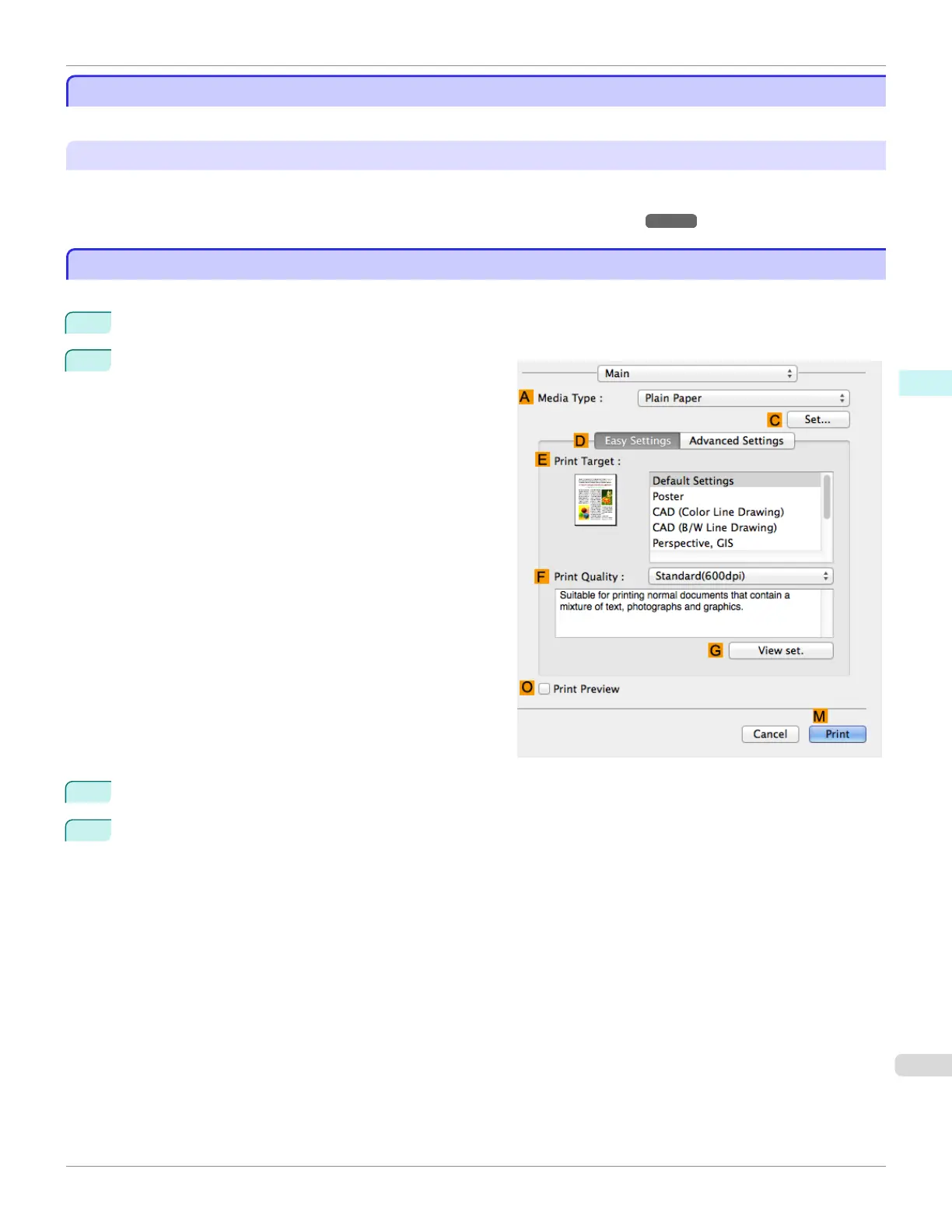
This topic describes how to check the layout before printing using the Canon imagePROGRAF Preview function.
1
Choose Print in the application menu.
2
Access the Main pane.
3
Select the O Print Preview check box.
4
Click M Print.
iPF685
Conrming Print Settings
User's Guide
Mac OS Software Printer Driver
281













 To Next Page