Handling rolls
Handling rolls
Attaching the Roll Holder to Rolls ................................................................................................................................... 372
Loading Rolls in the Printer ................................................................................................................................................ 375
Changing the Type of Paper .............................................................................................................................................. 378
Specifying the Paper Length ............................................................................................................................................. 380
Removing the Roll from the Printer ............................................................................................................................... 380
Removing the Roll Holder from Rolls .............................................................................................................................383
➔ Clearing Jammed Roll Paper .......................................................................................................................................629
➔ Clearing Jammed Paper (Paper Feed Slot) .......................................................................................................... 635
Feeding Roll Paper Manually ............................................................................................................................................. 384
Keeping Track of the Amount of Roll Paper Left ..................................................................................................... 385
Specifying the Ink Drying Time for Rolls ......................................................................................................................385
Specifying the Cutting Method for Rolls ..................................................................................................................... 388
Cutting the Leading Edge of Roll Paper Automatically ..........................................................................................391
Reducing Dust from Cutting Rolls .................................................................................................................................. 393
Roll Holder Set ......................................................................................................................................................................... 488
Attaching the Roll Holder to Rolls
Attaching the Roll Holder to Rolls
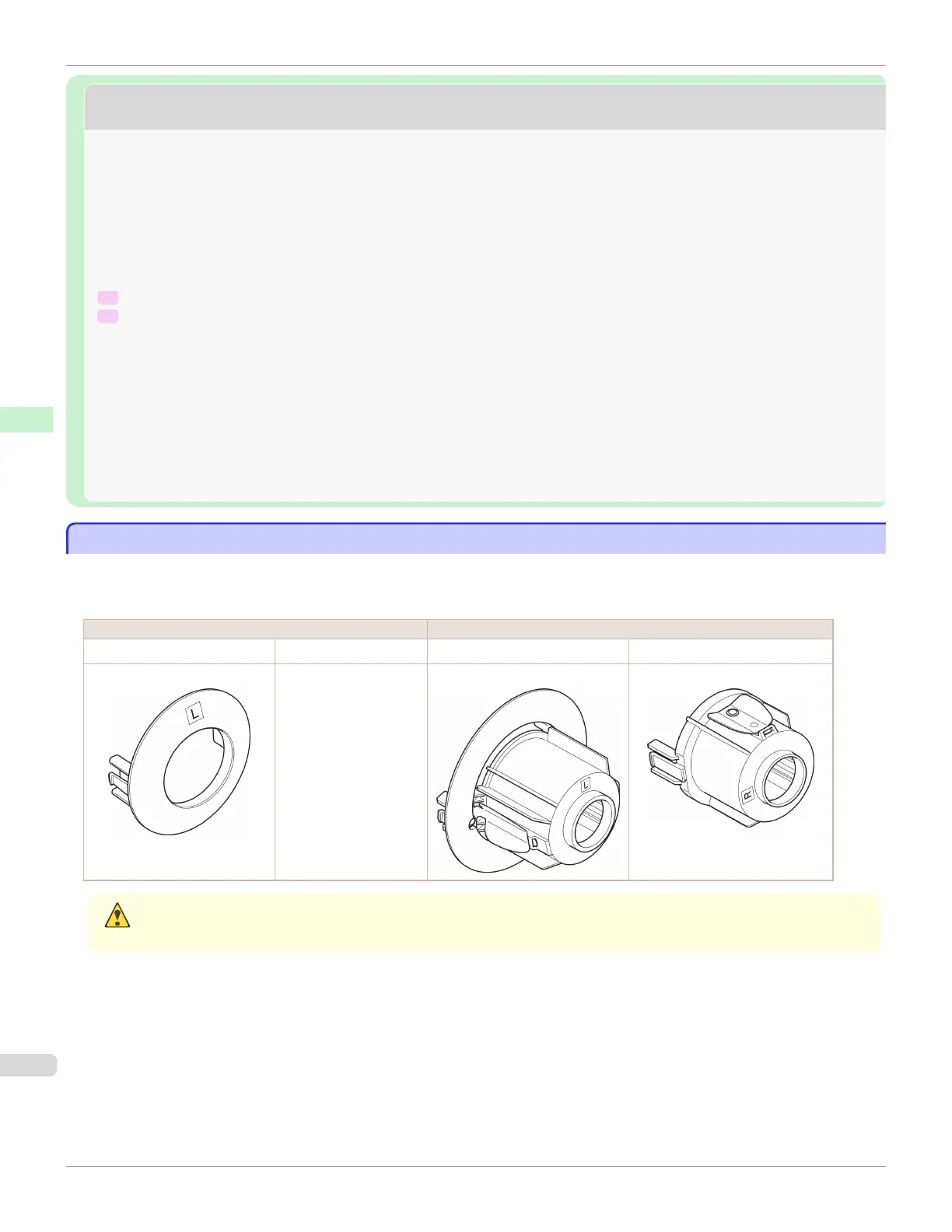
When printing on rolls, attach the Roll Holder to the roll.
Rolls have a two- or three-inch paper core. Use the correct attachment for the paper core. The printer comes equipped
with the 2-Inch Paper Core Attachment installed.
Using Rolls with a 2-Inch Paper Core Using Rolls with a 3-Inch Paper Core
Holder Stopper (Left Side) Roll Holder (Right Side) Holder Stopper (Left Side) Roll Holder (Right Side)
2-Inch Paper Core Attachment No Attachment Needed 3-Inch Paper Core Attachment L 3-Inch Paper Core Attachment R
Caution
• Set the roll on a table or other flat surface so that it does not roll or fall. Rolls are heavy, and dropping a roll may cause
injury.
Attaching the Roll Holder to Rolls
iPF685
User's Guide
Handling and Use of Paper Handling rolls
372













 To Next Page