Printing from the application software
1
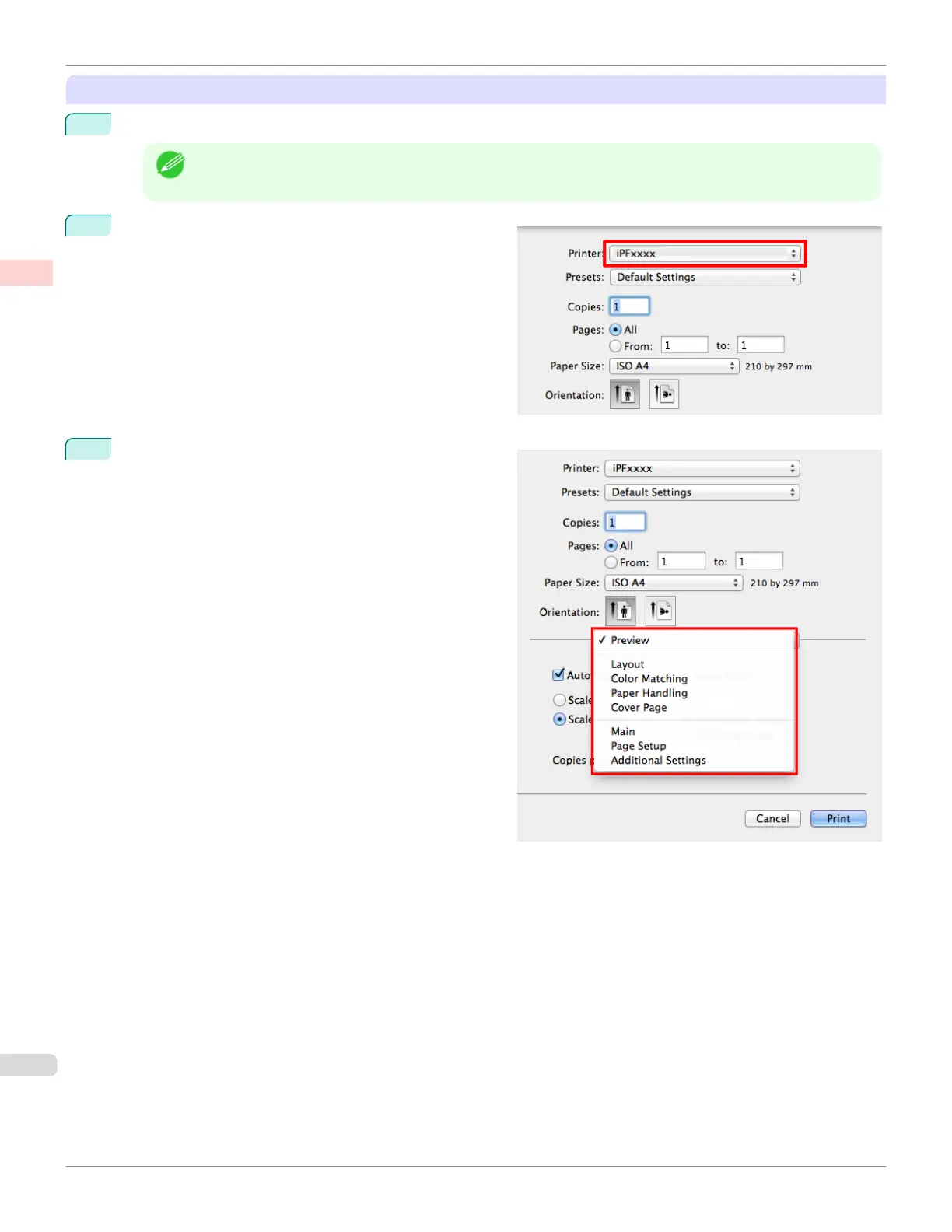
In the application software, select Print from the File menu to display the dialog box for printing conditions.
Note
• This dialog box includes basic printing options and enables you to choose the printer, specify the range of
pages, number of copies, and so on.
2
Select the printer in the Printer list.
3
Click Print to start printing.
As shown in the following illustration, you can switch to
other panes in this dialog box to complete settings for
various methods of printing, including enlarged and re-
duced printing, borderless printing, and so on.
Printing from Mac OS
iPF685
User's Guide
Basic Printing Workow Printing procedure
24













 To Next Page