2
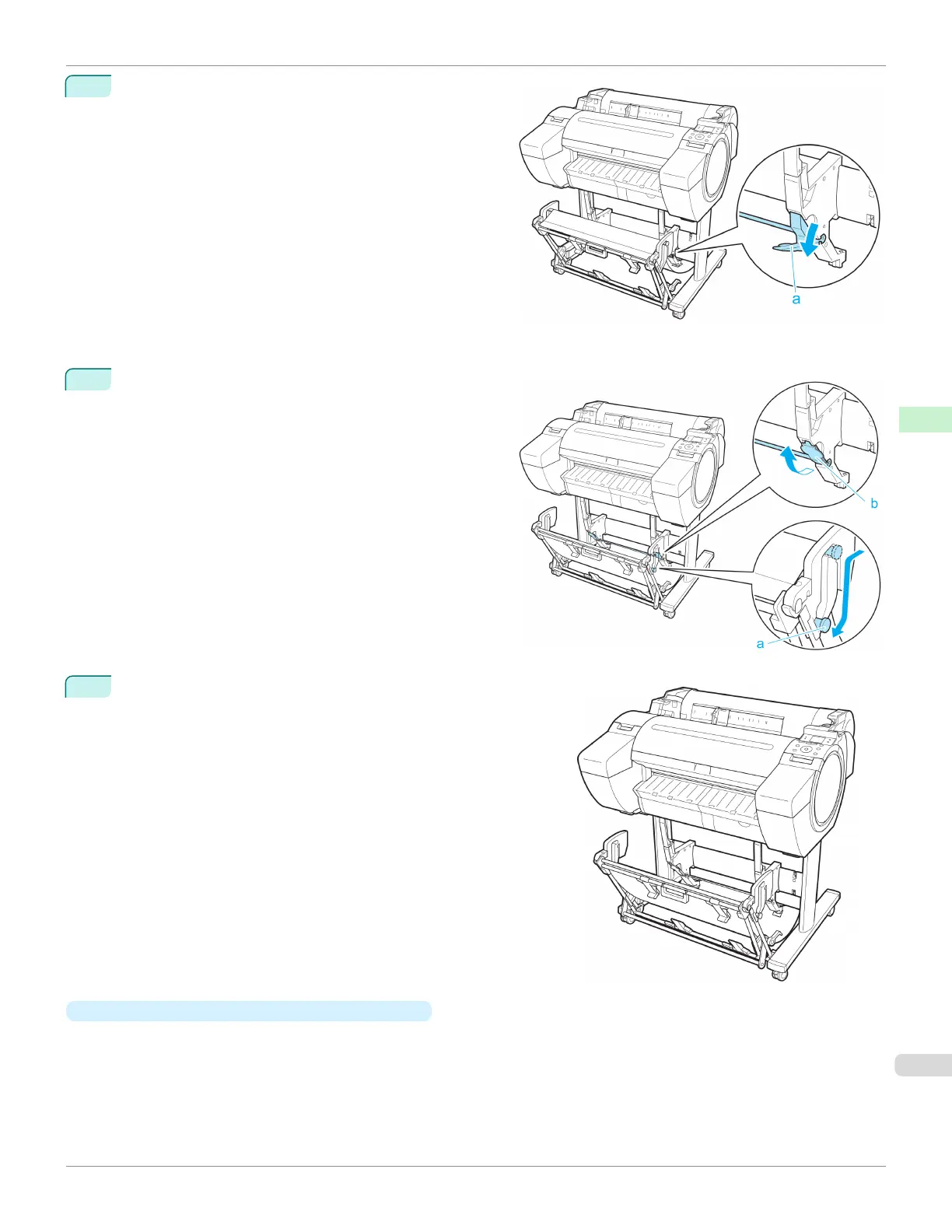
When using 24-inch or A1 (portrait) rolls, pull out the
Adjustable Stopper (a). This completes the procedure
for switching to Extended position A.
Once the printing has finished, use the following procedure to return to the regular position.
1
Lower the Support Rod to the position shown (a) to re-
turn to the regular position. If the Adjustable Stopper (b)
is extended, retract it.
2
Return to the regular position.
•
Switching to Extended position B (ST-27 only)
Switch the stacker to Extended position B as follows.
iPF685
Using the Output Stacker
User's Guide
Handling and Use of Paper Output Stacker
403













 To Next Page