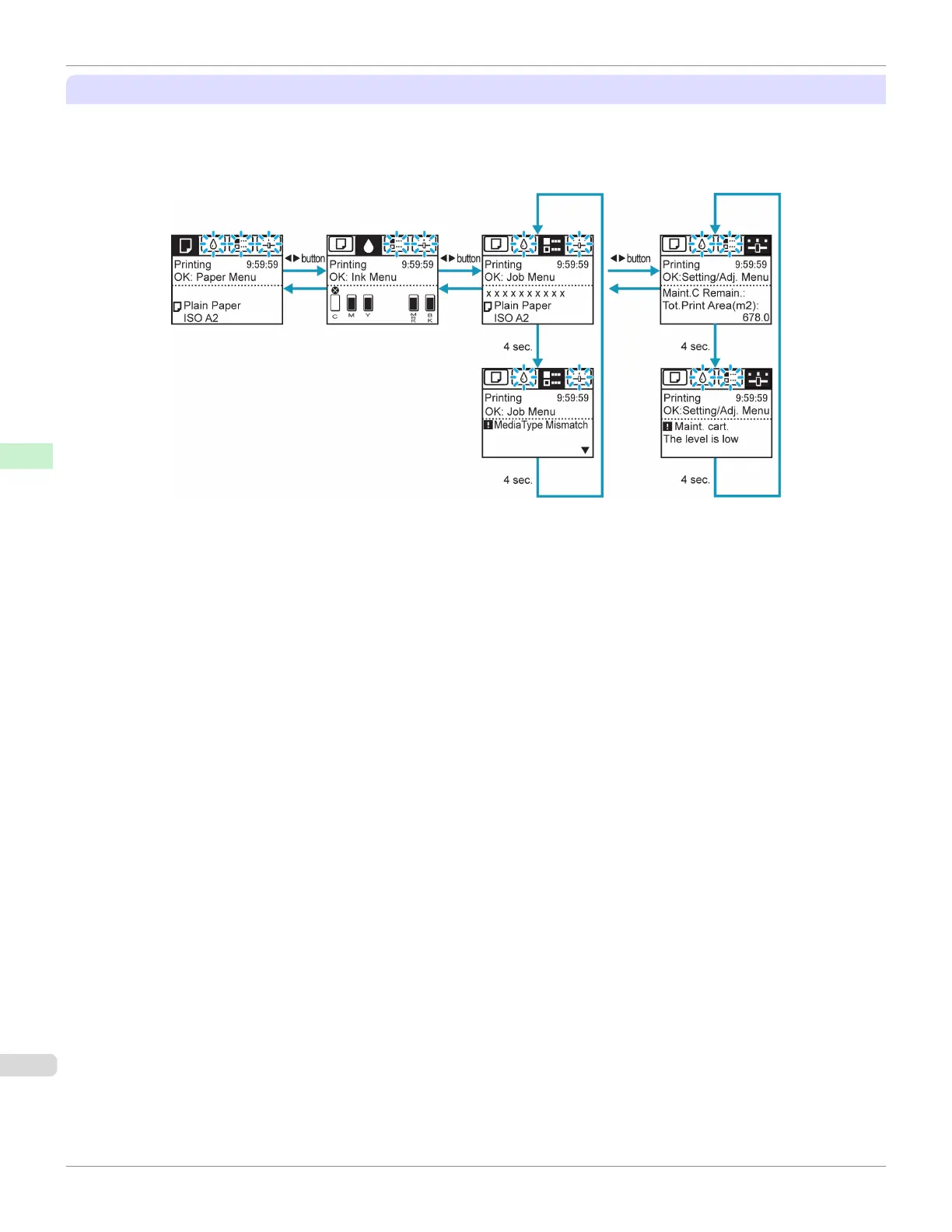
Display Transitions in Error Status
The display transitions while an error has occurred on the printer are shown below.
If multiple errors have occurred, the tabs for errors that have occurred other than the currently displayed error are dis-
played flashing. You can move between the tabs to check the errors by pressing the ◀ and ▶ keys. If multiple errors
have occurred in the Job tab and Settings/Adj. tab, the error message switches every four seconds within each tab.
Control Panel Display
iPF685
User's Guide
Control Panel Operations and Display Screen
444













 To Next Page