8
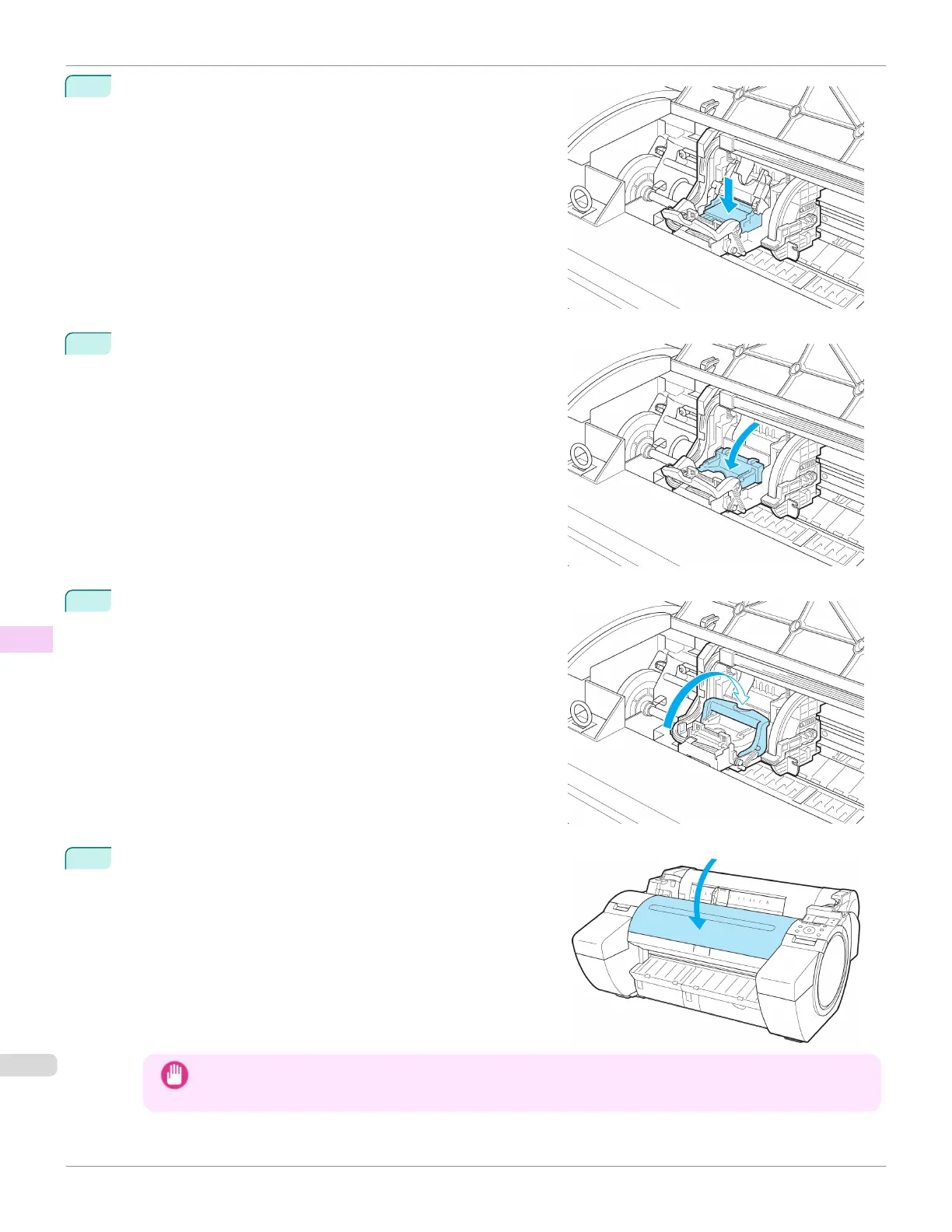
With the nozzles facing down and the metal contacts toward
the back, insert the Printhead into the Carriage. Carefully push
the printhead firmly into the Carriage, ensuring that the nozzles
and metal contacts do not touch the carriage.
9
Pull the Printhead Fixer Cover down toward the front to lock
the Printhead in place.
10
Push the Printhead Fixer Lever toward the back of the printer
until it clicks.
11
Close the Top Cover.
Ink now fills the system. It takes about seven minutes to com-
plete.
Important
• While ink is being filled, definitely do not remove the Ink Tank or Maintenance Cartridge. Ink may leak out.
Replacing the Printhead
iPF685
User's Guide
Maintenance and Consumables Printheads
606













 To Next Page