Chapter 4
4-27
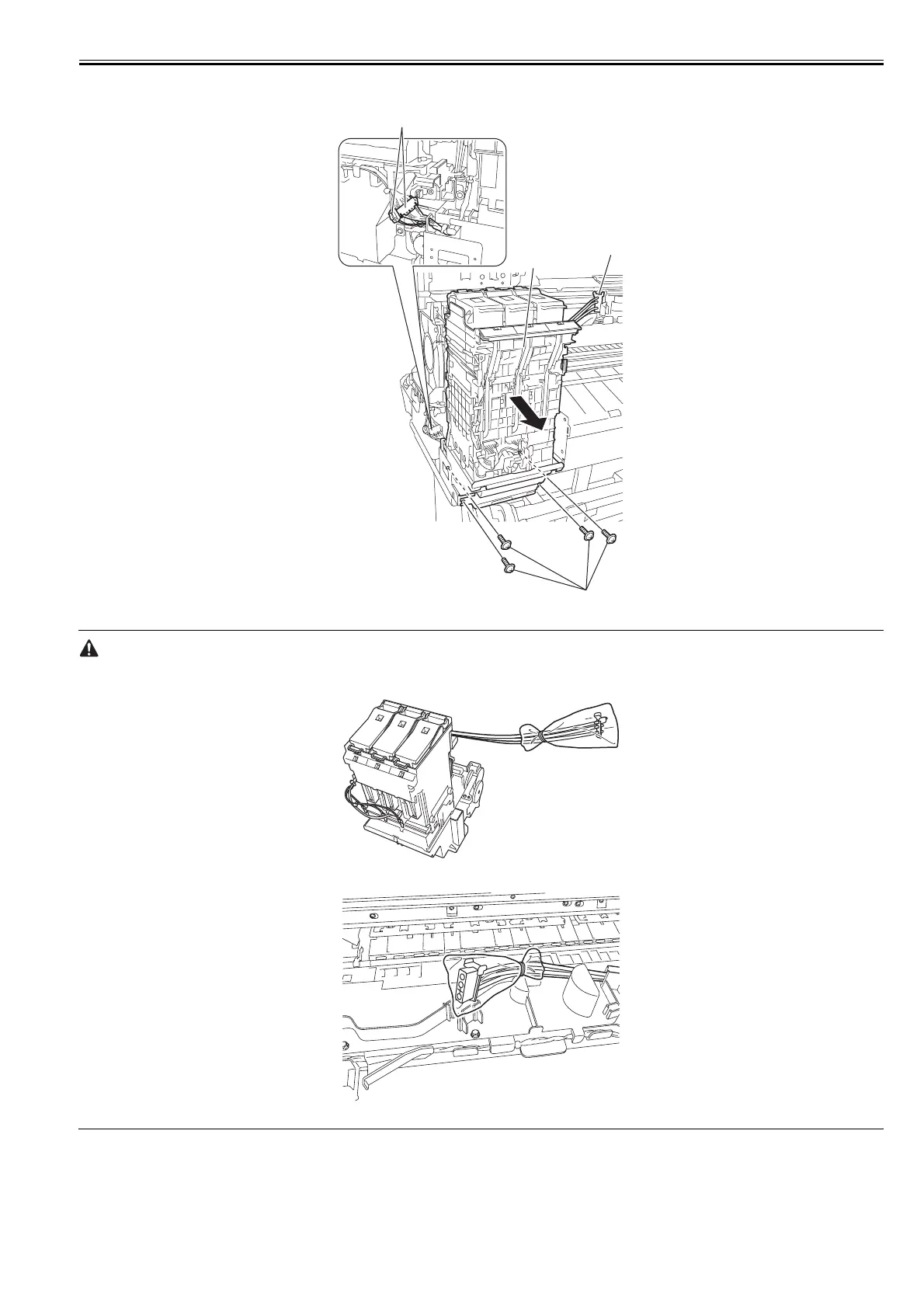
4) Remove four screws [1] and disconnect two connectors [2], and then remove the cable from the cable guide. Then, remove the joint [3] between the ink tube unit
and ink tank unit carefully and remove the ink tube from the guide, and then remove the left ink tank unit [4].
F-4-55
- Remove the joint carefully so that ink does not spout.
- Put a plastic bag or the like on the ink tube joint to prevent ink from spouting.
F-4-56
F-4-57
[4]
[3]
[2]
[1]



 To Next Page