3-10
Managing the Printer Using the Remote UI
Managing the Printer in the Network Environment
3
Restricting the Users Who Can Monitor/Change the
Settings Using the SNMP Protocol
1
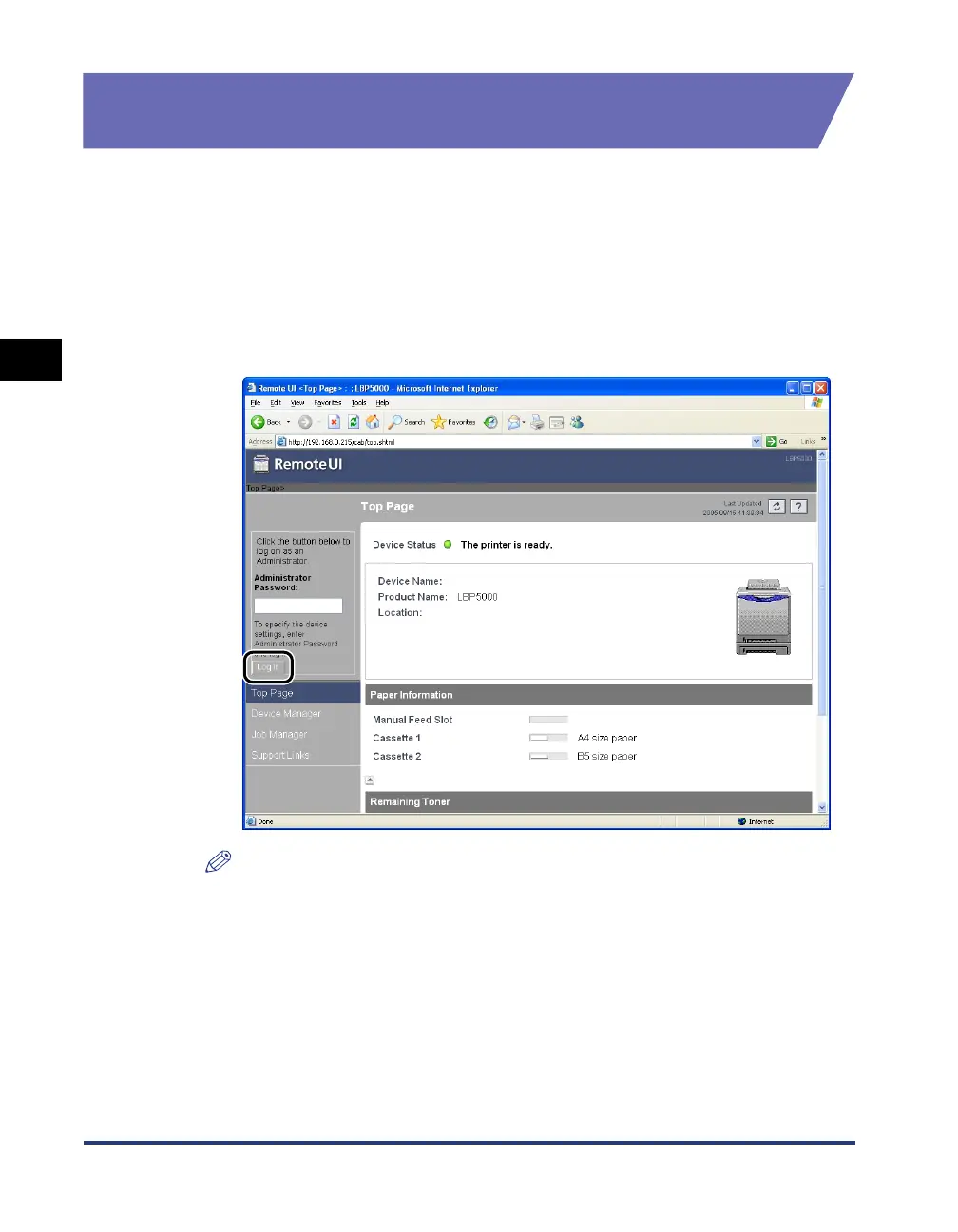
Run the web browser, enter the following URL in [Location] or
[Address], and then press the [ENTER] key on your keyboard.
http://<the IP address or name of the printer>/
Input Example : http://192.168.0.215/
2
Click [Log In].
NOTE
If a password is specified for the printer, enter the password, and then click [Log In].
If the password has not been specified yet, it is not required to enter the password.






 To Next Page