Protocol Settings for the Printer
2-72
Setting Up the Network Environment for Printing
2
4
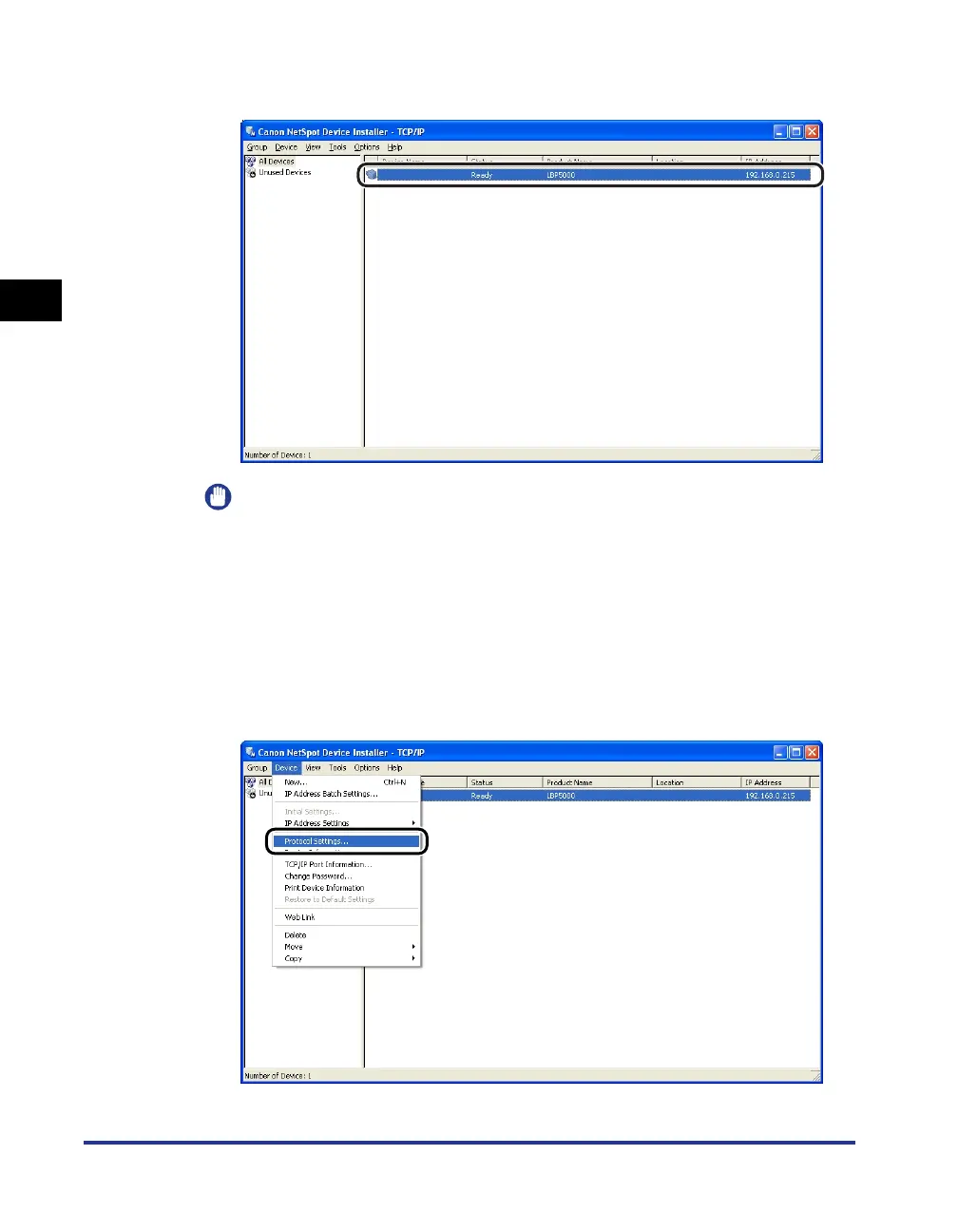
Select the printer.
IMPORTANT
If you are using Windows XP Service Pack 2 or another operating system equipped
with Windows Firewall, and the Windows Firewall is enabled, you cannot search for
the printers on a subnet that is different from the one that the computers using
NetSpot Device Installer are on. To search for a printer on a subnet that is different
from the one that the computer you are using is on, see Readme of NetSpot Device
Installer and add "NetSpot Device Installer" to the [Exceptions] sheet in the
[Windows Firewall] dialog box.
5
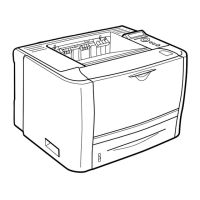
Select [Protocol Settings] from the [Device] menu.






 To Next Page