3-52
Managing the Printer Using NetSpot Device Installer
Managing the Printer in the Network Environment
3
When Running NetSpot Device Installer from the Supplied CD-ROM.
1
Insert the supplied CD-ROM into the CD-ROM drive.
2
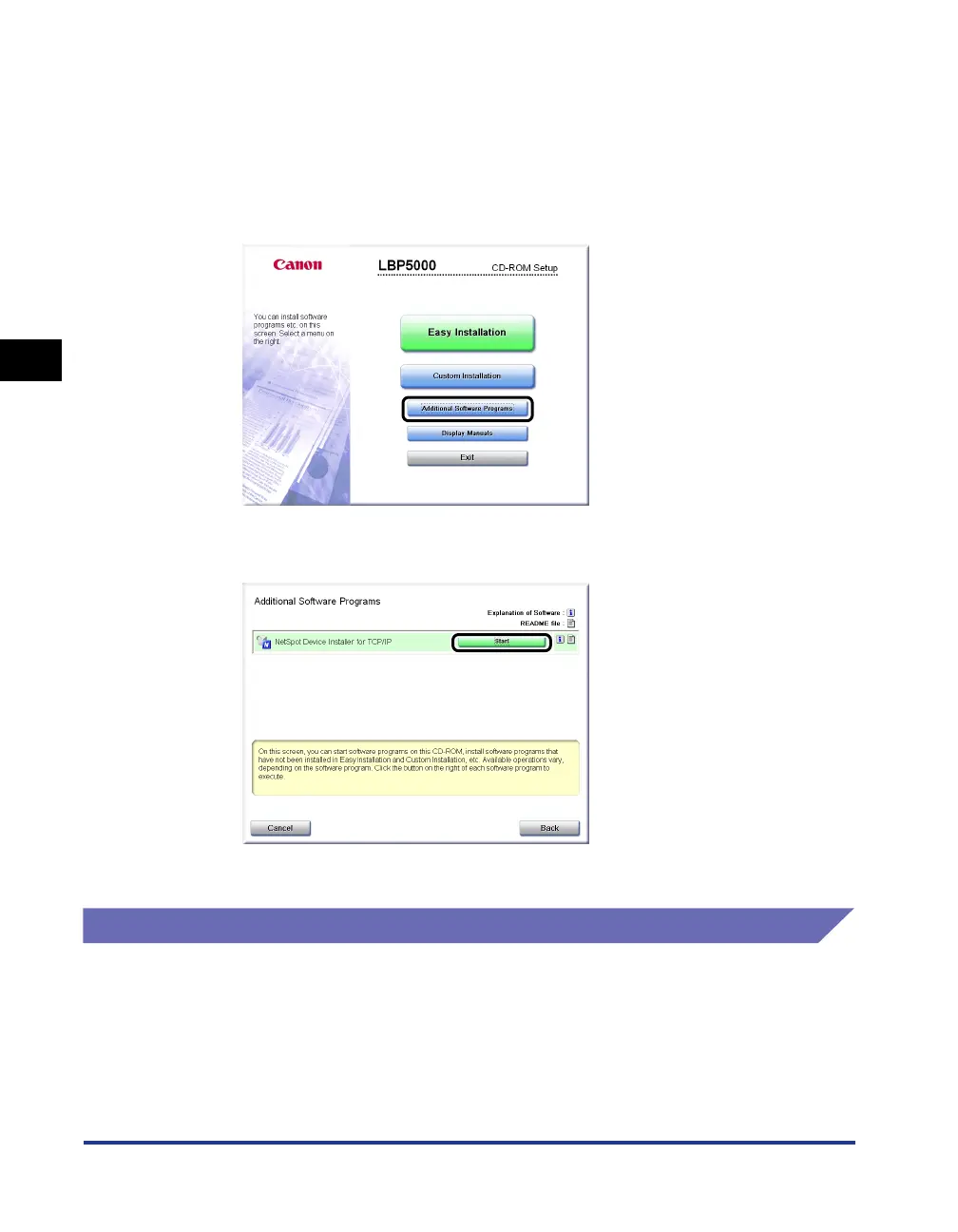
Click [Additional Software Programs].
3
Click [Start] in [NetSpot Device Installer for TCP/IP].
NetSpot Device Installer runs.
How to Use NetSpot Device Installer
For more details on the procedures for using NetSpot Device Installer, see Online
Help. Online Help is displayed by clicking [Help] in the [Help] menu.






 To Next Page