2-73
Setting Up the Network Environment for Printing
2
Protocol Settings for the Printer
6
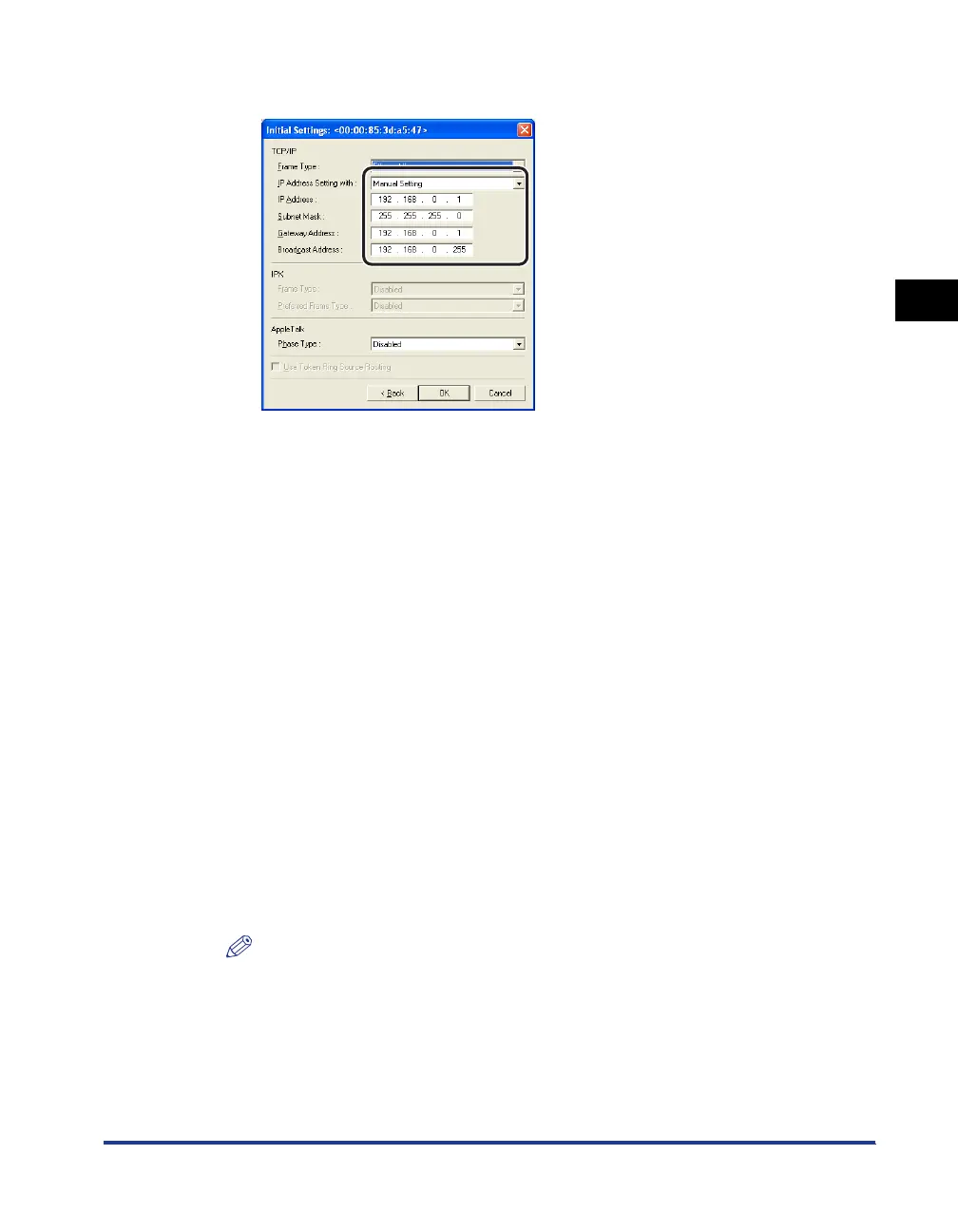
Perform the protocol settings.
Options to be specified
NOTE
•
If RARP, BOOTP, or DHCP is selected, you cannot enter any value in [IP Address],
[Subnet Mask], and [Gateway Address].
•
If you cannot use RARP, BOOTP, and DHCP, specify [Manual Setting].
[IP Address Setting with]: Select the method for setting the IP address.
[Manual
Setting]:
Allows you to specify the IP address
directly. The IP address entered for [IP
Address] is specified for the network board.
[Auto Detect]: Obtains an IP address using RARP,
BOOTP, or DHCP.
[RARP]: Obtains an IP address using RARP. (The
RARP daemon needs to be started up.)
[BOOTP]: Obtains an IP address using BOOTP. (The
BOOTP daemon needs to be started up.)
[DHCP]: Obtains an IP address using DHCP. (The
DHCP server needs to be started up.)
[IP Address]: Enter the IP address of the network board.
[Subnet Mask]: Enter the subnet mask that is being used on the TCP/IP
network.
[Gateway Address]: Enter the gateway address that is being used on the TCP/IP
network.












 To Next Page