2-23
Setting Up the Network Environment for Printing
2
Installing the CAPT Software
NOTE
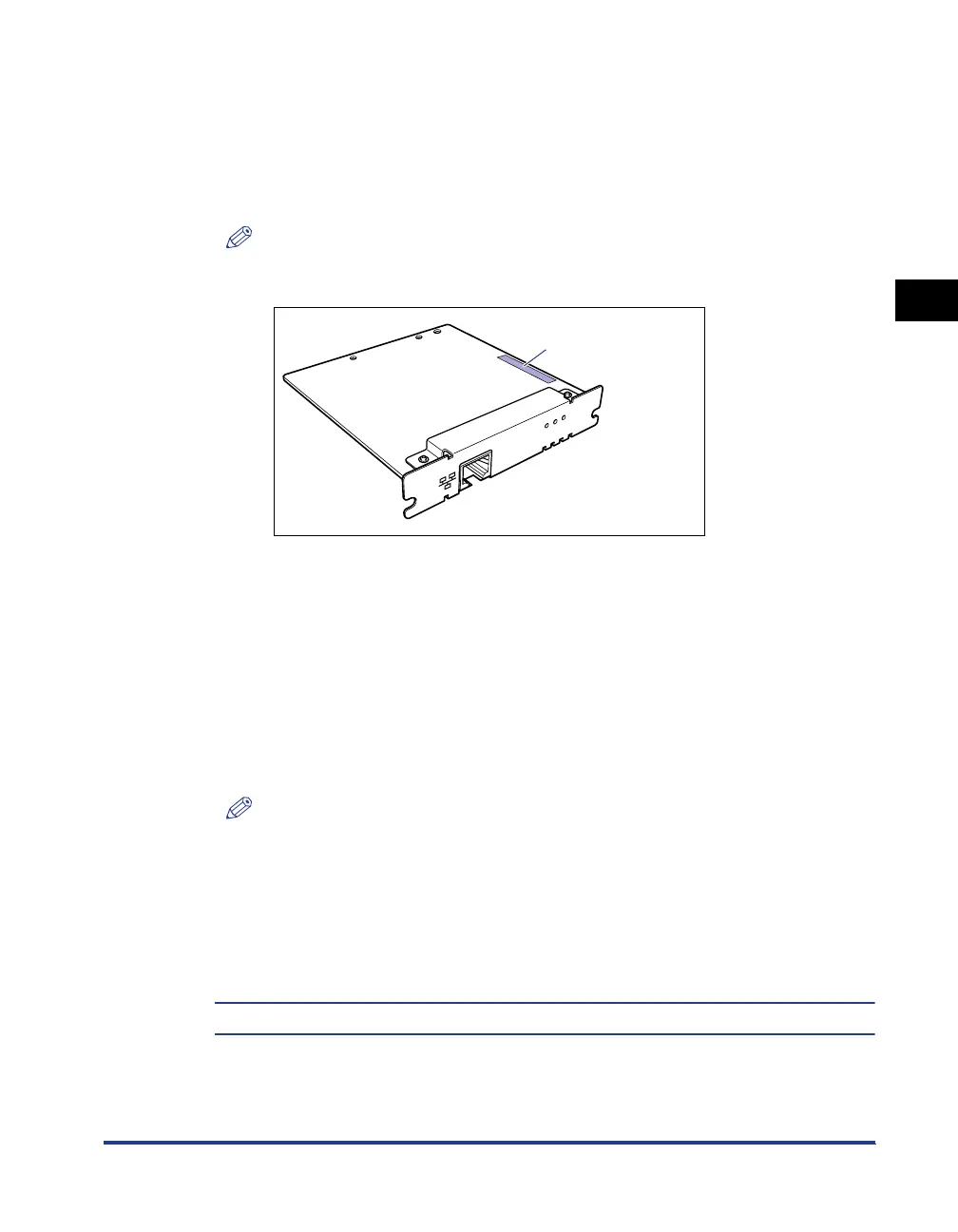
The MAC address is indicated on the reverse side of the network board (A) as
shown in the following figure.
3
Enter the following command, then press the [ENTER] key on
your keyboard.
The IP address is set on the network board.
NOTE
•
l of "-l" is the letter "L" of the alphabet.
•
The subnet mask and gateway address are set to [0.0.0.0].
4
Enter "exit", then press the [ENTER] key on your keyboard.
Exit Command Prompt or MS-DOS Prompt.
Next, install the Canon CAPT Print Monitor. (See p. 2-26)
IP Address: Specify the IP address to assign to the printer. Specify the address
with four numbers (from 0 to 255) separated with a period (.).
MAC Address: Specify the MAC address of the printer. When entering the number,
separate the number every two digits with a hyphen (-).
Input Example: arp -s 192.168.0.215 00-00-85-05-70-31
ping <the IP Address> -l 479
IP Address: Specify the same IP address as the one used in Step 2.
Input Example: ping 192.168.0.215 -l 479
ERR LNK 100
NB-C1
(A)












 To Next Page