2-37
Setting Up the Network Environment for Printing
2
Installing the CAPT Software
18
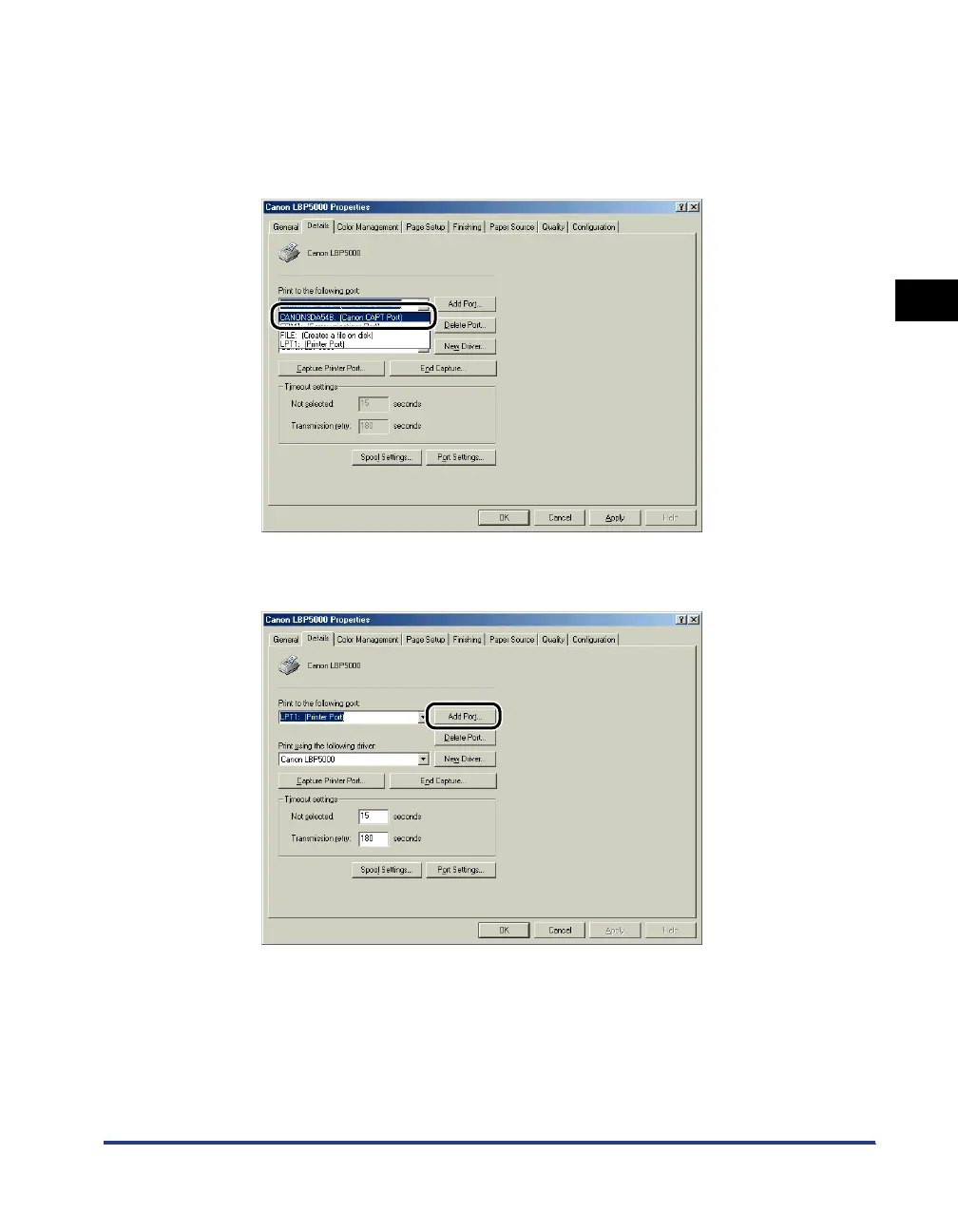
Select [Canon CAPT Port] from [Print to the following port],
and then proceed to Step 23.
If [Canon CAPT Port] is not displayed in [Print to the following port], perform the
following procedure.
19
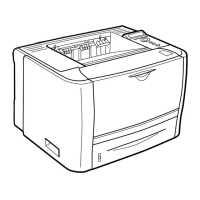
Click [Add Port].








 To Next Page