2-39
Setting Up the Network Environment for Printing
2
Installing the CAPT Software
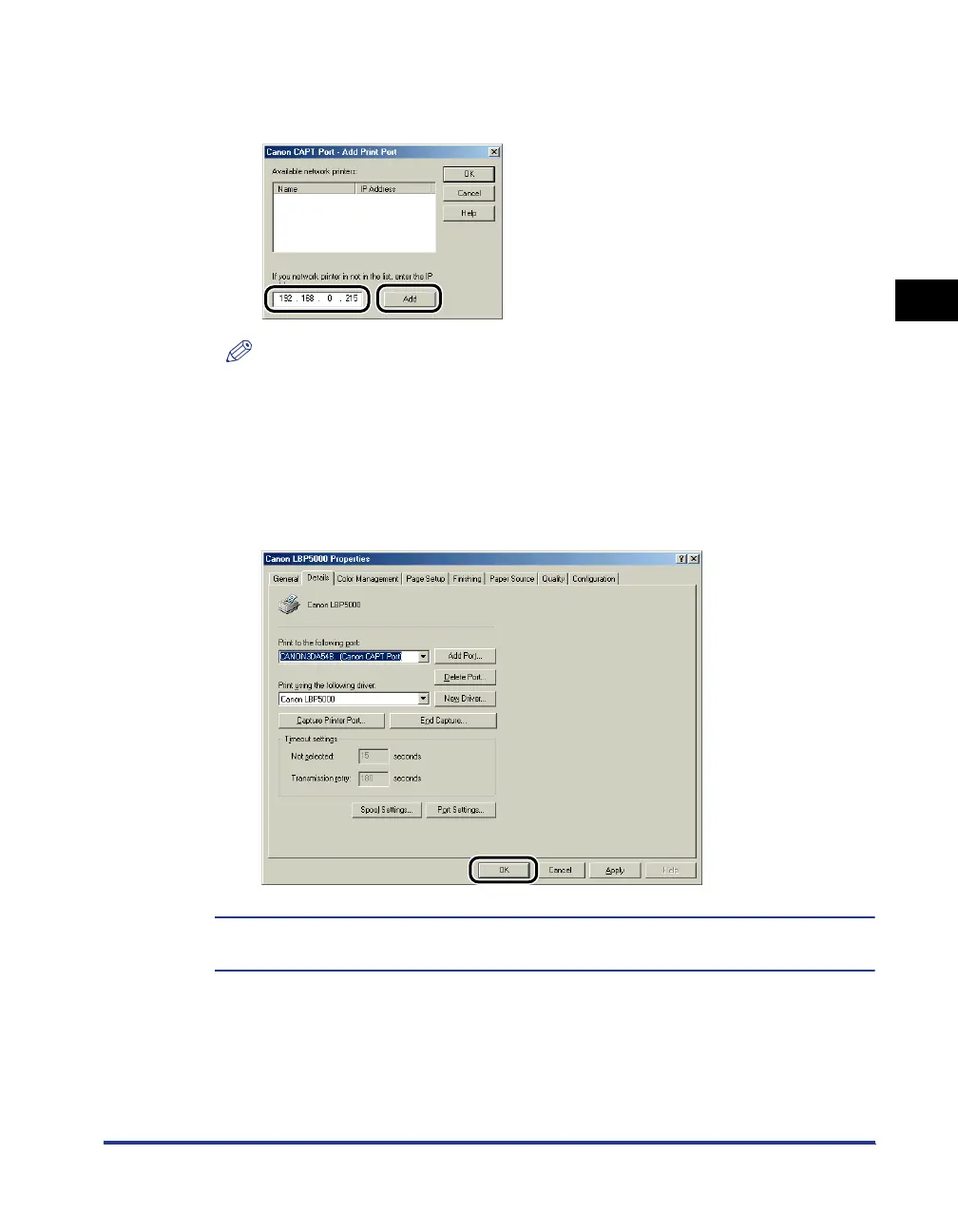
If the IP address of the desired port is not displayed in [Available network
printers], enter the IP address specified using NetSpot Device Installer, the ARP/
PING command, or the Printer Status Window, and then click [Add].
NOTE
When using the unicast communication mode (If you have selected the [Use the
Unicast Communicate Mode] check box on the installation of Canon CAPT Print
Monitor), display screens and operation procedure are different. For more details,
see "Using the Unicast Communication Mode" (p. 5-12) or ask your network
administrator.
23
Click [OK].
The installation of the printer driver is completed. If you want to configure the protocol
settings, see "Protocol Settings for the Printer," on p. 2-60.








 To Next Page