Installing the CAPT Software
2-42
Setting Up the Network Environment for Printing
2
8
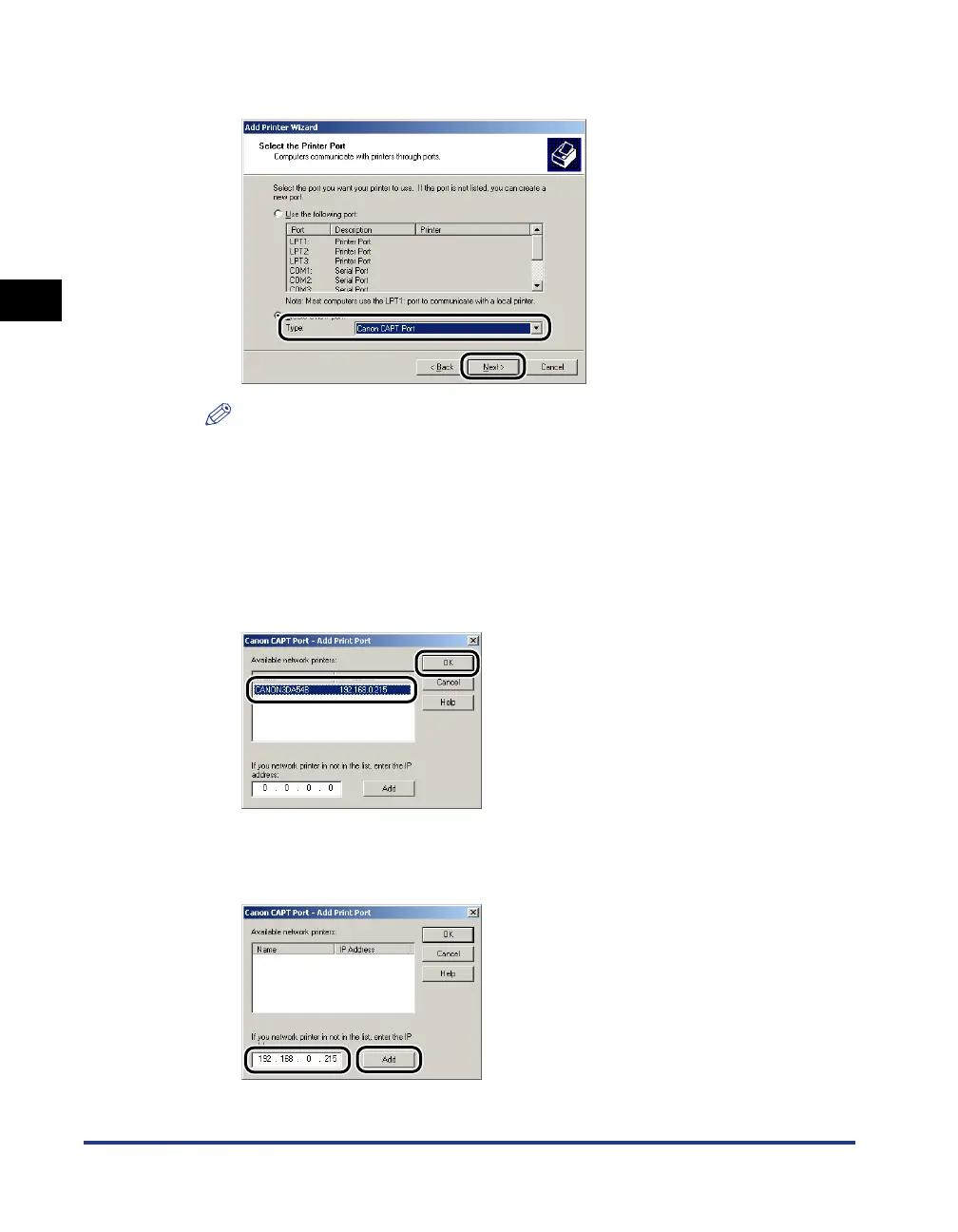
Select [Canon CAPT Port] from [Type], then click [Next].
NOTE
If [Canon CAPT Port] is not displayed, perform the procedure "Installing the Canon
CAPT Print Monitor" (p. 2-26) again.
9
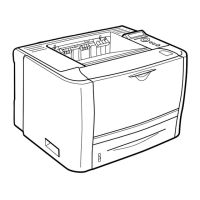
From [Available network printers], select the port of the IP
address specified using NetSpot Device Installer, the ARP/
PING command, or the Printer Status Window, and then click
[OK].
If the IP address of the desired port is not displayed in [Available network
printers], enter the IP address specified using NetSpot Device Installer, the ARP/
PING command, or the Printer Status Window, and then click [Add].






 To Next Page