Uninstalling the CAPT Software
2-80
Setting Up the Network Environment for Printing
2
3
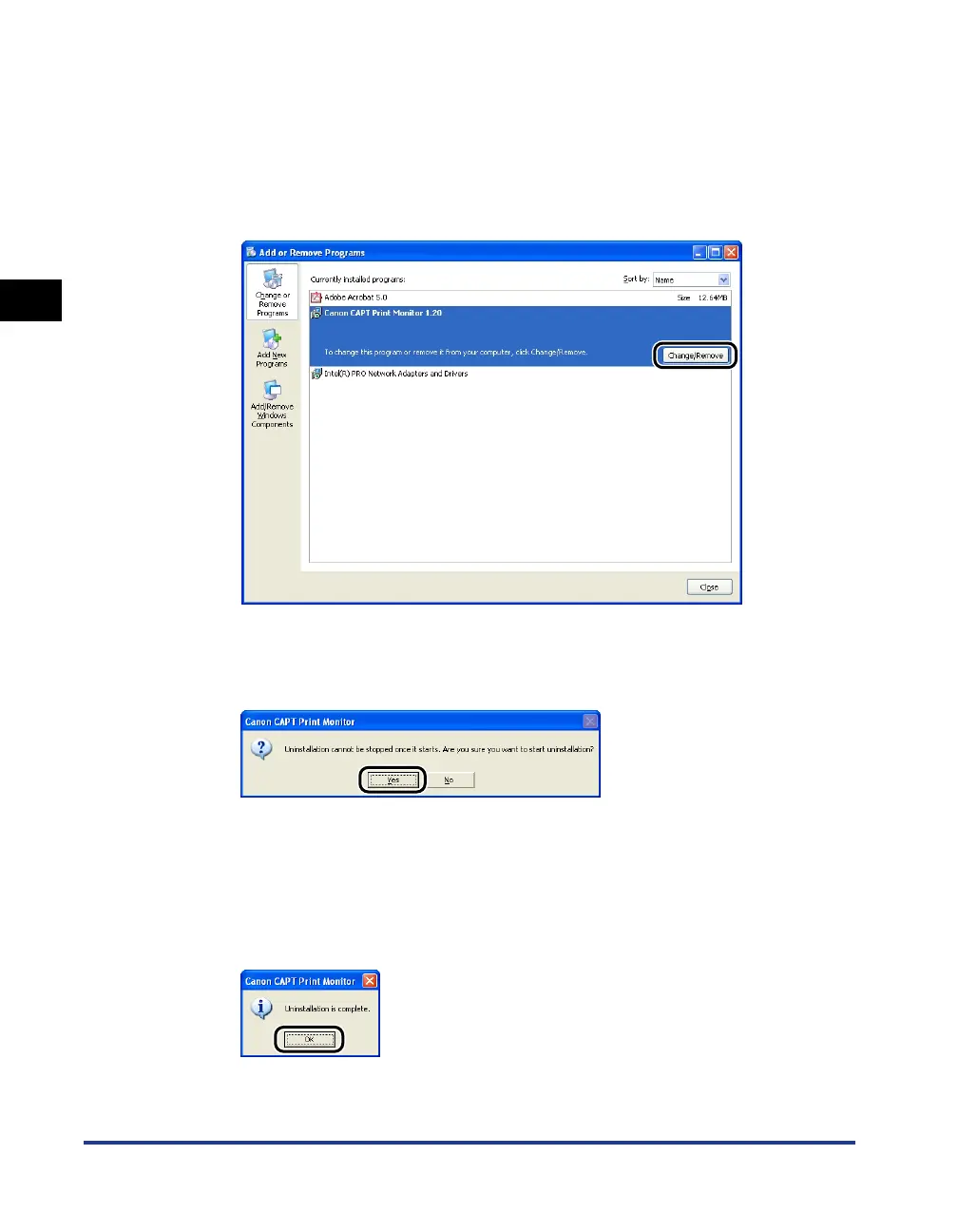
Select [Canon CAPT Print Monitor] in the [Add or Remove
Programs] dialog box, then click [Change/Remove].
For Windows 98/Me: Select [Canon CAPT Print Monitor] in the [Add/Remove
Programs Properties] dialog box, then click [Add/Remove].
For Windows 2000: Select [Canon CAPT Print Monitor] in the [Add/Remove
Programs] dialog box, then click [Change/Remove].
4
The dialog box that asks you whether the uninstallation can
be started is displayed. Click [Yes].
Uninstallation starts. Please wait a moment.
5
If the uninstallation is completed successfully, the dialog box
that informs you of the completion of the uninstallation is
displayed. Click [OK].












 To Next Page