4-21
Paper Loading and Output Tray
4
Loading Paper in the Paper Cassette
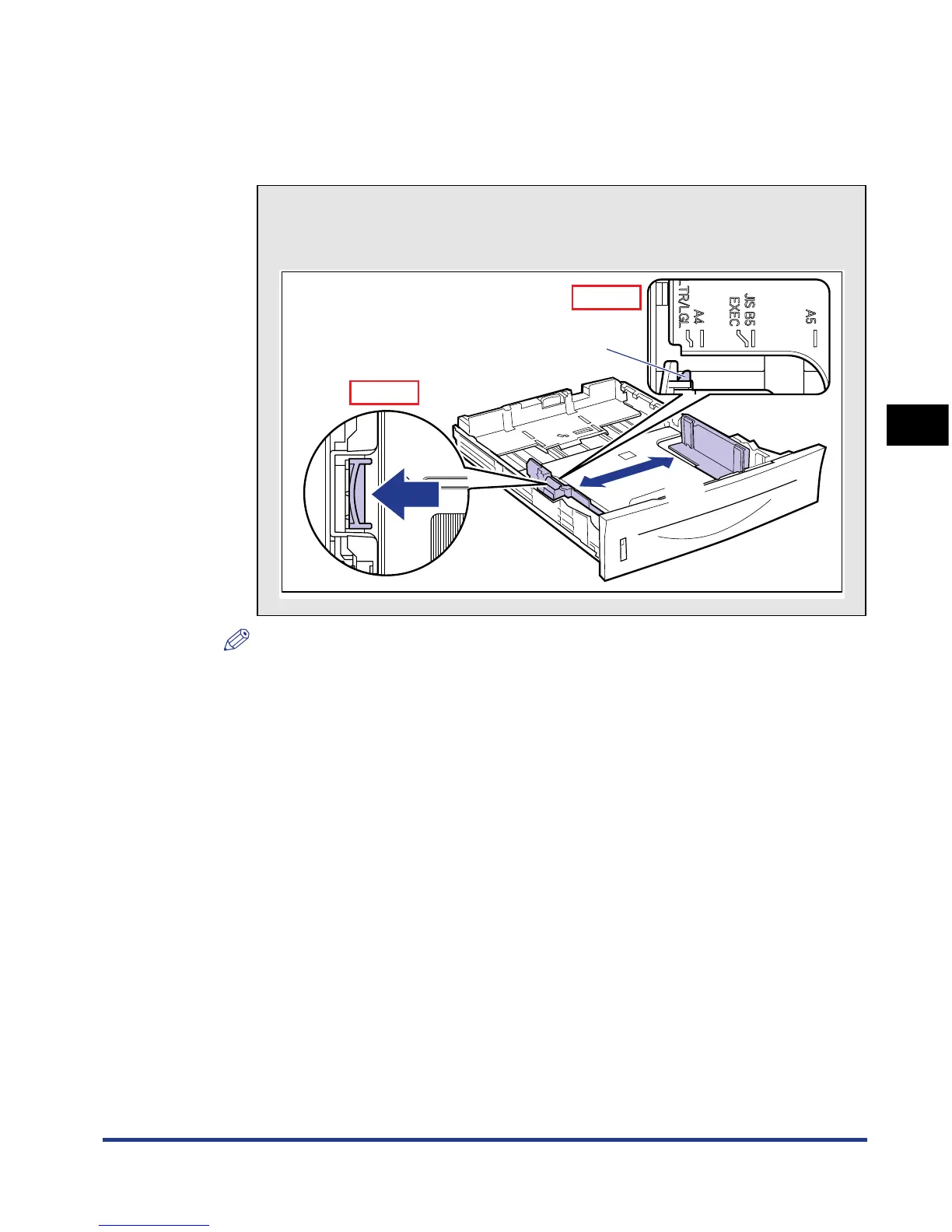
● Slide the side paper guides to the size mark for the paper to be
loaded.
The side paper guides move together. Align the position of (A) with the mark for
the size of the paper to be loaded.
NOTE
If you are using B5 size paper (182 mm x 257 mm), set the paper guide to "JIS B5".
How to slide the side paper guides
aHold the lock release lever.
bSlide the paper guides to the size mark for the paper to be loaded.
a
b
(A)
Top View
Top View













 To Next Page