4-24
Paper Loading and Output Tray
Loading Paper in the Paper Cassette
4
4
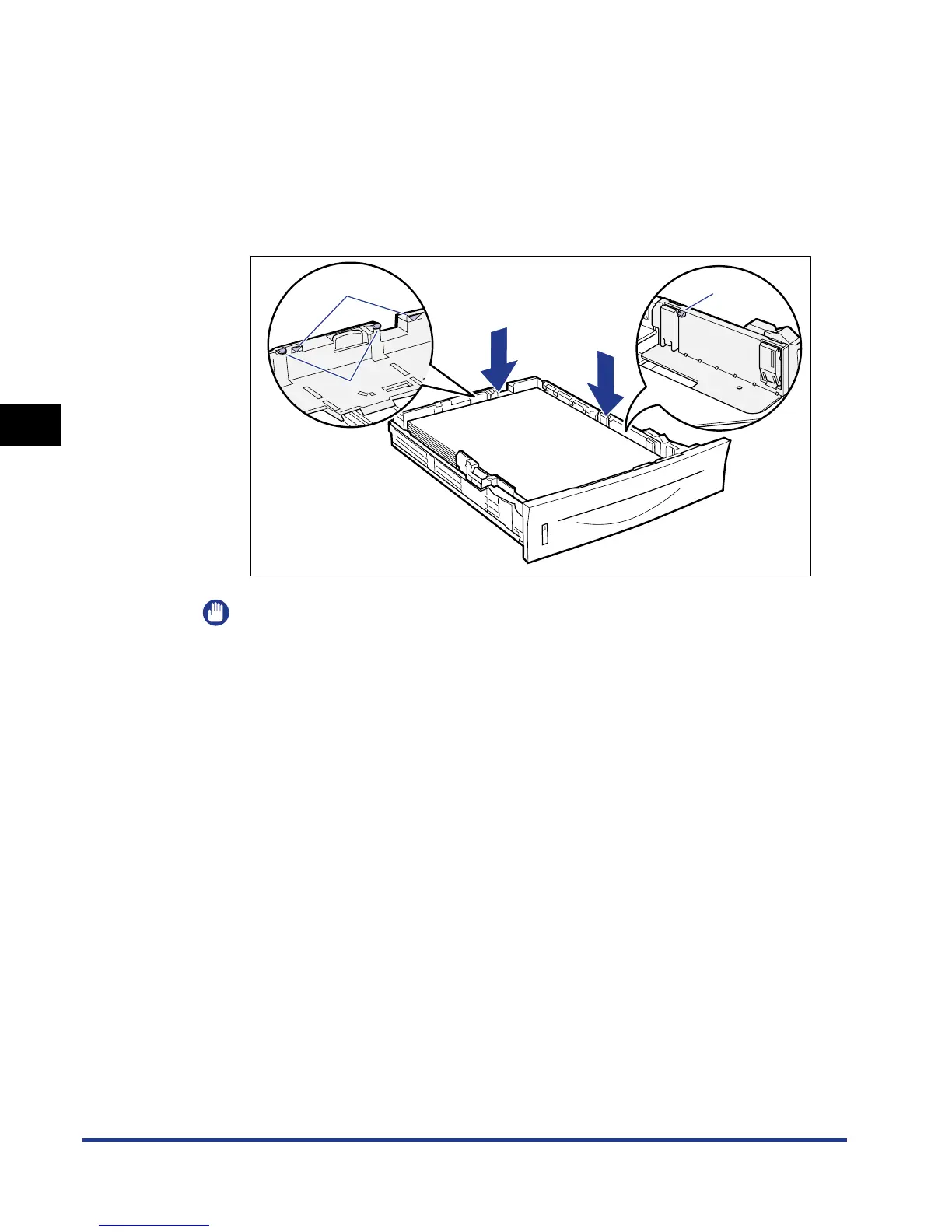
Hold down the paper as shown in the figure, then set it under
the hooks (A) on the paper guides.
Check the following points.
• Whether the paper stack does not exceed the load limit marks (B)
• Whether there is sufficient space between the hooks of the paper guides and
the paper stack
IMPORTANT
The following shows the paper capacity of the paper cassette. Be sure that the
paper stack does not exceed the load limit marks. If the paper stack exceeds the
load limit marks, this may result in misfeeds.
- Plain paper Approx. 250 sheets (Ex. 80 g/m
2
)
- Heavy paper Approx. 200 sheets (Ex. 91 g/m
2
)
(A)
(B)
(A)













 To Next Page