5-10
The Printing Environment
5
Menu Functions and Menu Operation
NOTE
•
The printer can switch back to online when it is ready to print. The printer is ready to print
when the (Ready) indicator is on.
•
If you press [ ] during the setting, the display goes back up the hierarchy.
•
If you press the (Online) key during the setting, the setting is canceled.
•
In some options, the items are divided into two different hierarchies.
2
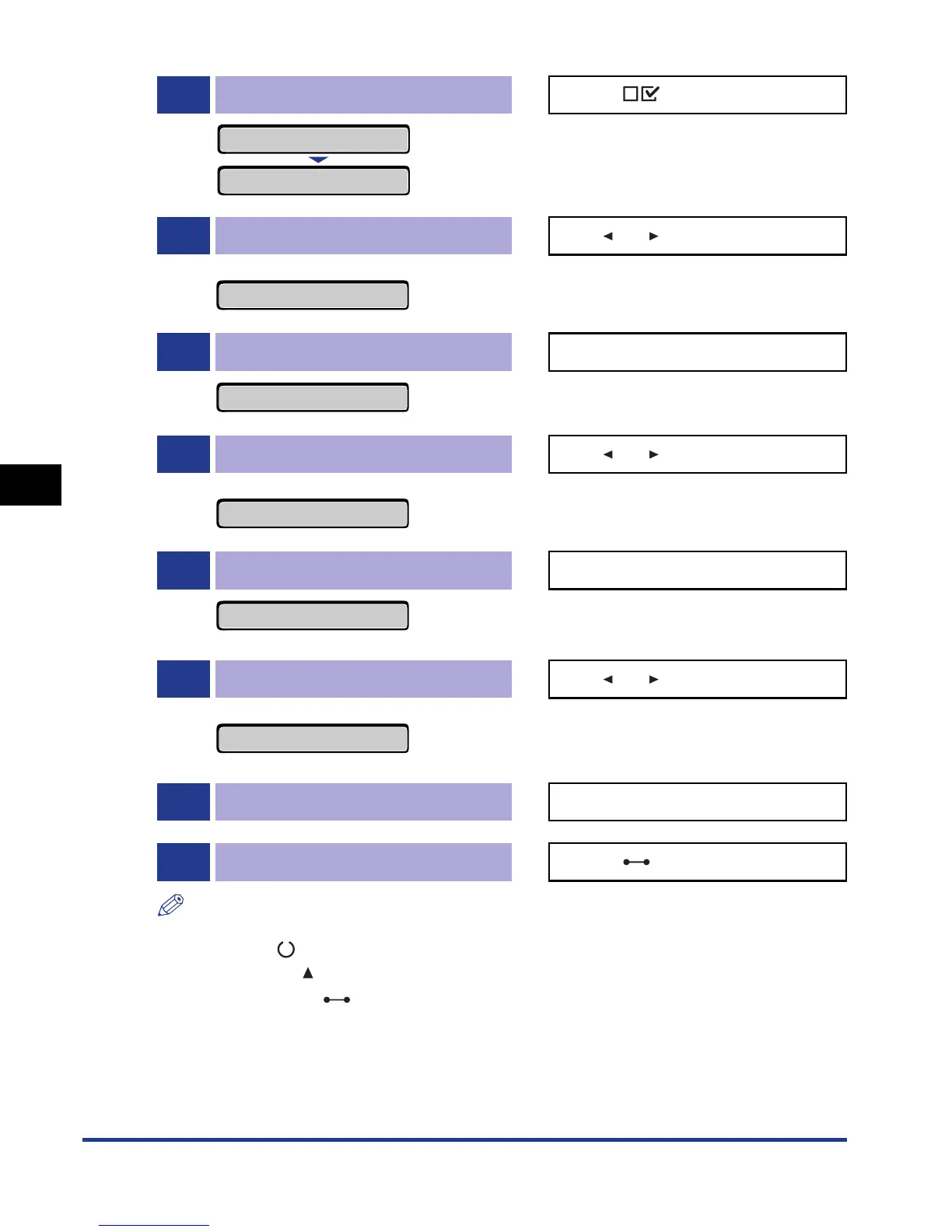
Display the SETUP menu.
Press the (Settings) key.
The SETUP menu is displayed.
3
Select the option.
Press [ ] or [ ].
When the FEEDER MENU options are selected The target option is displayed.
4
Display the item. Press [OK].
The selected item is displayed.
5
Select the item.
Press [ ] or [ ].
When TRAY PAPER SIZE is selected The target item is displayed.
6
Display the setting value. Press [OK].
The selected setting value is displayed.
7
Select the setting value.
Press [ ] or [ ].
When B5 is selected The target setting value is displayed.
8
Determine the selected setting value. Press [OK].
9
Switch back to online state.
Press the (Online) key.
SETUP
CONTROL MENU
→
FEEDER MENU
→
TRAY PAPER SIZE
→
TRAY PAPER SIZE
→
=A4
→
B5
→













 To Next Page