7-10
Routine Maintenance
7
Replacing the Toner Cartridge
4
Take the new toner cartridge out of the box.
5
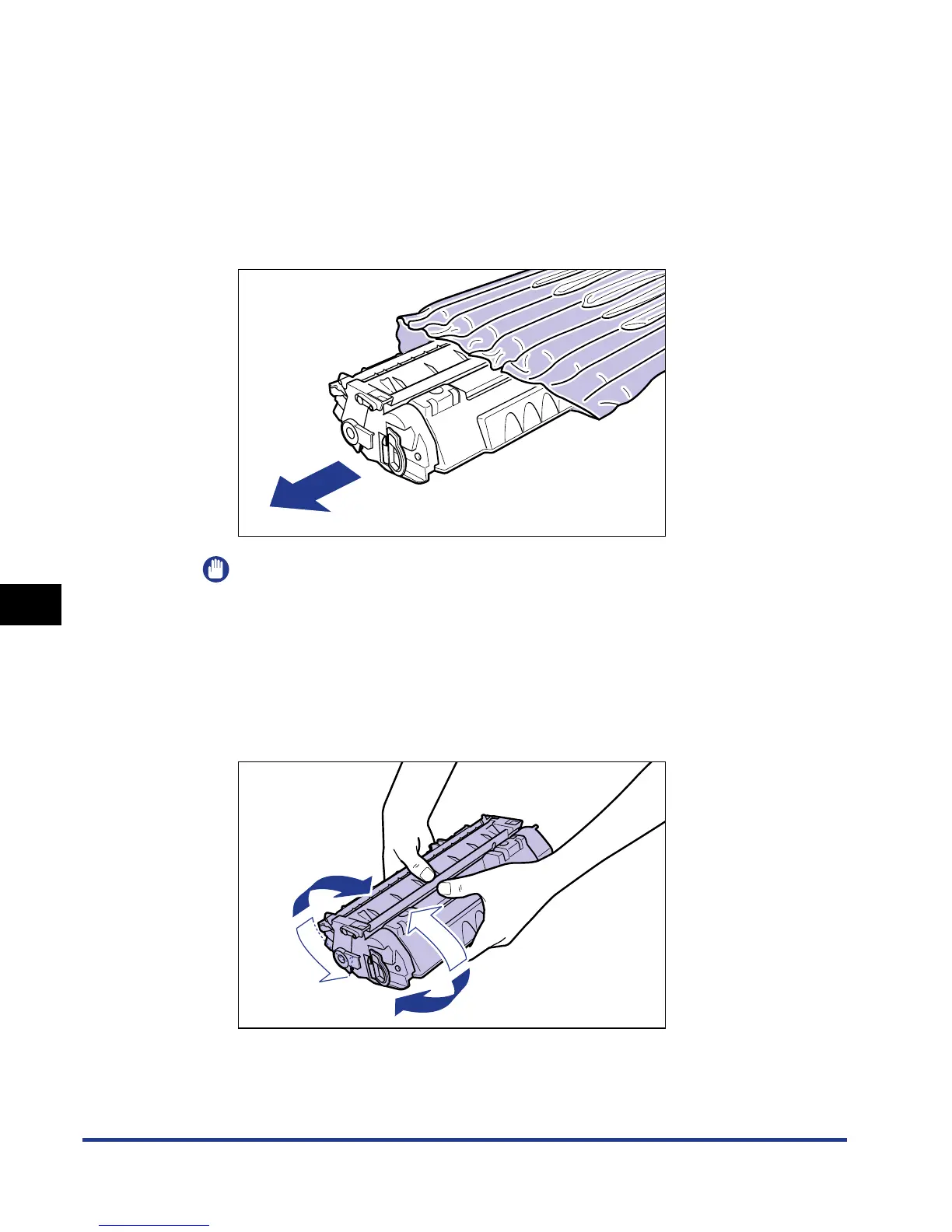
Take the toner cartridge out of the protective bag.
There is a cut near the arrow on the protective bag, so you can open it by hand.
However, if you cannot open it by hand, use scissors to open the protective bag
so as not to damage the toner cartridge.
IMPORTANT
Keep the protective bag for the toner cartridge. It may be required after taking out
the toner cartridge for printer maintenance.
6
Hold the toner cartridge as shown in the figure, and shake it
gently 5 or 6 times to evenly distribute the toner inside the
cartridge.


 To Next Page
 Loading...







