7-32
Routine Maintenance
7
Moving the Printer
1
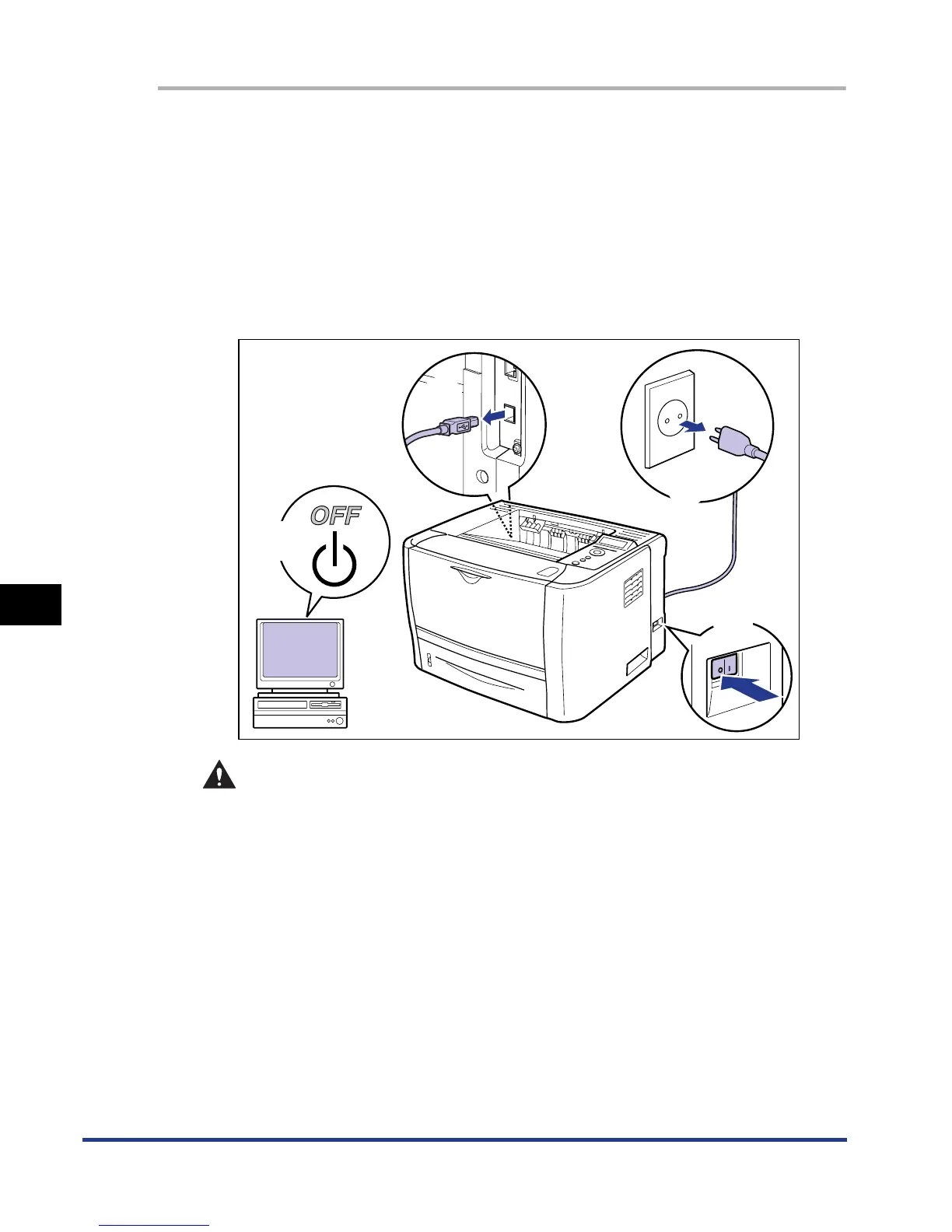
Perform the following procedure.
Turn the printer OFF a.
If a USB cable is connected, turn the computer off b, and then disconnect the
USB cable c.
Disconnect the power plug from the AC power outlet d.
It is recommended that you shut down the printer before turning it OFF. (See
"Shutting Down the Printer," on p. 3-4)
If you are using WSD, the shutdown notifies the computer that the printer is
turned OFF.
WARNING
Be sure to turn the printer and computer OFF, unplug the power plug, and
then disconnect all the interface cables from the printer before moving the
printer. Otherwise, the power cord or interface cables may be damaged,
resulting in a fire or electrical shock.
2
Remove all the interface cables and the power cord from the
printer.
b
c
d
a













 To Next Page