8-12
Tr oubleshooting
8
Paper Jams
8
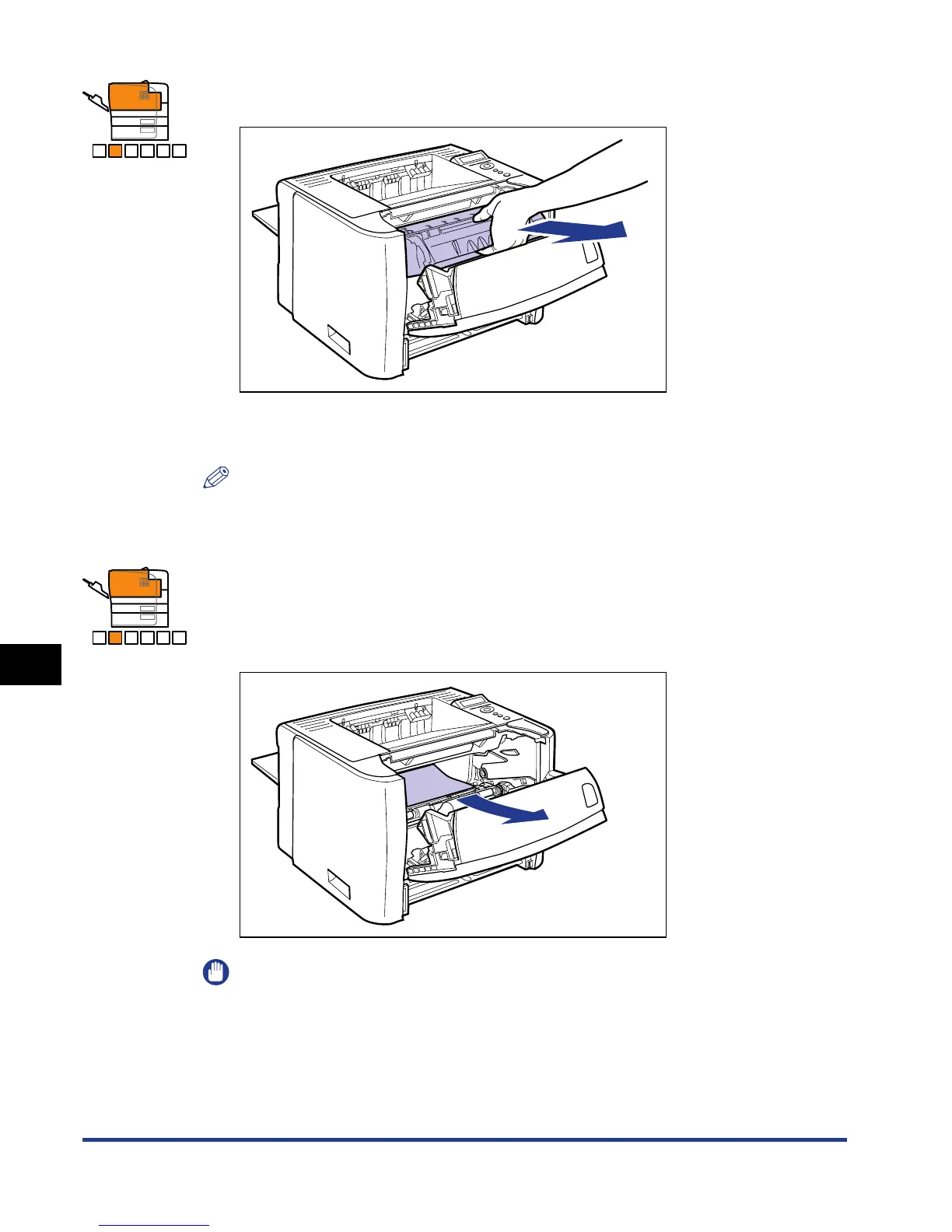
Remove the toner cartridge from the printer.
Immediately place the removed toner cartridge into the original protective bag or
wrap it with a thick cloth.
NOTE
For details on handling toner cartridges, see "Precautions for Handling Toner
Cartridges," on p. 7-14.
9
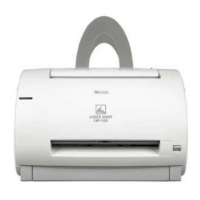
If you see the top of the jammed paper inside the front cover,
simply pull out the paper to remove it.
Remove the jammed paper gently to prevent unfixed toner from spilling.
IMPORTANT
If you pull the jammed paper obliquely upward, unfixed toner may spill. When
removing the jammed paper, pull it as horizontally as possible. Dirt inside the
printer may cause deterioration in print quality.
A B C D E F
A B C D E F






 To Next Page