8-37
Tr oubleshooting
8
Service Call Display
2
Note down the alphanumeric characters and message in the
display.
3
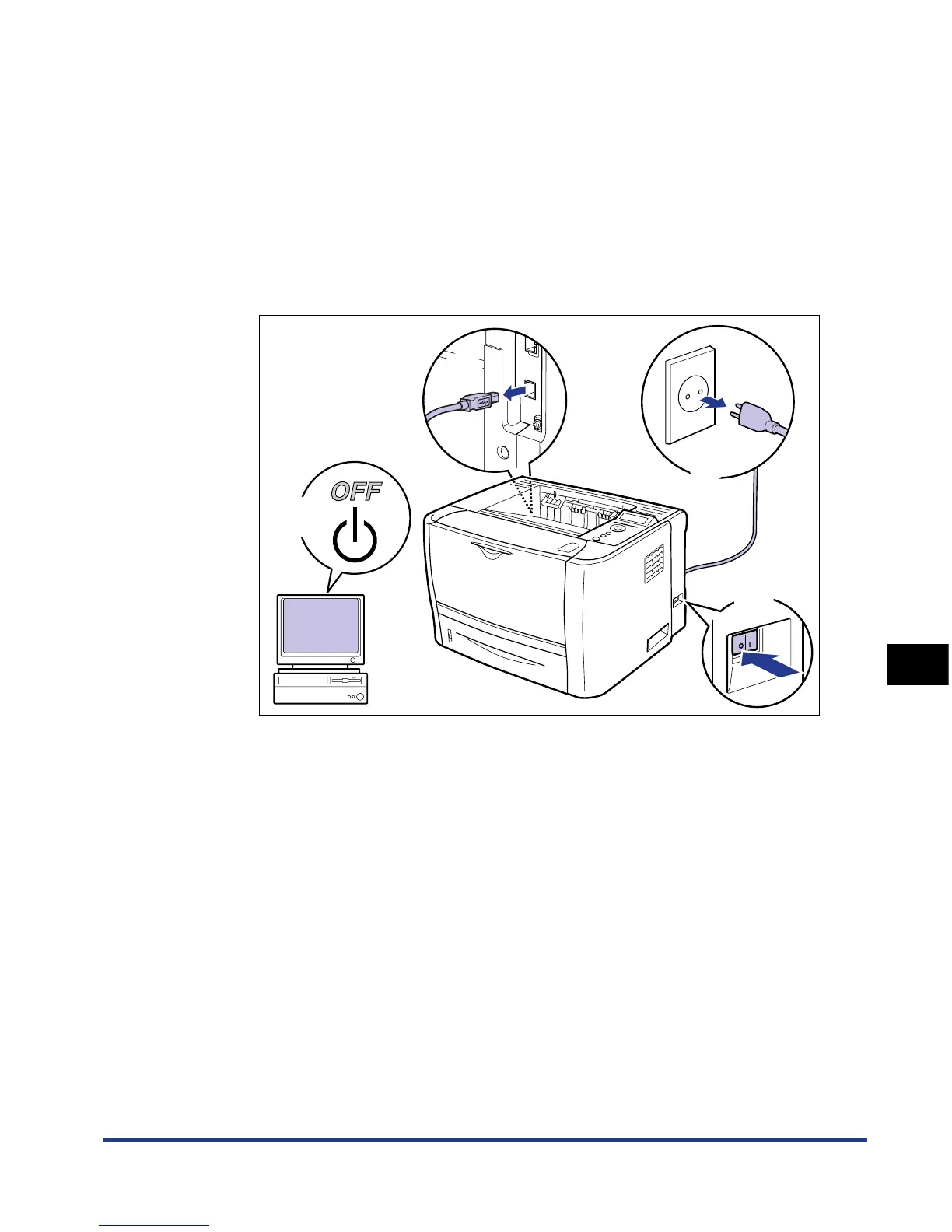
Perform the following procedure.
Turn the printer OFF a.
If a USB cable is connected, turn the computer off b, and then disconnect the
USB cable c.
Disconnect the power plug from the AC power outlet d.
4
Contact your local authorized Canon dealer.
When contacting your Canon dealer, please report the problems and code
number that you have noted.
b
c
d
a













 To Next Page