2-21
Installing the Printer
2
Removing the Packing Materials Inside the Printer and Installing the Toner Cartridge
10
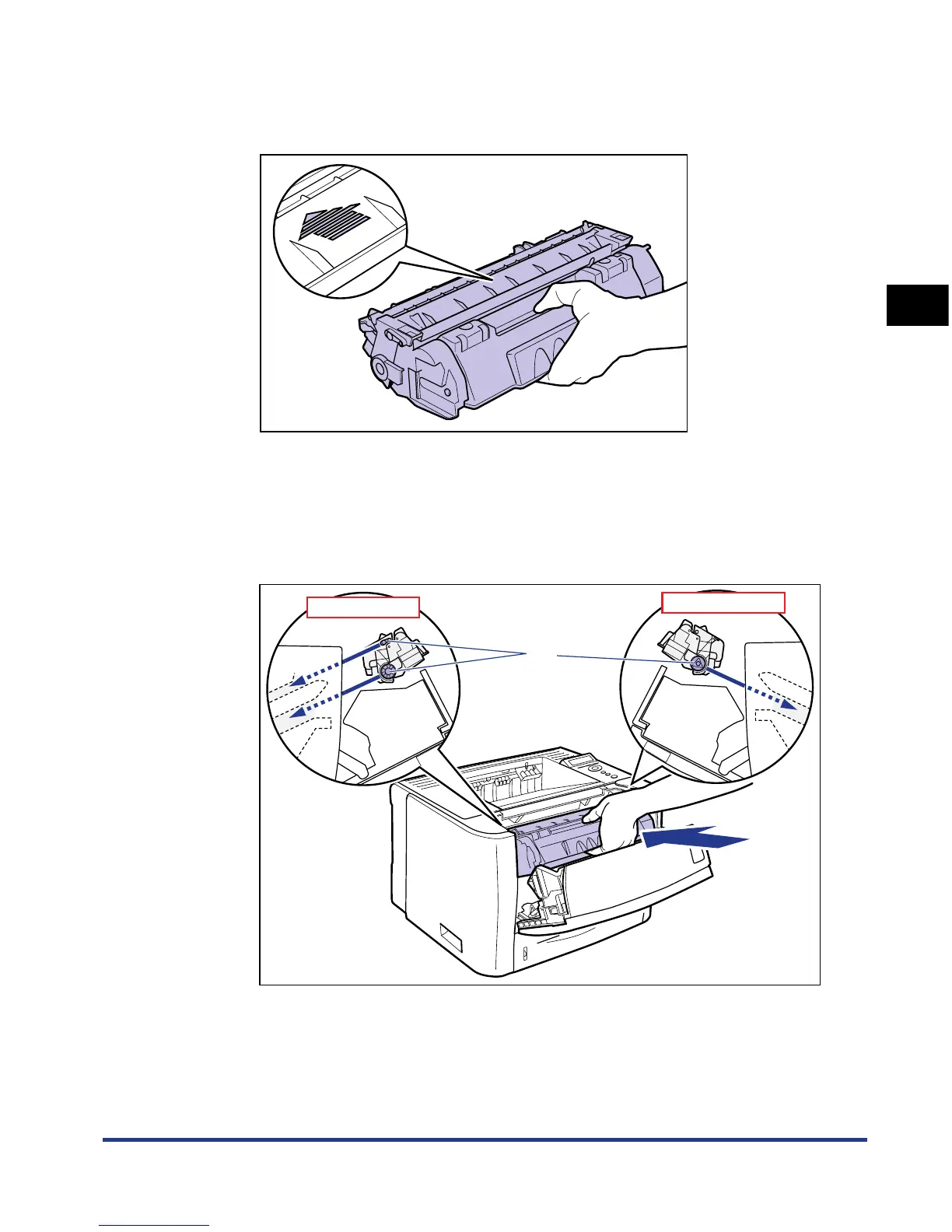
Hold the toner cartridge properly with the arrowed side facing
up as shown in the figure.
11
Install the toner cartridge.
Push the toner cartridge into the printer firmly until it touches the back of the
printer while aligning (A) on both sides of the toner cartridge with the toner
cartridge guides inside the printer.
(A)
Side View (Left)
Side View (Right)













 To Next Page