2-29
Installing the Printer
2
Connecting the Cables
1
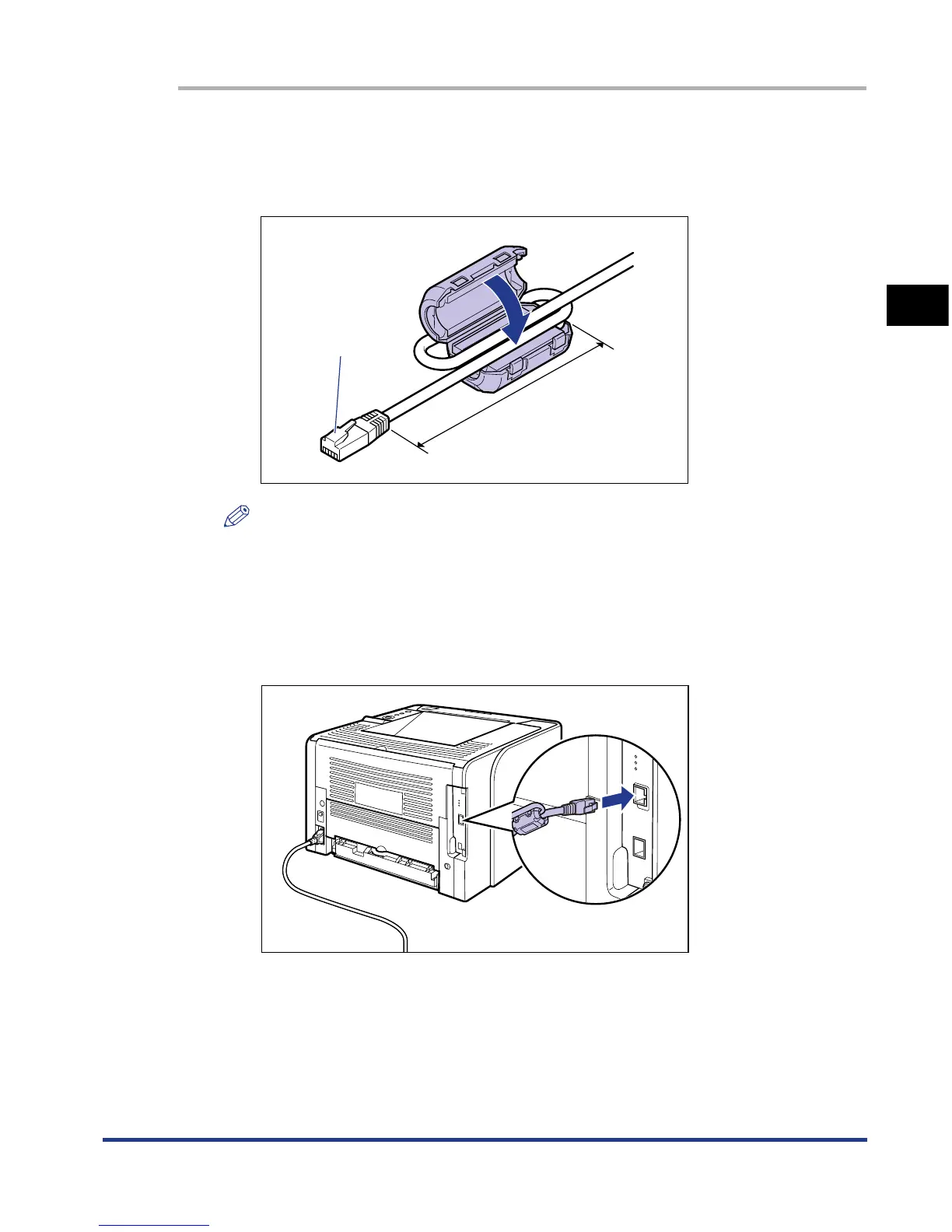
Attach the ferrite core to the LAN cable as shown in the figure.
Attach the ferrite core at 5 cm or less from the end of the connector (A)
connected to the printer.
NOTE
A ferrite core is supplied with the printer.
2
Connect the LAN cable to the LAN connector of the printer.
Connect a LAN cable that is compatible with the LAN connector of the network
board according to the network.
5 cm or less
(A)













 To Next Page