23
Basic Functions
Recording
E
Recording
Recording Movies on a Tape
Recording
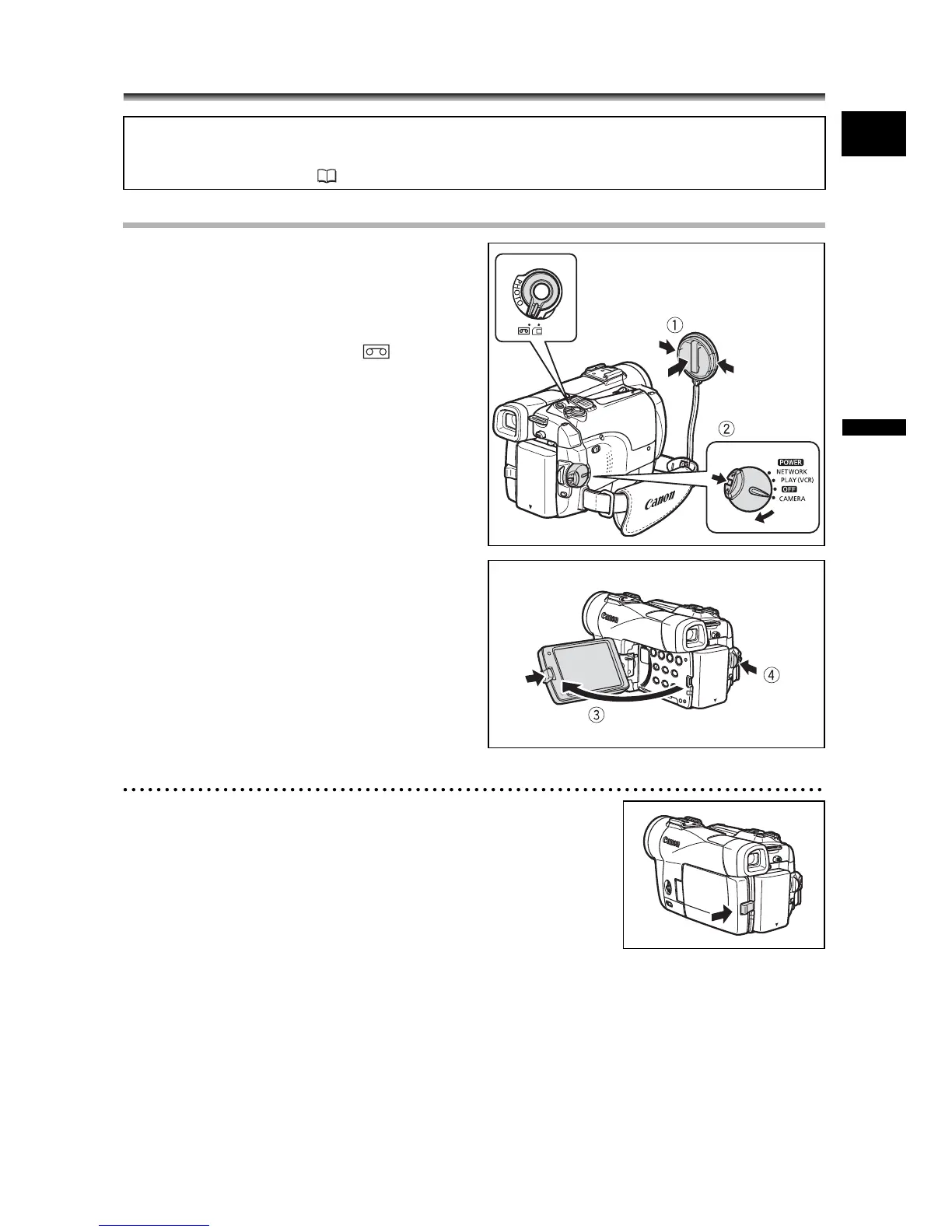
1. Remove the lens cap.
2. Set the camcorder to CAMERA
mode.
Set the POWER switch to CAMERA and
the TAPE/CARD switch to .
3. Push the OPEN button at the LCD
panel and open the LCD panel.
4. Press the start/stop button to
begin recording.
Press the start/stop button again to pause
recording.
When You Have Finished Recording
1. Turn the POWER switch to OFF.
2. Close the LCD panel.
3. Replace the lens cap.
4. Unload the cassette.
5. Disconnect the power source.
Before You Begin Recording
Make a test recording first to check if the camcorder operates correctly. If necessary,
clean the video heads ( 145).



 To Next Page